
Delegate the Work
Today: attach delegated work to the outcome note.
Start from the same outcome note you used yesterday.
Found this page without the email series? Start here: Your first Smart Loop
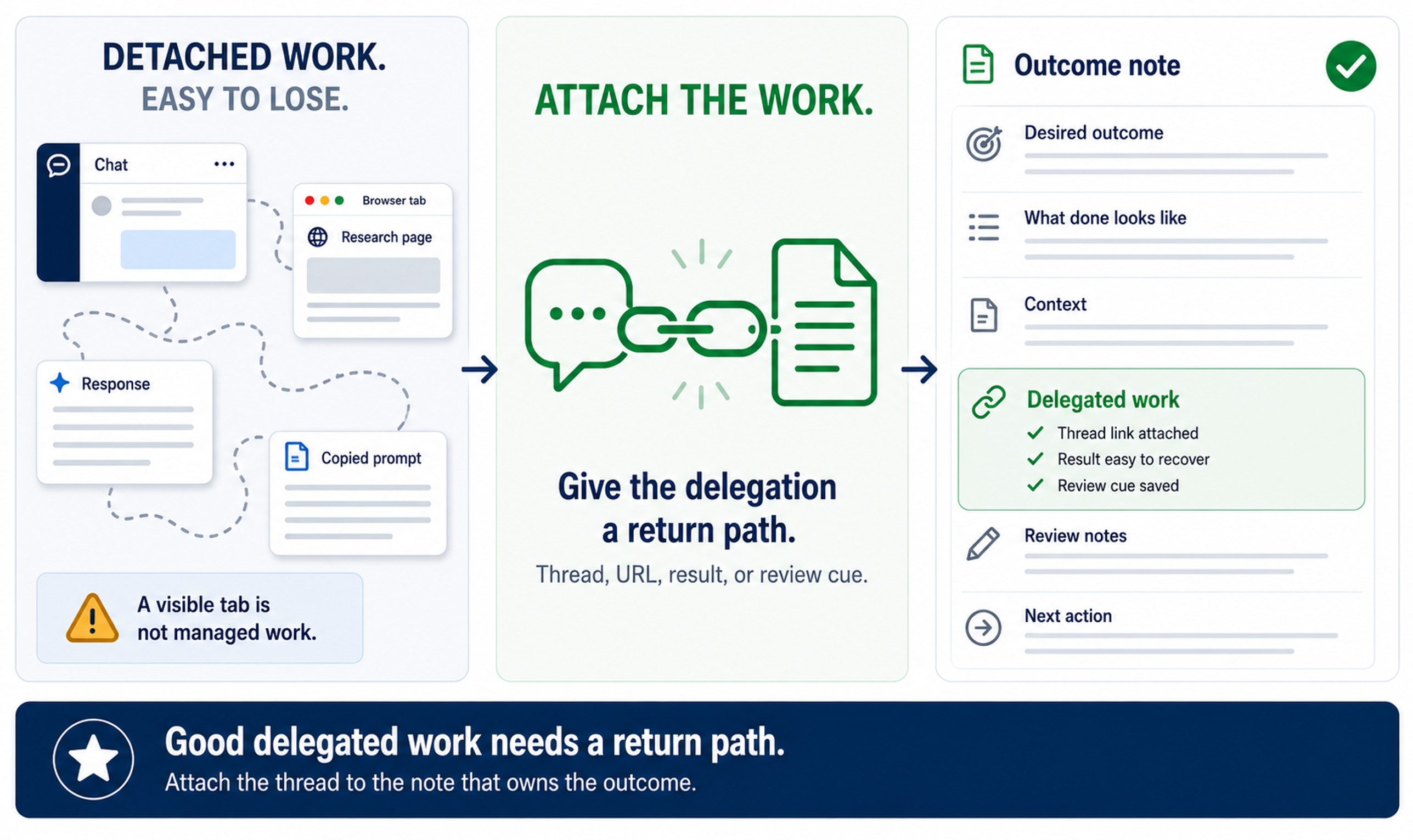
Today's note change
The Delegated work section becomes useful enough to recover the assignment later.
Instead of leaving AI work inside a detached chat tab, you attach the thread, result, or return path to the note that owns the outcome.
Before you start
Required:
- The desired outcome is written in one outcome note.
- The note has 3-5 lines under
What Done Looks Like. - The note has selected context attached as links or a Smart Context codeblock.
- Your preferred AI provider is available.
Optional:
- Smart Context is installed and enabled if you want to copy the note and attached context as the assignment.
- Smart Chat is installed and enabled if you want to manage provider threads inside the note.
What your note should show
Before:
- the next action is in your head
- the assignment starts in a detached chat
- the result may be hard to find later
After:
- one next action is written in the note
- delegated work is attached to the outcome note
- the thread can be recovered from the same place the outcome lives
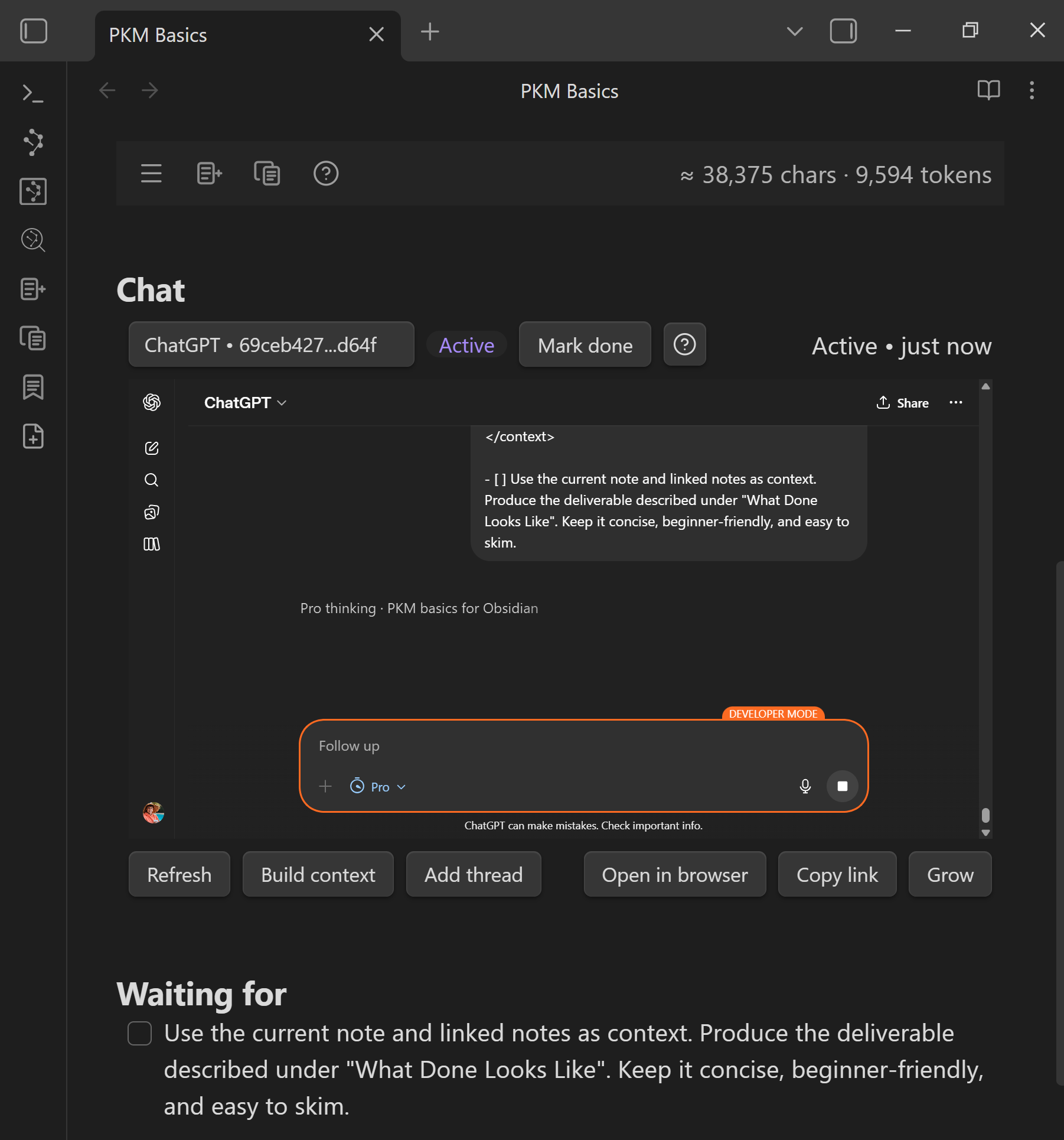
The outcome note should show delegated work attached to the note, so the assignment can be recovered and reviewed later.
Add this to your note
Copy these sections into your outcome note before you delegate. Replace the placeholders with the next action and the return path you will use.
## Next action

- [ ] [one specific action AI should help with right now]

## Delegated work

```smart-chatgpt
```
This example uses the ChatGPT-specific Core fence. Replace smart-chatgpt with the provider-specific Core fence you use. The universal smart-chat fence requires Smart Chat Pro.
A visible provider response proves the chat surface works. A saved thread URL is a separate continuity result and appears only after the provider creates a recognized durable conversation URL.
The Next action section can be simple, like "Create the first draft." It's useful for both adding specific instruction to the delegated assignment and as a cue for quickly picking up where you left off when returning to review the work.
Brainstorming questions
- What action might be best to complete next?
- What verb might make the assignment clearer?
- What result might be easiest to review against
What Done Looks Like? - What might make this delegation easier to resume later?
Make the change
- Start from the same outcome note.
- Add or update the
Next actionsection. - Add a
Delegated worksection. - Copy the current note and attached context with Smart Context, or manually copy the note and context you selected.
- Paste the assignment into your preferred AI provider.
- Attach the thread, URL, result, or Smart Chat codeblock to the outcome note.
- Add a short note to help resume if the work will need attention later.
Weak vs stronger
Weak:
- the chat tab is open, so the work feels managed
- the note has no link back to the delegated work
- the next action is vague or only in memory
Stronger:
- the note shows the specific delegated action
- the thread, URL, result, or Smart Chat codeblock is attached
- future review can start from the outcome note without searching tabs or history
You know it worked when...
- The note can get you back to the delegated work without searching.
Use Smart Plugins to make this easier
This step is made much easier with these two plugins.
Smart Context helps copy the outcome note and all attached context to the clipboard. Run the Copy current to clipboard command then paste the contents as the assignment into your AI provider.
Reference: How I use my notes as assignments for delegating work to AI in Obsidian.
Smart Chat helps keep the provider thread attached to the outcome note so delegated work can be recovered and reviewed later.
Reference: How I manage chat threads in my Obsidian notes
If you get stuck
| Stuck on... | Do this |
|---|---|
| Missing the previous step | Go back to Build context and attach useful context first. |
| Not sure what to delegate | Ask for one reviewable intermediate result, not the whole outcome. |
| Smart Chat is not available | Paste the thread URL or result manually under Delegated work. |
| Provider sign-in is difficult | Use the provider in a normal browser tab and save the thread URL in the note. |
| The assignment feels too vague | Improve What Done Looks Like or Next action before sending. |
How this same move scales
Bigger outcomes may require many delegations, but each delegation should still have a clear return path to the note that owns the work.
The move stays the same: delegate one specific next action and keep the delegated work recoverable from the outcome note.
Additional resources
- How I use my notes as assignments for delegating work to AI in Obsidian
- How I manage chat threads in my Obsidian notes
- Copy current note as context
- Smart Chat codeblocks
Continue the Smart Loop
- Create the outcome note
- Clarify the finish line
- Build context
- Delegate the work (current)
- Review and improve
- Protect trusted context
- Scale the Smart Loop
Review the full workflow: Smart Loop