
Clarify the Finish Line
Today: give the outcome note a finish line.
Start from the same outcome note you used yesterday.
Found this page without the email series? Start here: Your first Smart Loop
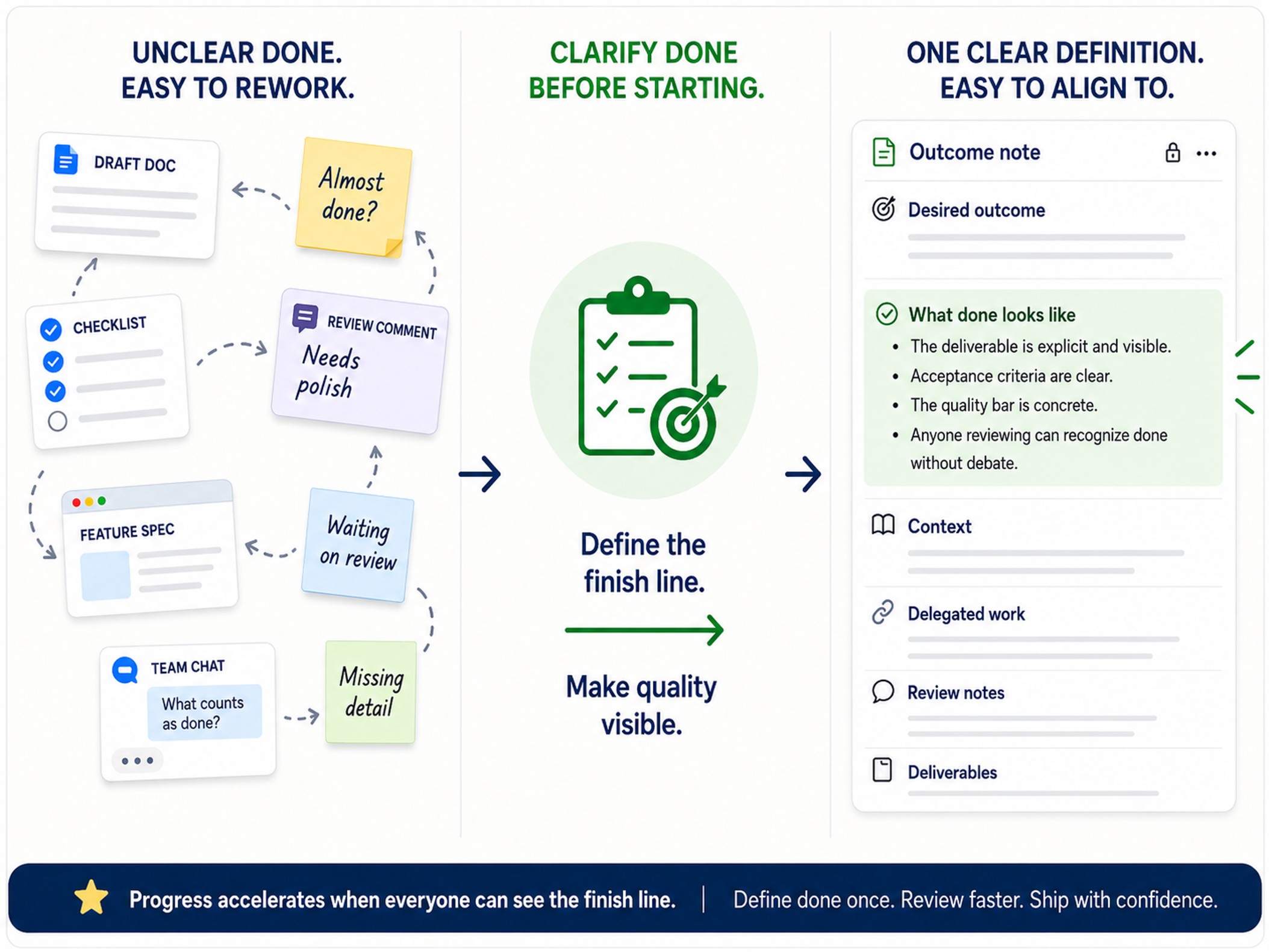
Today's note change
The What Done Looks Like section becomes useful enough to judge future delegated work.
Instead of delegating from a note that only names the outcome, you add 3-5 lines so you can judge whether the next AI result actually helped.
Before you start
Required:
- The desired outcome is written in one outcome note.
- Edit the same note you created on Day 1.
Optional:
- Smart Connections is installed and enabled if you want related notes to surface from the current note.
- Smart Lookup is installed and enabled if you want to search your vault by meaning.
- Smart Environment has indexed enough of the vault for related results to appear.
- The outcome note has enough meaningful text for related results to be useful.
What your note should show
Before:
- the outcome has a home
- the finish line is still implied
- review would depend on memory or taste
After:
- 3-5 visible criteria define what done looks like
- future delegated work can be accepted, rejected, or improved against the note
- the note becomes a judge, not just a container
Add this to your note
Copy this section, then replace the placeholders with criteria you would actually use to judge the result.
## What Done Looks Like
- when [observable condition that would make the result good enough]
- when [constraint or boundary the result must respect]
- when [detail someone could use to judge the result]
- when not [what would make the result unusable]
Brainstorming questions
- What finish-line detail might matter most?
- What detail might someone need to judge whether the result is good enough?
- What boundary or constraint might prevent a bad result?
- What decision might make the next step easier or unnecessary?
Make the change
- Start from the same outcome note.
- Add or update the
What Done Looks Likesection. - Answer the questions in your own words.
- Keep 3-5 criteria that make the next result judgeable.
- Remove anything that describes vague effort instead of a visible finished state.
Weak vs stronger
Weak:
- Make this better.
- Create a good draft.
- Use my notes.
Stronger:
- the note names what the result must include
- the note names at least one boundary or exclusion
- the note gives you a way to say yes, no, or not yet after review
You know it worked when...
- The outcome has 3-5 lines under
What Done Looks Like.
Use Smart Plugins to make this easier
This step can be completed by writing directly in the note.
Smart Connections can surface related notes while the outcome is in view, helping you find prior thinking that might clarify the finish line.
Smart Lookup helps when you remember an idea, constraint, or prior decision, but not the exact note, phrase, tag, or filename.
Use either only when it helps you write the finish line faster. The note change is what matters.
If you get stuck
| Stuck on... | Do this |
|---|---|
| Missing the previous step | Go back to Create the outcome note and write the desired outcome in one note. |
| Not sure what done means | Write what would make the next AI result usable enough to review. |
| The criteria feel too broad | Add one when not line to protect scope. |
| You keep adding details | Keep the top 3-5. Move the rest to Context or Reference. |
How this same move scales
Bigger outcomes may need more finish-line details, sub-outcomes, or supporting references.
The move stays the same: make the work judgeable before delegating it.
Additional resources
Continue the Smart Loop
- Create the outcome note
- Clarify the finish line (current)
- Build context
- Delegate the work
- Review and improve
- Protect trusted context
- Scale the Smart Loop
Review the full workflow: Smart Loop