
Avoid repeated research
Bring earlier interviews, evidence, and comparisons back before you repeat the work.
Official Smart Plugins site Smart Plugins are independent third-party plugins for Obsidian. Smart Connections is the flagship plugin.
Related notes for Obsidian
Smart Connections uses the note in front of you to surface related notes and passages, including ideas you did not think to search for or link. Earlier research and decisions can contribute again while you work.

Why it matters
Research, conversations, decisions, and AI-created notes can accumulate faster than you can integrate them. Work gets repeated, decisions reopen without their reasoning, and useful ideas fail to reach the next task.
Bring earlier interviews, evidence, and comparisons back before you repeat the work.
Recover the constraint or rationale before the same debate starts again.
Recover related thinking when the title, folder, or exact wording is no longer in memory.
Choose the starting point
A first useful result
Follow the full first-use path in Getting Started. Learn about fixed-target behavior.
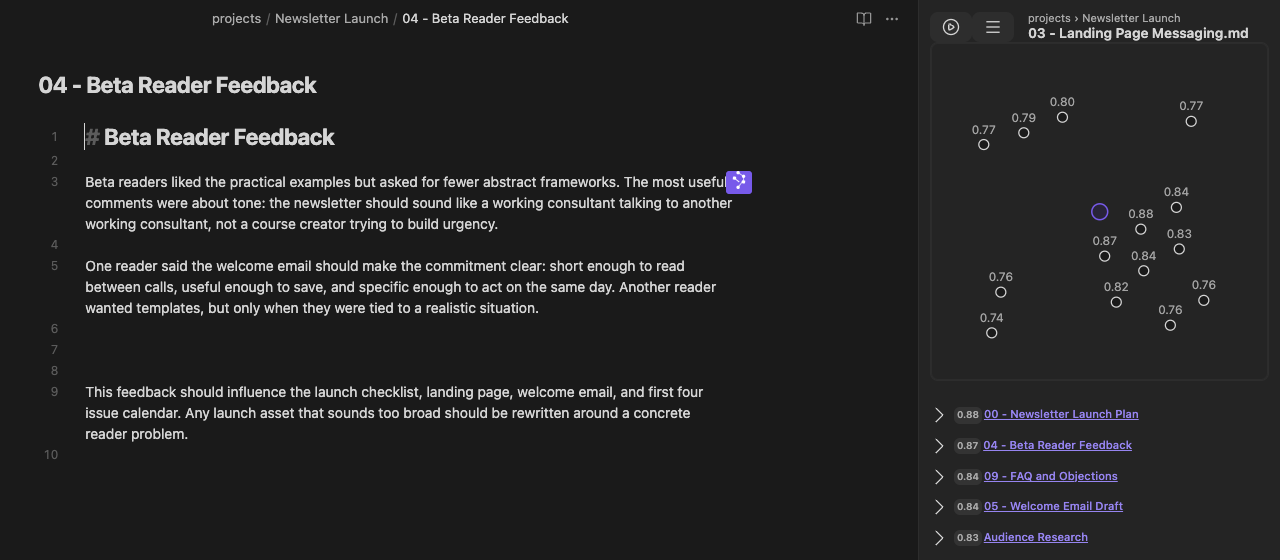
Where it helps
Writing
Recover interview language, examples, and earlier framing while you write.
Projects
Bring constraints, experiments, and discarded options back into view when work resumes.
Meetings
See related people, plans, and prior conversations before the meeting starts.
Core and Pro
Core puts related notes in the Connections view and at the end of notes. Pro adds Inline suggestions, relevance-ranked Base rows, advanced filtering and ranking controls, and 2D and 3D semantic neighborhoods.
In either surface, Graph style None keeps the list without a graph. The 2D similarity map is included in Core; Pro adds 2D and 3D semantic neighborhoods for the same current candidate set. These displays are separate from the Smart Graph Pro plugin.
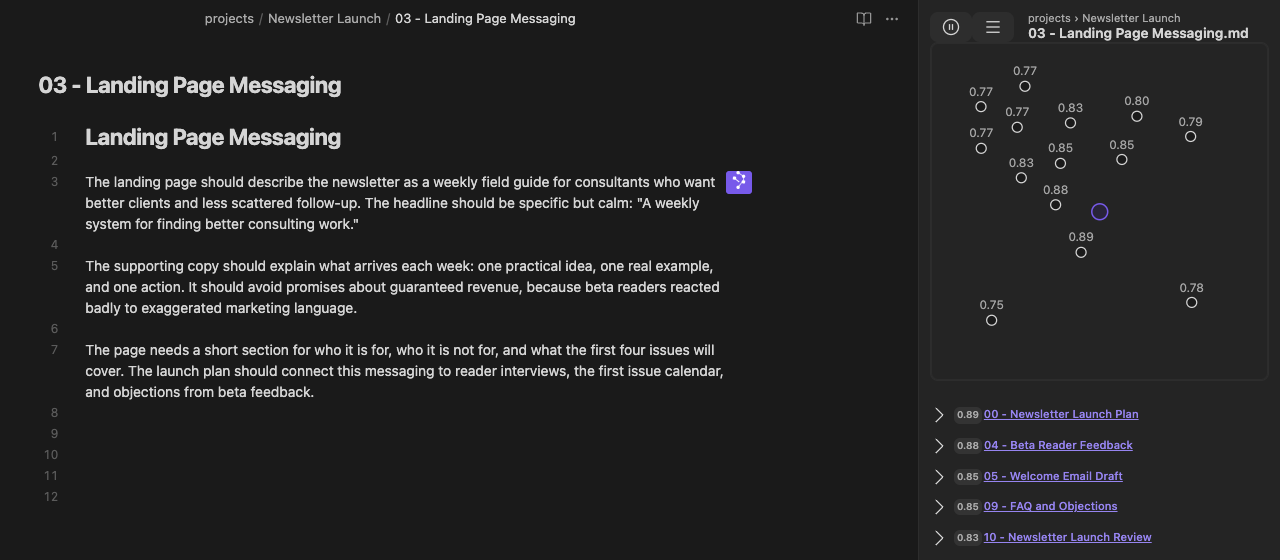
Core
Keep a dedicated related-note list beside the note in view, then expand or open results without leaving the workspace. Shown in Pro 4.8.1; the workflow is also included in Core.
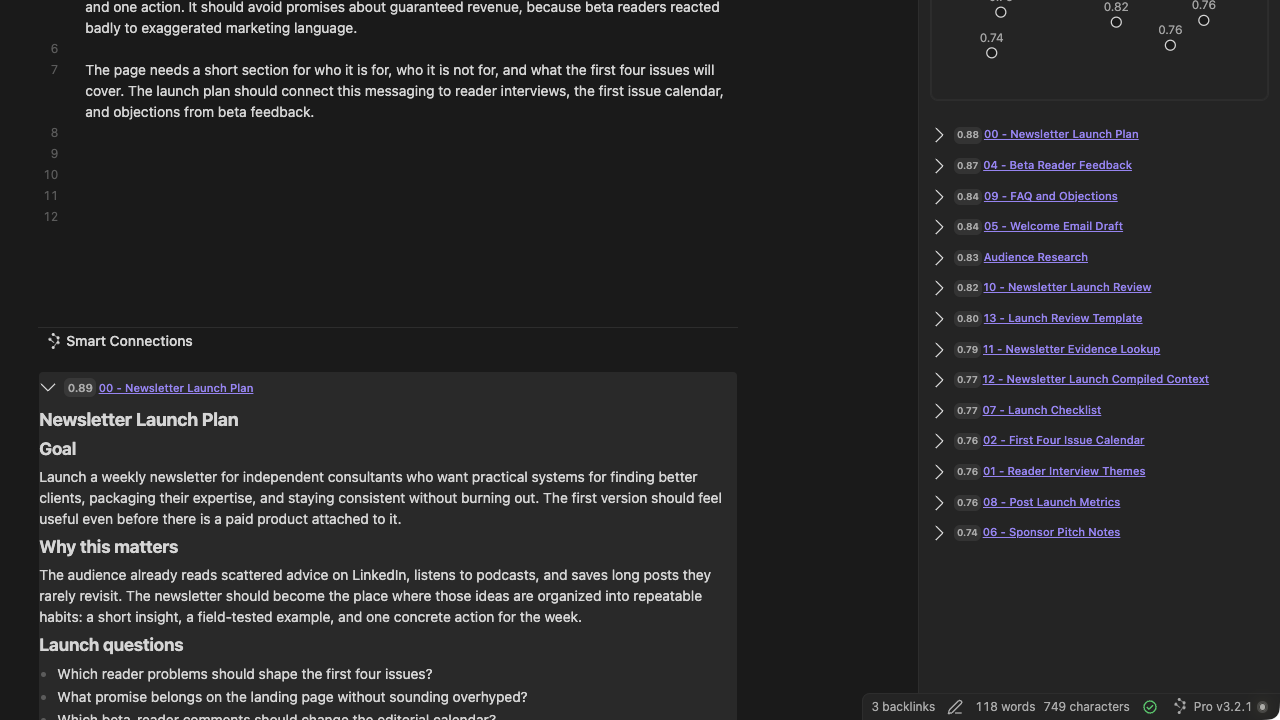
Core
Put related notes at the end of each note, which is useful on mobile or when the sidebar is closed. This is a Pro 4.8.1 desktop example of the shared Core surface; mobile controls can vary.
Explore Footer connections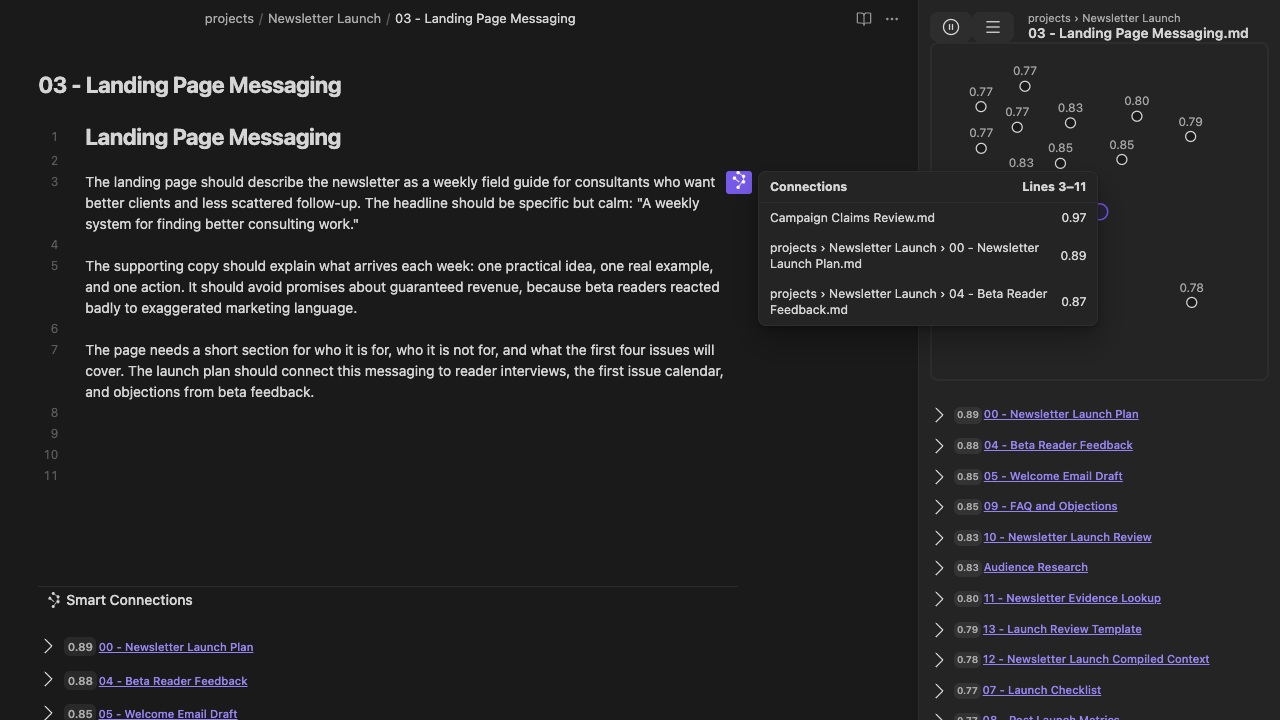
Pro
See related material for the paragraph, heading, or block you are editing without leaving the editor.
Explore Inline connections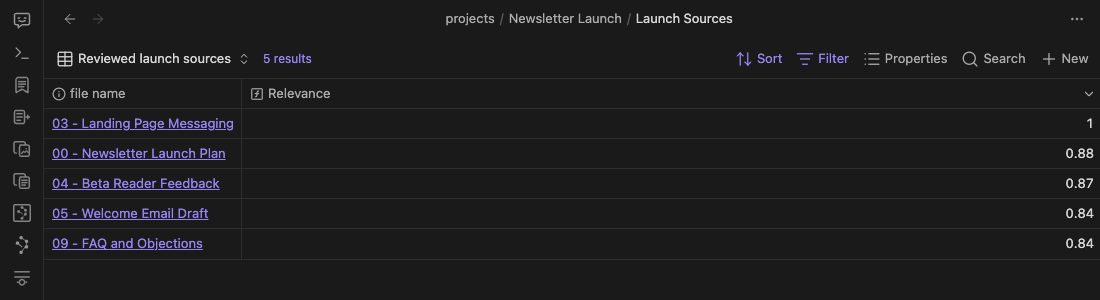
Pro
Use a reference note to rank Base rows by semantic relevance.
Local by default
Smart Connections Core runs its standard related-note workflow with local embeddings. Cloud providers are involved only when you choose to configure them.
Questions before you install
No. Smart Connections Core uses local embeddings by default, so its standard related-note retrieval does not need an API key. An API key is only needed for optional cloud providers or integrations you choose to configure.
Read the full API key answerFooter connections are included in Core. Its Graph style can use None for results without a graph or the included 2D similarity map. Pro adds 2D and 3D semantic neighborhoods. Footer and sidebar keep separate graph-style choices.
Read the Footer edition answerNo. Connections graph styles present the current result list: Core includes the 2D similarity map, while Pro adds 2D and 3D semantic neighborhoods. Smart Graph is a separate Pro desktop plugin for Whole vault and scoped semantic exploration.
Exact search starts with words or syntax you remember. Smart Connections starts with the note in view and surfaces related notes or passages even when the wording or title differs.
Pro adds Inline connections, Connections in Bases, advanced filtering, scoring and ranking, 2D and 3D semantic neighborhoods, and optional authored note-link arrows. The Connections view, Footer connections, and 2D similarity map are included in Core.
Core retrieval uses local embeddings by default. A cloud embedding provider receives eligible source text only when you configure one. A cloud chat provider receives the prompt and context for the request you send.
Yes. The Connections view and Footer connections are available on mobile; some controls vary by platform.
Review Smart Plugins on mobileOpen the work already in front of you and see what relevant past notes can contribute.
Smart Project lessons
Begin with a four-part introduction, followed by selected lessons from the systems, tools, and workflows behind Smart Plugins.
Subscribe to the Smart Project lessons and selected updates. Unsubscribe anytime. Privacy policy.