
Copy the current note as context
This page is retained temporarily and may contain outdated details. Use the current current-note documentation for current behavior. Start with Getting started with Smart Context for the shortest verified workflow.
Use current-note copy when the active note owns the assignment and linked traversal may add required evidence.
Core and Pro expose different controls. Use the exact command or menu for the installed edition.
Core: open the depth chooser
Run:
Smart Context: Copy current text to clipboard (choose link depth)
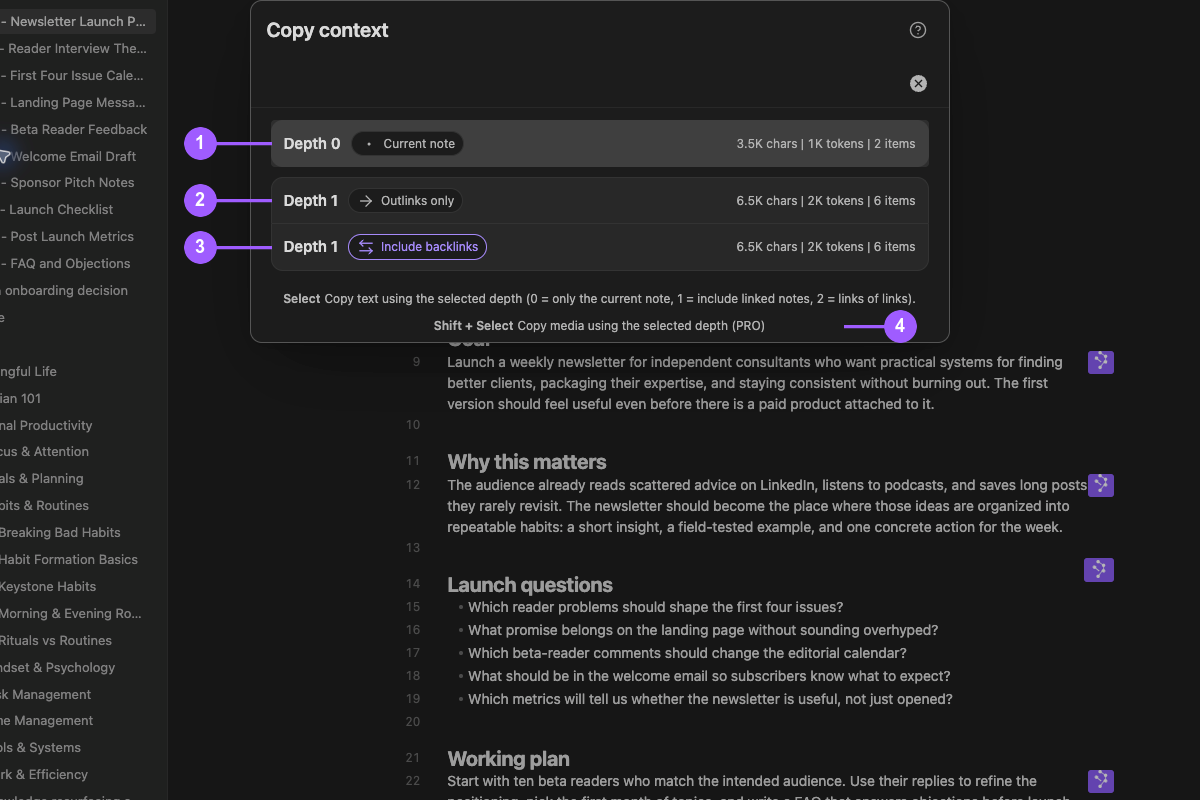
In the Copy context modal:
- Depth 0 - Current note copies the current note and its depth-0 material immediately.
- Depth 1 - Outlinks only follows outgoing links.
- Depth 1 - Include backlinks follows incoming and outgoing links.
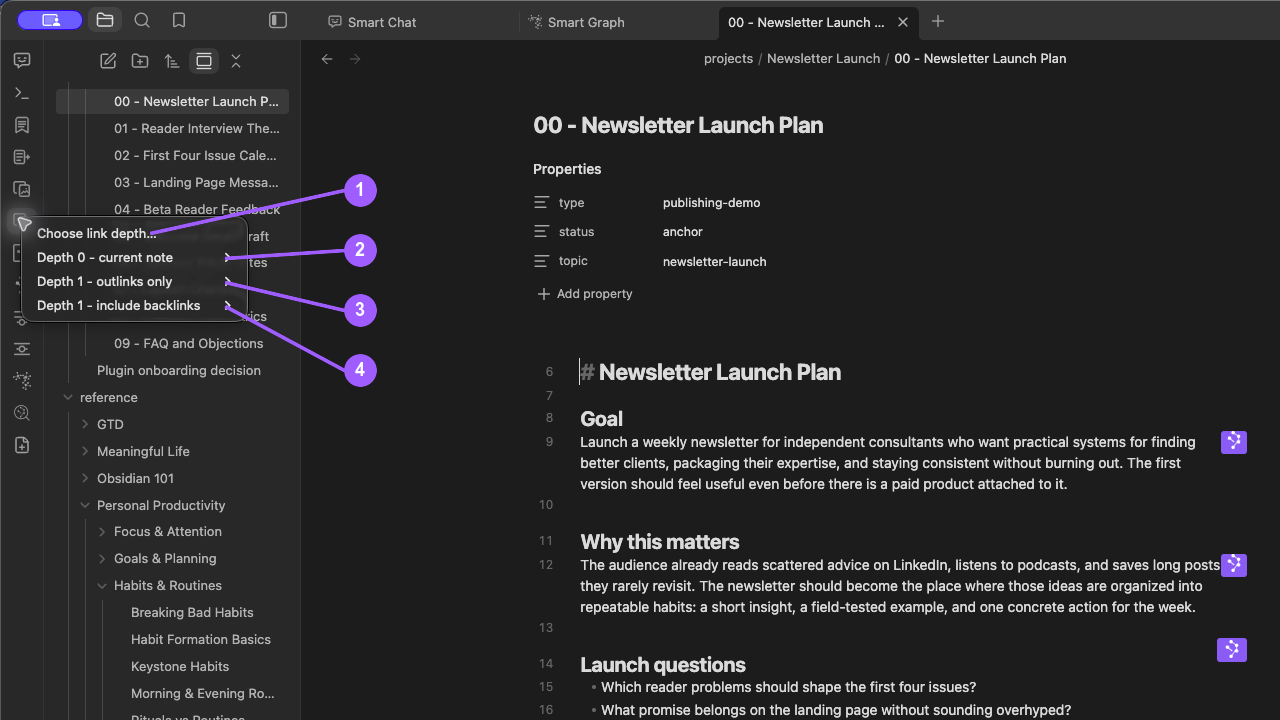
Pro: use the current-note menu or chooser
Choose the Smart Context: Copy current ribbon action.
The menu begins with:
- Choose link depth...
- Depth 0 - current note
- Depth 1 - outlinks only
- Depth 1 - include backlinks
Pro also provides:
Smart Context Pro: Copy current context clipboard (choose link depth)
The command opens the estimated Copy context modal. Selecting a row copies immediately. In Pro, hold Shift while selecting a depth when the intended output is media.
What each depth includes
| Depth | Adds | Use it when |
|---|---|---|
| 0 | The current source, rendered embedded material, and depth-0 additions from the first Smart Context codeblock. | The active note already contains the assignment and evidence. |
| 1 - outlinks only | Notes linked from the starting source. | Intentional outgoing links hold required evidence. |
| 1 - include backlinks | Outgoing and incoming linked notes. | Notes that point to the starting source also matter. |
| 2 or 3 | Additional linked layers in Pro. | A bounded multi-hop relationship is required and the package remains reviewable. |
Depth 0 does not traverse ordinary links. Embedded notes can still appear because they are part of the current note's rendered content.
The first Smart Context codeblock can add items to the depth-0 package. When those additions change the result, the chooser can show a No codeblock row so you can copy the note without them.
Fixed-depth commands
Fixed-depth commands skip the chooser and are useful for hotkeys.
Core provides direct copy for:
- Depth 0
- Depth 1
- Depth 1 with backlinks
- current note as a link tree
Pro adds:
- Depth 2, with and without backlinks
- Depth 3, with and without backlinks
Do not describe Depth 0 as having a backlinks variant; linked traversal begins at Depth 1.
Verify the result
- Open the note that owns the task.
- Copy at the smallest useful depth.
- Read the completion notice for the file and character counts.
- Paste into a clean note or composer.
- Confirm the
(current)source, every item path, and embedded material. - Widen the depth only when required evidence is linked from or back to the note.
Character, item, and token counts are estimates. The destination can count tokens differently.