
Smart Plugins for Obsidian
Find related notes while you work.
Smart Connections shows related notes and passages beside the note you're working on, without a search query or existing links. Bring earlier research and decisions into your current task.
- Local embeddings by default
- No API key required

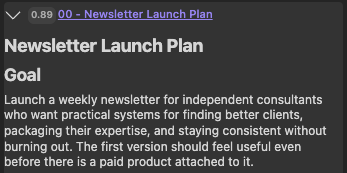
Your vault can grow faster than you can make sense of it.
Research, decisions, and AI drafts accumulate. Useful background can get left out of the next task.
Ideas you meant to revisit
You save an idea for later, then miss it when the project starts.
Decisions without the background
A decision is recorded, but the research behind it is hard to find.
AI drafts without context
Drafts pile up, separate from the sources and goals they were meant to support.
Bring your notes into the next AI task.
Smart Connections works on its own. Add other plugins only as needed.
-
Find related notes
Smart Connections starts from your current note. Smart Lookup starts from a question.
-
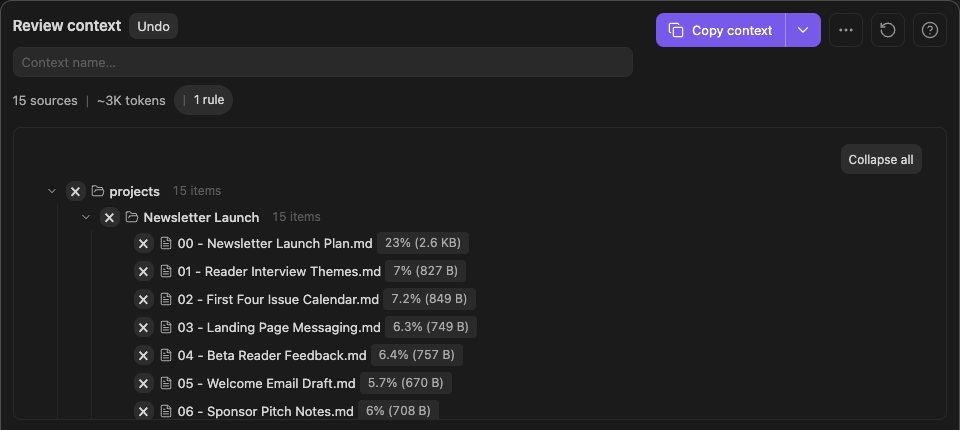
Choose what to include
Smart Context lets you choose and review the sources for your AI request.
-
Keep AI work attached to the note
Smart Chat Core saves a link to the AI conversation in your note, so you can return to it as the work continues.
Illustration: your note keeps the link, not a copy of the conversation.
Smart Graph · Pro on Obsidian desktop
Explore your notes by meaning.
Smart Graph groups indexed notes by semantic similarity, whether or not you've linked them. See the patterns, then explore the notes behind them.
Explore Smart GraphCore and Pro
Use free Core, or evaluate the Pro capability your task needs.
Smart Plugins Core
Find and reuse your notes.
Use the Connections view beside your note, or Footer connections at the end.
Other free Smart Plugins help you review context and keep AI conversation links in your notes.
Explore Smart Plugins CoreSmart Plugins Pro
Visual exploration and finer controls.
Explore notes visually with Smart Graph or see passage-level suggestions with Inline connections.
Advanced ranking controls let you adjust how results are ordered.
Explore Pro workflowsLet past work contribute again.
Open the note you're working on. See which earlier ideas are worth bringing into your next draft or decision.
Smart Connections Core matches notes locally by default. Suggestions do not edit your notes.