Smart Loop
Better models do not fix fragmented work.
The note, not the chat tab, is the durable unit of AI work.
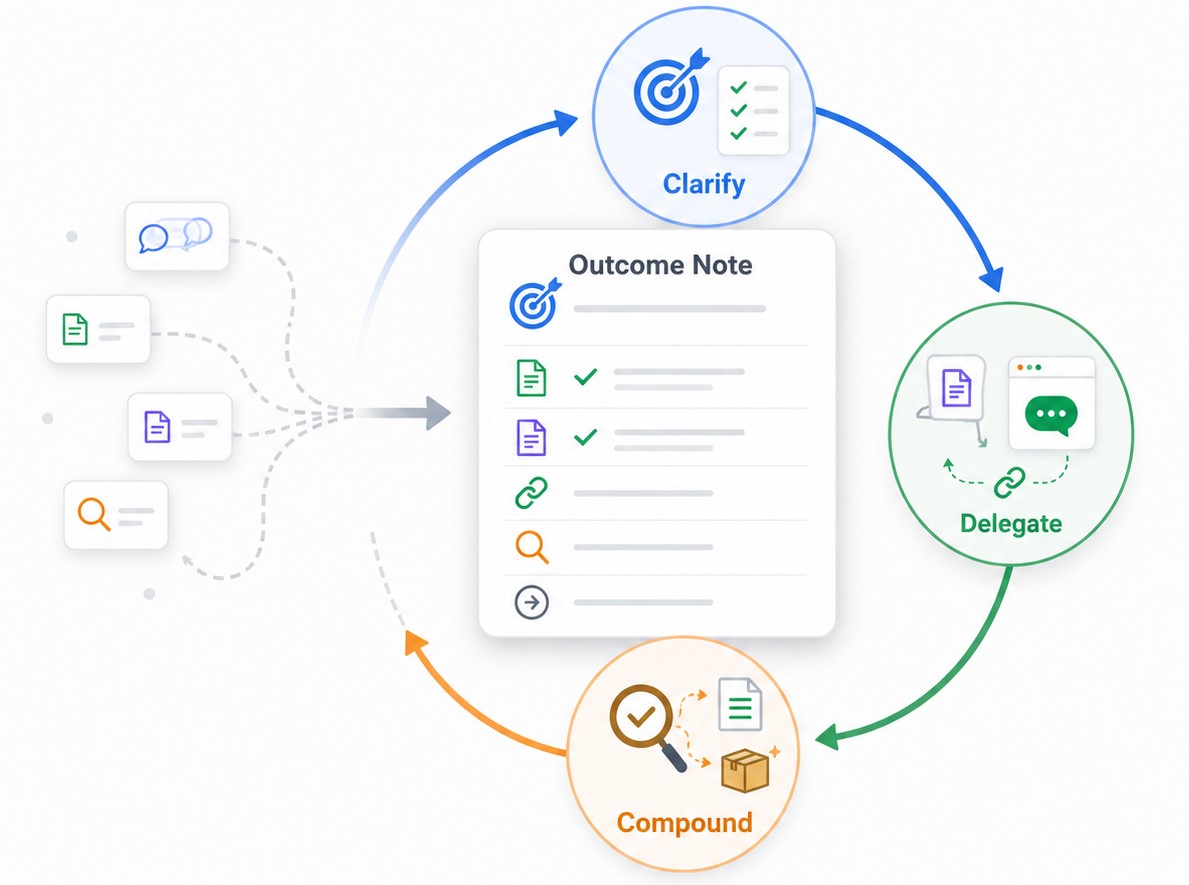
Smart Loop is the workflow that makes AI delegation survive the conversation: clarify the work, delegate from the note, then compound by improving the note from the result.
Why Smart Loop exists
AI made it easier to start more work.
It also made it easier to lose the state of that work.
A useful thread ends up in one tab. The source material stays in your notes. The next action is in your head. The deliverable lives somewhere else. Tomorrow, you rebuild the context again.
That is not delegation.
That is fragmented prompting.
Smart Loop fixes the missing layer around the model: the durable workflow where the work-state survives.
The note becomes the work item
A Smart Loop starts when one note represents one real outcome.
That note can hold:
- outcome
- context
- chat or thread
- review state
- deliverable
The model is not the system of record.
The note is.
Clarify -> Delegate -> Compound
| Step | What you do | What changes |
|---|---|---|
| Clarify | Make the outcome, constraints, and useful context visible. | The assignment becomes legible to you and to AI. |
| Delegate | Send the note and selected context to AI. | The model starts from the work item, not a disposable prompt. |
| Compound | Review the output, preserve work-state, improve the note, and repeat or ship. | The next pass starts stronger. |
Review checks the output.
Compound improves the next run.
What the work item looks like
You do not need a complicated system.
Start with plain sections:
| Section | Smart Loop role | Public meaning |
|---|---|---|
| Outcome | Clarify | What is this note trying to make real? |
| Context | Package | What should travel with the assignment? |
| Chat / thread | Delegate / Review | Where is the delegated work-state saved? |
| Review | Compound | What did the output reveal? |
| Deliverable | Ship | What is kept once it matches your intent? |
The note stays trusted because you choose what gets promoted.
AI output can live in a thread, draft, workspace, or review section before it earns a place in the final note.
The Core-first demo
The first Smart Loop should be simple enough to see in one note.
- Open one note for a real outcome.
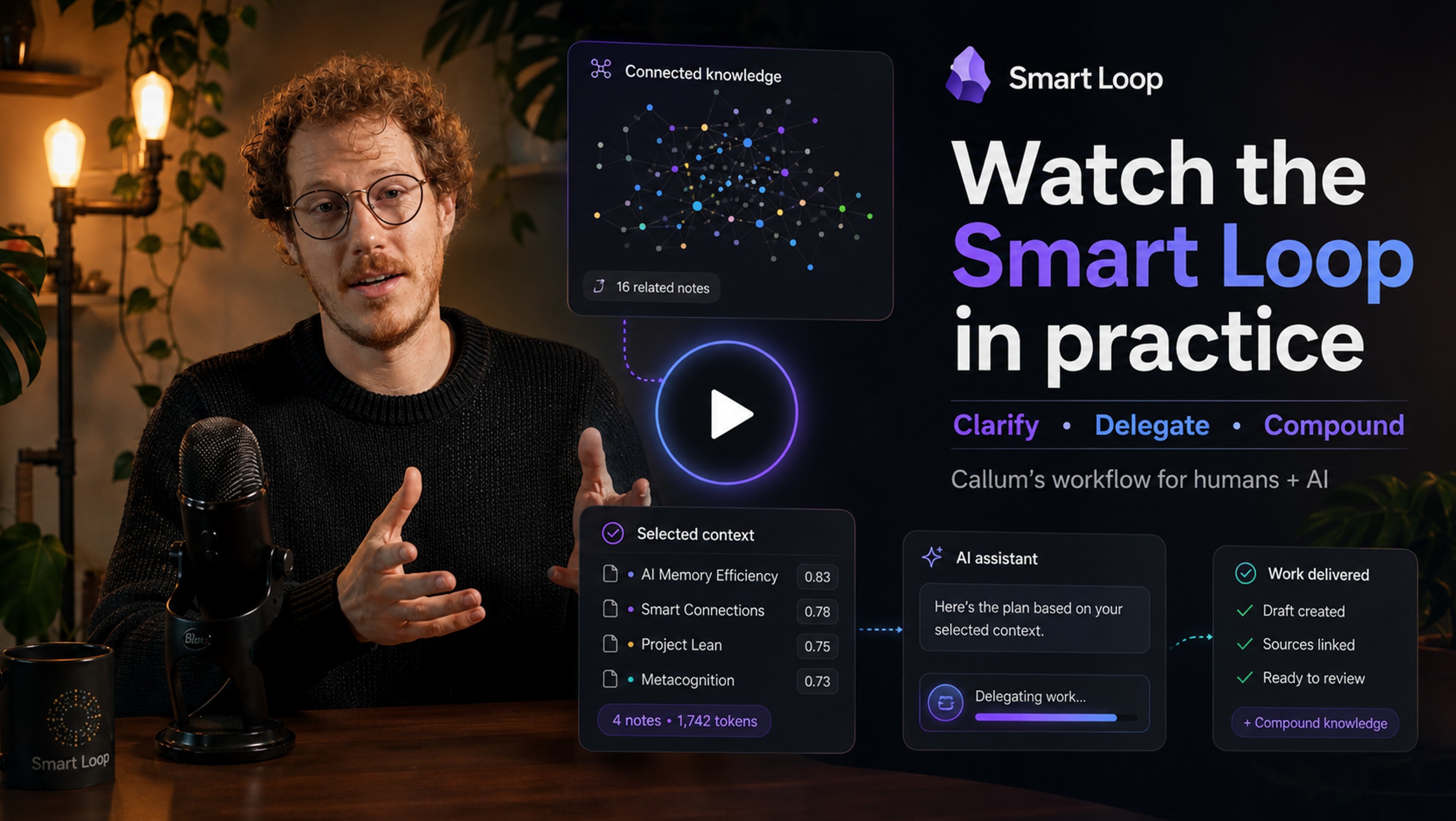
- Use Smart Connections to surface relevant notes while the outcome is in view.
- Use Smart Context to package the smallest useful context bundle.
- Delegate from the note using Smart Chat or your current AI tool.
- Return to the saved thread attached to the same note.
- Review the output against the outcome.
- Improve the note, then repeat or ship.
The proof state is simple:
The next delegation starts from a better note than the first one.
How Smart Plugins support the loop
Smart Loop is the behavior.
Smart Plugins make it practical inside Obsidian.
| Plugin | Smart Loop role |
|---|---|
| Smart Connections | Surfaces relevant notes while the current outcome is in view. |
| Smart Lookup | Finds relevant notes by meaning when you start from a question. |
| Smart Context | Packages the right notes into reviewable context bundles. |
| Smart Chat | Keeps delegated threads attached to the originating note. |
| Smart Templates | Adds repeatable structure to raw notes and repeated assignments. |
| Smart Environment | Keeps shared sources, models, exclusions, and status reusable across the loop. |
| Connect Pro | Turns approved intent into controlled vault actions when execution is required. |
Start Core-first:
- Connections surfaces relevance.
- Context packages scope.
- Chat keeps the thread attached.
- Compound improves the next pass.
Pro adds depth after the workflow is clear:
- deeper context
- external files, repos, PDFs, and media
- advanced retrieval surfaces
- model and API routing
- controlled action execution
Context is a scope dial
Better AI work does not come from blindly maximizing context.
Context is a controlled input.
Start small:
- Depth 0 when the current note is enough.
- Depth 1 when directly linked notes hold the ground truth.
- Go deeper only when the selected context stays small and intentional.
If the work repeats, save a reusable context pack.
The goal is not more context.
The goal is the right context in the right shape.
Chat is the delegated work-state
Smart Chat does not have to replace your chat provider.
It makes the thread belong to the note.
A provider thread URL can be saved into the originating note, and the thread can be marked active or done. That is enough to preserve continuity without claiming every message is stored in the vault by default.
The thread is not the deliverable.
The thread is the delegated work-state.
The deliverable is saved or promoted only after review.
The trusted note stays trusted
AI can work inside the note before it earns a place in the note.
That distinction matters.
Working in the note creates leverage:
- package context
- delegate to AI
- review output
- keep drafts and threads visible
Working on the note protects trust:
- clarify the outcome
- add trusted constraints
- promote reviewed learning
- save the deliverable
Only reviewed learning gets promoted into the trusted note.
Works with agents, Projects, and model-owned workspaces
Agents, Projects, custom GPTs, Claude Projects, Codex, and other model-owned workspaces all validate the same problem:
Useful AI work needs durable work-state.
Model-owned workspaces are useful execution surfaces.
The note remains the user-owned system of record.
That means every model, agent, project, or chat surface can start from the same human-readable source of truth.
Try one Smart Loop
Pick one note that already represents real work.
Then run this loop:
- Write the outcome in plain language.
- Add or surface the best relevant context.
- Package only what the assignment needs.
- Delegate from the note.
- Save or return to the attached thread.
- Review the output.
- Improve the note.
- Repeat or ship.
Done is not when the model produces text.
Done is when the output matches your understanding, intent, and expectations.
FAQ
Is this just chat inside Obsidian?
No.
Chat is one surface.
The change is that the work item survives the conversation.
Is this the same as ChatGPT Projects or Claude Projects?
They are close cousins.
The difference is where the durable work item lives. In Smart Loop, the source of record stays in a user-owned note, not only inside a model-owned workspace.
Why not just use agents?
Use agents when they help.
Smart Loop gives them a better starting point and a better return point: outcome, context, review, and deliverable stay in the note.
Why does this matter now?
As AI surfaces multiply, fragmentation gets worse.
Better models increase the value of better workflow around the model.
What should I do first?
Open one real outcome note.
Clarify the outcome, add the smallest useful context, delegate from the note, then improve the note from the result.