
Getting started with Pro plugins
Choose one Pro workflow that solves a real problem. The goal is not to activate every plugin. Complete one result. Review it.
Already know which Pro plugin you want to try? Complete account sign-in, then use that plugin's first-result guide. The Context Pro walkthrough below is an optional starting point when you have not chosen; it produces a visible result without a cloud model or provider key.
Before you start
- Open Obsidian Desktop in the vault where the result belongs.
- Open Browse Smart Plugins.
- Choose one small source set whose contents you can recognize.
Sign in to your Pro account
If the Store already says Signed in to Smart Plugins account, check its access message and continue to activation below.
- In Browse Smart Plugins, find Connect account and choose Login.
- The browser opens Smart Connect. Enter your account email and the connection key from your Pro welcome email. Existing supporters can use their supporter key in the same connection key field.
- Choose Login. Allow the browser to return to Obsidian if prompted, then check the Store in the intended vault.
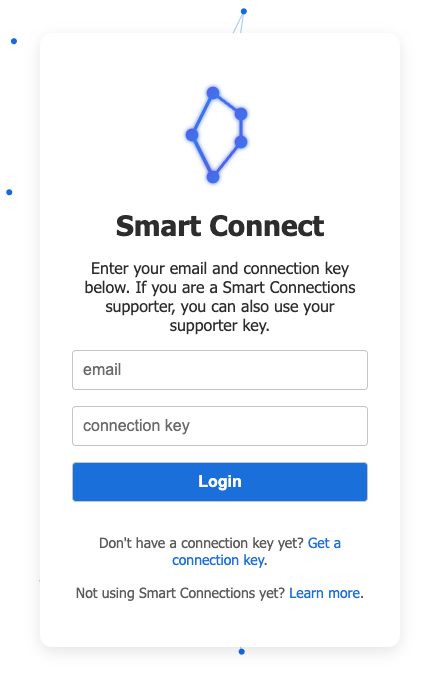
The default sign-in host is connect.smartconnections.app. Start from the Store's Login action so the link includes the information needed to return to Obsidian. If the browser does not open, use Copy link to login instead and open the generated link in your browser.
Keep your email and key private. The connection key is not a model-provider API key or your Obsidian account password.
Check the account status in Obsidian
Look for Signed in to Smart Plugins account and read the access status beside it.
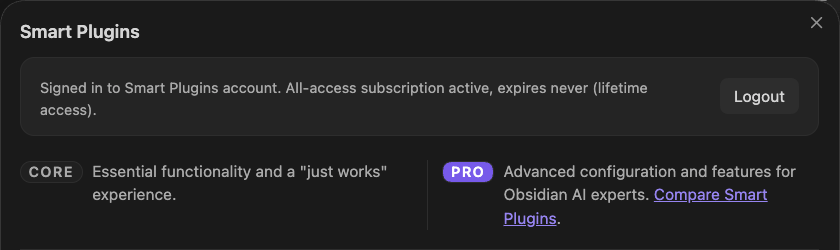
This example account has lifetime access; your access message may differ. The screenshot shows an existing signed-in session, not a newly completed login.
If the account is not recognized or access is missing, use the sign-in recovery steps.
Check activation separately
Use this lifecycle throughout Pro:
Installed -> Enabled -> Active -> Configured or Ready -> Successful result
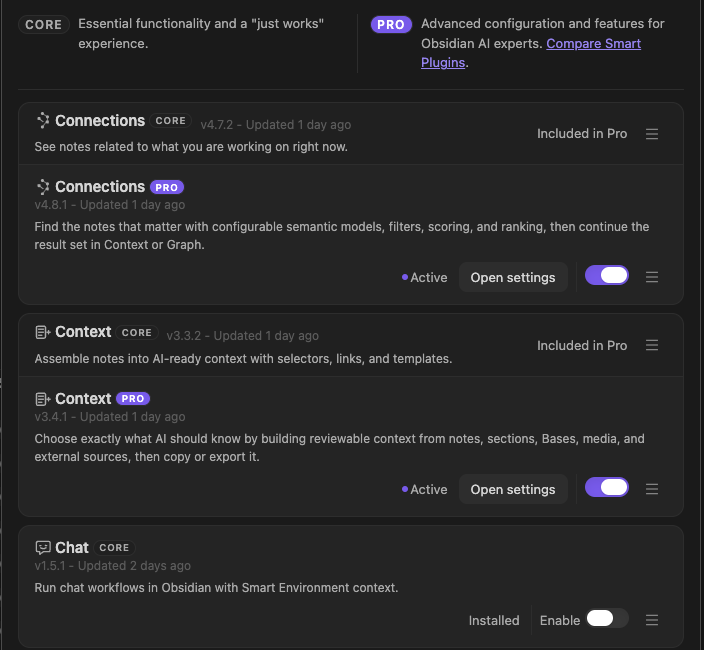
An Active row means the plugin loaded. Continue until the plugin itself produces the expected result.
First win: build and verify one Context Pro package
1. Activate Context Pro
In Browse Smart Plugins, find Context Pro. Complete the action shown on its row. If Enable appears, choose it. If a reload action appears, complete it. Continue when the row is Active.
2. Open Context Builder
Run:
Smart Context Pro: Open new context in builder
Choose Folders and use the folder suggestion's modifier action, shown in the search footer, to add one small dynamic folder rule whose members you can identify before copying. Dynamic folder and tag groups are Pro contributions; direct folder copy and named-context reuse are already available in Core.
3. Review the boundary
Open Rules. Confirm the dynamic group's included sources. Review any existing exclusion or heading rule rather than changing a shared rule only for this test.
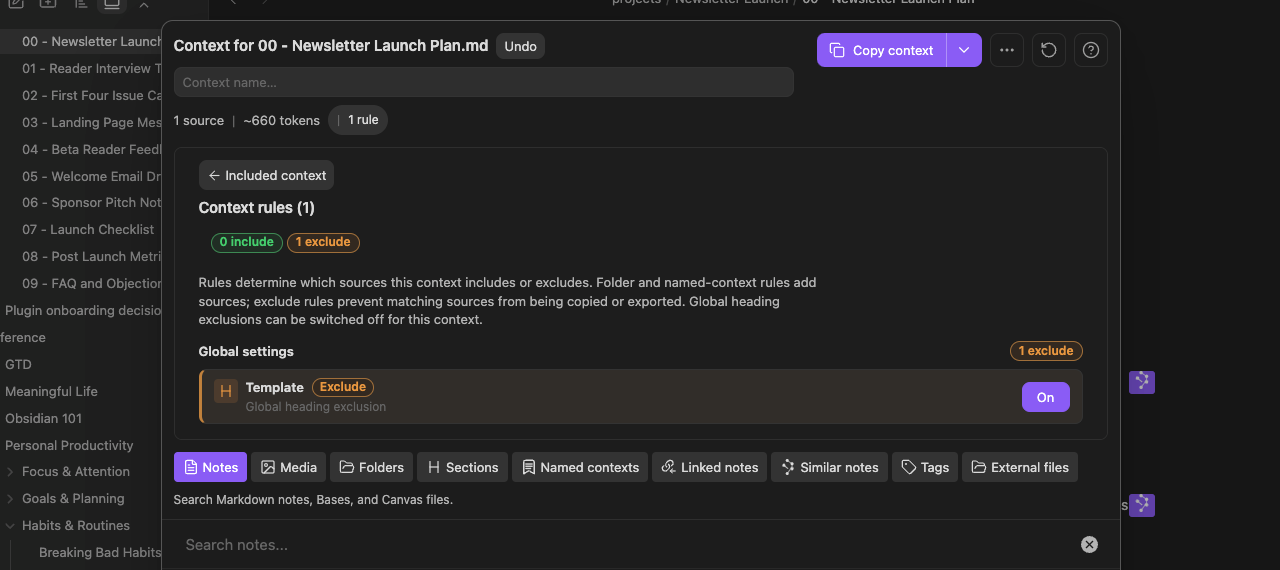
A useful first package has a clear purpose and a source set small enough to inspect.
4. Copy and verify the result
Choose Copy context. Paste the output into a clean note. Compare the output with the package that you reviewed.
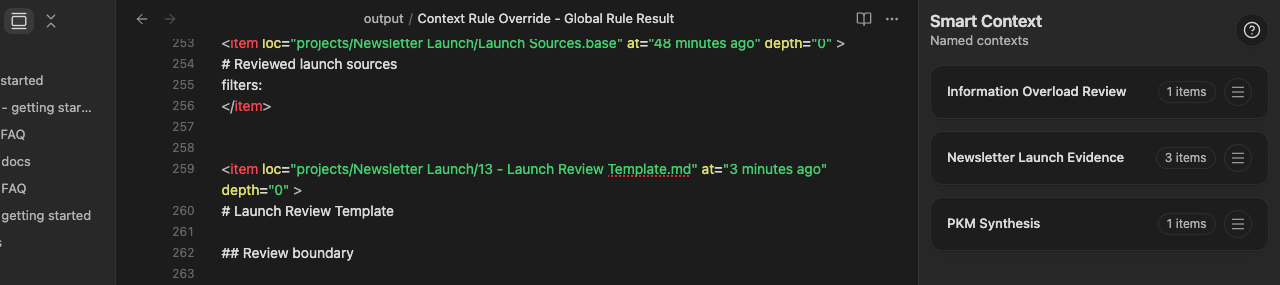
The first win is complete when:
- the dynamic group's expected sources appear
- unrelated sources do not appear
- any existing exclusion behaves as expected
- the pasted output is useful for a real next action
Continue with the Context Rules documentation when you need dynamic include and exclude behavior.
Use the same completion test for any Pro plugin
| Check | Complete when |
|---|---|
| Store | The intended plugin is Active and no enable or reload action remains. |
| Setup | Its required model, provider, source index, permission, or connection is ready. |
| Result | The product produces one visible output that matches the task and has been reviewed. |
Do not evaluate Pro from the Store row alone.
Choose another first result
| Workflow | Start | First complete result | Guide |
|---|---|---|---|
| Connections Pro | Open a note with authored outlinks and inspect its Connections results. Enable Exclude outlinks in Pro settings. | Already-linked candidates disappear while unrelated candidates remain; one useful remaining source is inspected. Decide whether the filter helps your task compared with the baseline. | Connections filters |
| Context Pro | Add a small dynamic folder rule with the folder suggestion's modifier action in Builder and inspect its Rules. | The resolved sources and any existing exclusions match the verified pasted package. Decide whether dynamic grouping helps a recurring task compared with direct Core copy. | Context Rules |
| Smart Chat API Extension | Confirm one working model. Open Smart Chat. | One useful response is generated from the intended context. | Smart Chat API Extension |
| Smart Graph | Open a current-note Neighborhood. | One meaningful relationship leads to a real note action. | Graph |
| Smart Dedupe | Open the Duplicate Detector from a note with known overlap. | One candidate pair is reviewed without automatic deletion. | Dedupe |
| Connect Pro | Connect a trusted supported desktop client through Local MCP. Read one recognizable note, then use its relevant sources for a useful contribution in your chosen AI app. | Source access works in the intended vault and the contribution is useful enough to keep. A note edit is not required; dedicated proposal practice is an optional separate workflow. | Connect Pro setup / optional Inbox review |
When Smart Environment matters
Connections, Lookup, Graph, Dedupe semantic matching, and other indexed-source workflows depend on Smart Environment readiness. Check Smart Environment when known sources are missing or stale.
A provider-backed Chat workflow also needs one working configured model. Current Smart Templates prepares and copies a prompt without a Templates model; the destination where you send that prompt may require its own account or model configuration. Connect Pro needs the intended running Obsidian Desktop vault and a ready chosen connector. Enable Obsidian CLI for Smart CLI Pro and native CLI operations; Local MCP does not require Remote GPT to be connected. Inbox approval applies only to the dedicated proposal Tools, not every vault write.
You are done when
You have:
- activated one Pro plugin
- completed only its necessary setup
- produced one visible result
- reviewed that result in its destination
- decided whether the workflow removes enough friction to keep using it
Only then broaden the scope or enable another plugin.