
Smart Environment FAQs
What is Smart Environment?
#Smart Environment is the shared system Smart Plugins use for source discovery, import, embedding preparation, model configuration, background work, status, events, and diagnostics.
It prepares data for indexed workflows such as Connections, Lookup, Graph, and semantic Dedupe. A provider codeblock or model-backed Chat request may not need indexed Environment sources unless that workflow uses Lookup or other retrieval context.
Where are embeddings and index data stored?
#Smart Environment stores generated local data under .smart-env/ in the vault. Your Markdown notes remain the source material. Smart Environment can rebuild .smart-env/ from eligible content and current settings.
What should I do with .smart-env/ in Syncthing or other folder-sync tools?
#Exclude .smart-env/ from third-party file synchronization such as Syncthing unless the guidance for your specific setup says otherwise. It is generated index state, can create unnecessary writes and conflicts, and can be rebuilt on each device from the vault's source files.
This recommendation is for third-party folder sync. Follow the current instructions for the sync product you actually use.
What do the Environment statuses mean?
#| Status | Meaning or next action |
|---|---|
| Smart Environment not loaded / Idle | Choose Load Smart Environment. |
| Loading Smart Environment | Wait for loading to finish. |
| Importing / Re-importing | Source preparation is running. |
| Embedding | Embedding preparation is running. |
| Embedding paused | Choose Resume embedding when preparation should continue. |
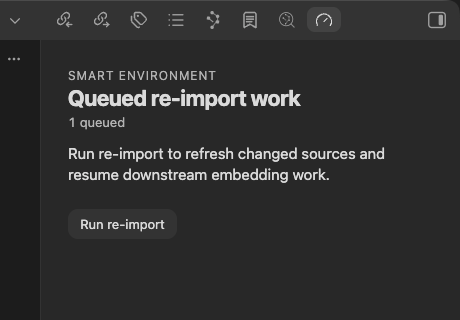
| Queued re-import work | Choose Run re-import when queued work should start now. |
| Smart Environment ready / Ready | Environment is loaded and idle. Test the product workflow separately. |
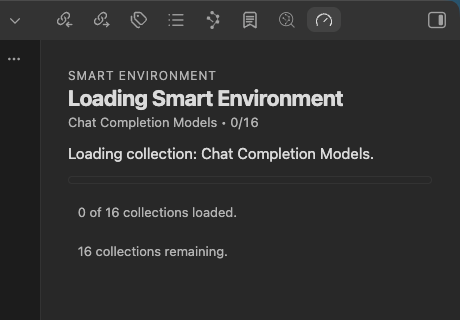
The status view also provides Pause embedding, Open events feed, Environment stats, and Browse Smart Plugins.
How do I know Smart Plugins are ready to test?
#Use the checks required by the workflow:
- The plugin is active and its provider, model, or plugin-specific settings are complete.
- When the workflow uses indexed sources, Environment shows Smart Environment ready or Ready.
- Environment stats shows the required Sources or Blocks as eligible and current.
- The plugin produces one result you can inspect.
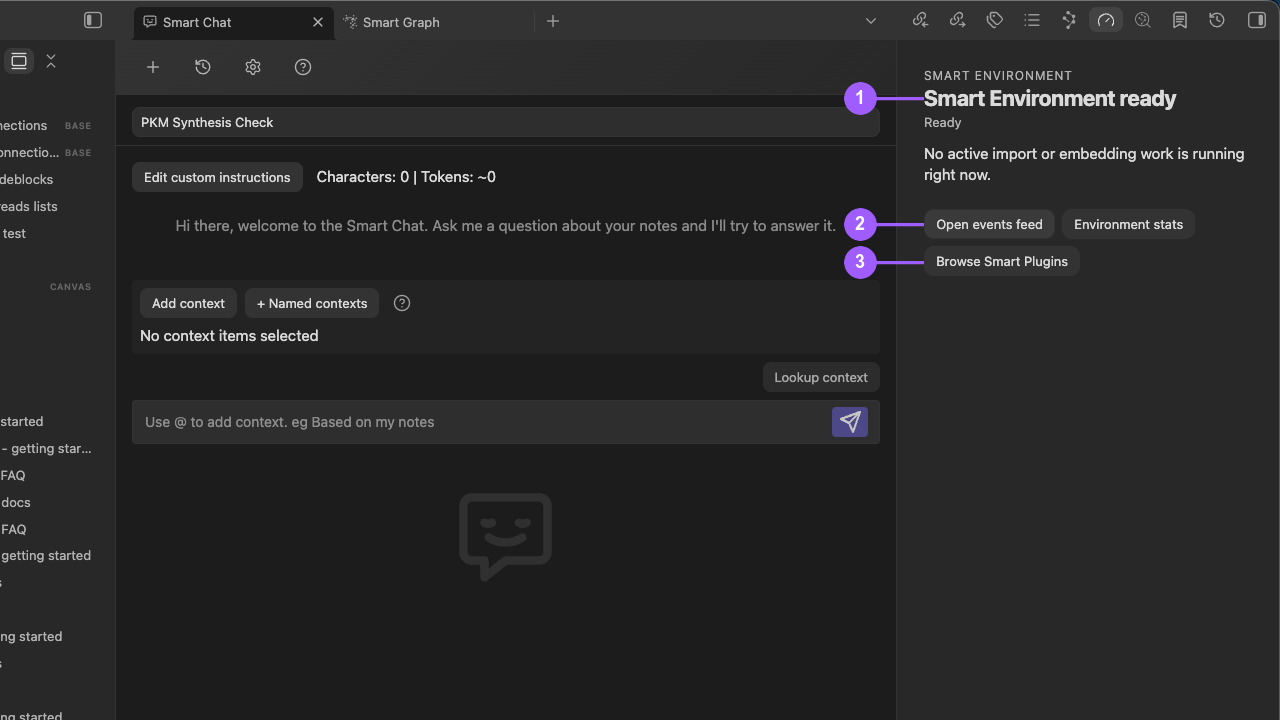
- Smart Environment ready means loading, import, and embedding work are idle.
- Open events feed and Environment stats help diagnose retained issues or source coverage.
- Browse Smart Plugins returns to installation and activation controls.
Ready does not mean every plugin is configured, every result is relevant, or every workflow will be fast.
What embedding model is used by default?
#Open Smart Environment settings. Read Default embedding model. Use the model marked Current rather than relying on a remembered name.
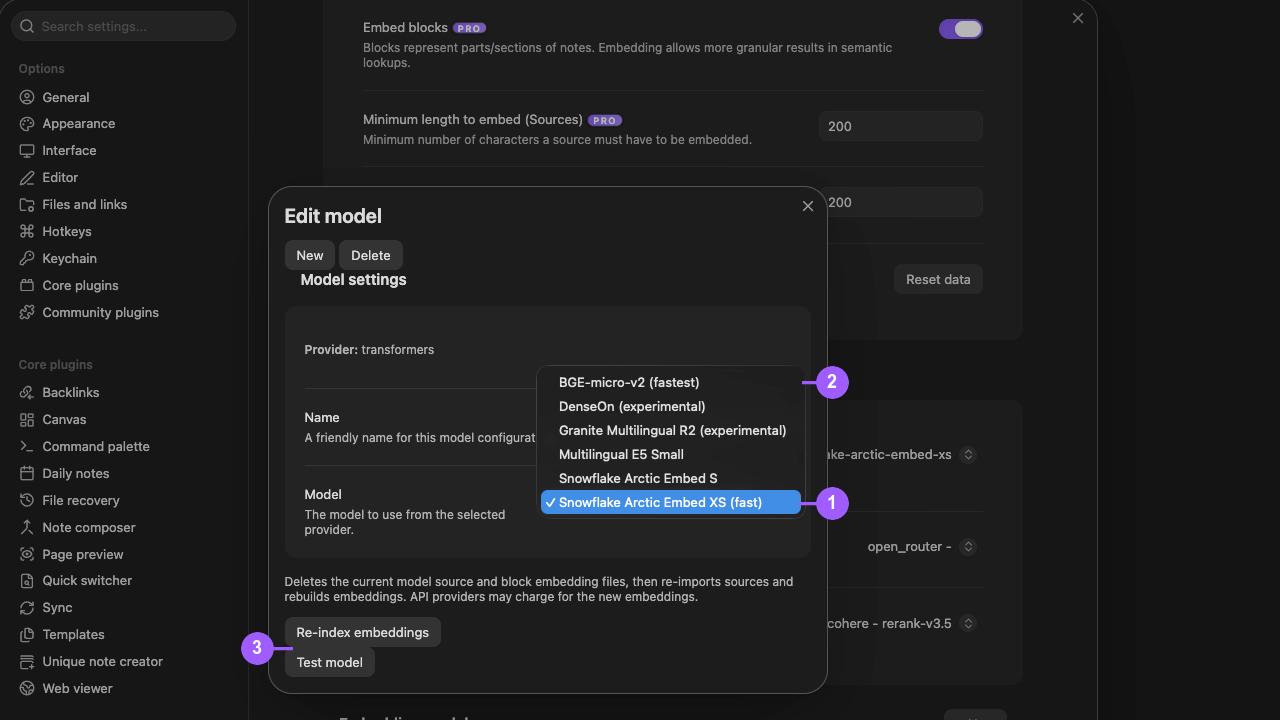
Re-index embeddings and Test model are separate actions. Selecting a model does not make its embeddings current or prove that the model test passed.
I changed embedding models but results did not change. Why?
#A model selection affects future embedding preparation. It does not instantly replace existing vectors. Changing the active embedding model does not delete embeddings stored for the prior model. Each model can retain its own embeddings, and switching back can reuse that model's prior data. The newly selected model still needs current coverage or reindexing before its results change.
- Confirm that the intended model is marked Current.
- Choose Test model when you need to verify that the selected model can run.
- Choose Re-index embeddings to prepare embeddings for the selected model.
- Resume embedding when it is paused.
- Wait for Smart Environment ready or Ready.
- Check the required Sources or Blocks collection in Environment stats.
- Refresh or reopen the product result.
Use Reset data only when Environment source data itself needs a broader rebuild. For a normal model change, use the dedicated Re-index embeddings action.
How do I exclude folders or files from indexing?
#Use these settings:
- Manage excluded folders for folder exclusions
- Manage excluded files in Pro for individual files
- View all exclusions to review the combined boundary
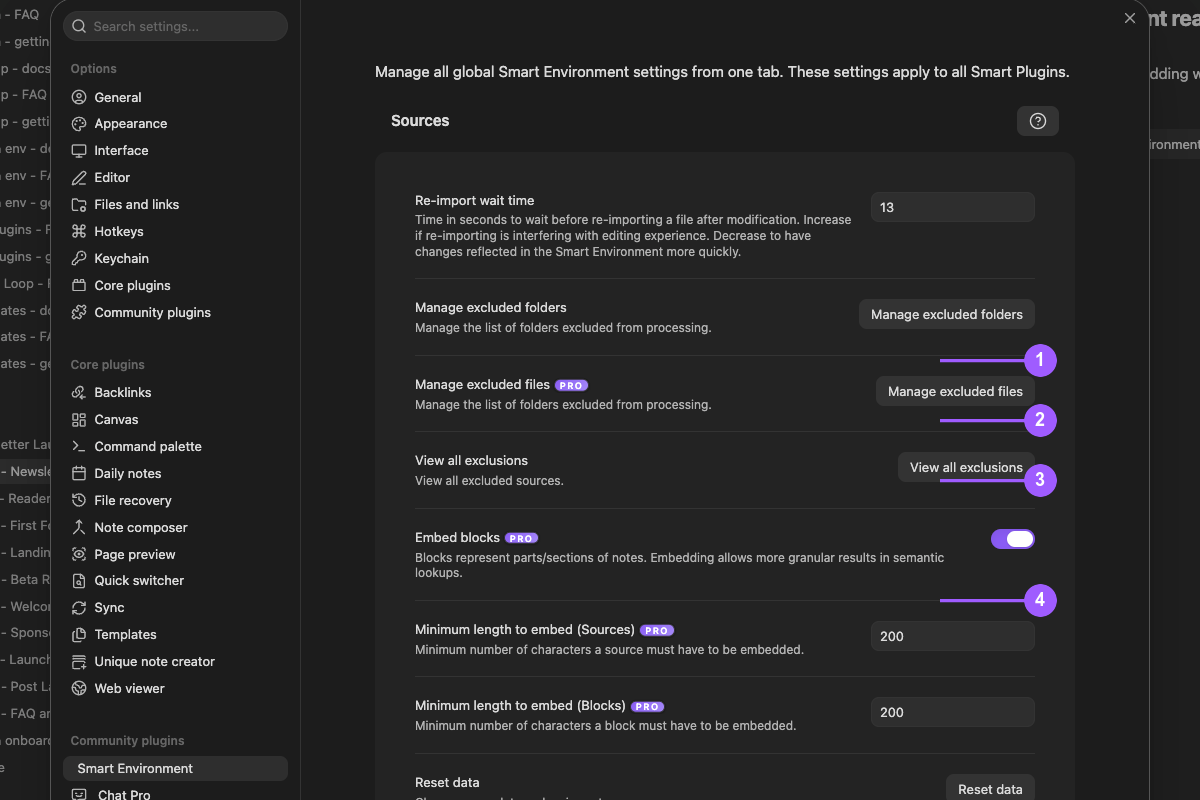
- Folder exclusions
- Pro file-level exclusions
- Combined exclusions review
- Block embedding and minimum-length controls
Excluded content is not eligible for Environment indexing or index-backed semantic retrieval. After changing an exclusion, inspect the affected note or review Environment stats before judging ranking again.
Why does re-import keep starting after file changes?
#Rapid edits or sync activity can queue repeated re-import work. Increase Re-import wait time gradually so changes can settle before automatic re-import begins. This delays preparation. It does not disable indexing.
When the status view shows Queued re-import work, choose Run re-import to start it immediately.
What do Environment stats tell me?
#Environment stats separates discovery, eligibility, and current embedding preparation.
| Stat | Meaning |
|---|---|
| Indexed items | Sources and blocks Environment discovered. |
| Eligible | Items selected by the current source and embedding rules. |
| Current embeddings | Stored vectors current for the active model and policy. |
| Needs embedding | Eligible items that still require current vectors. |
| Skipped | Items excluded by the current rules. |
| Unexpected | Items with a vector that the current rules no longer select. |
| Vector memory | Vectors loaded or reserved inside Environment, not total computer memory or disk use. |
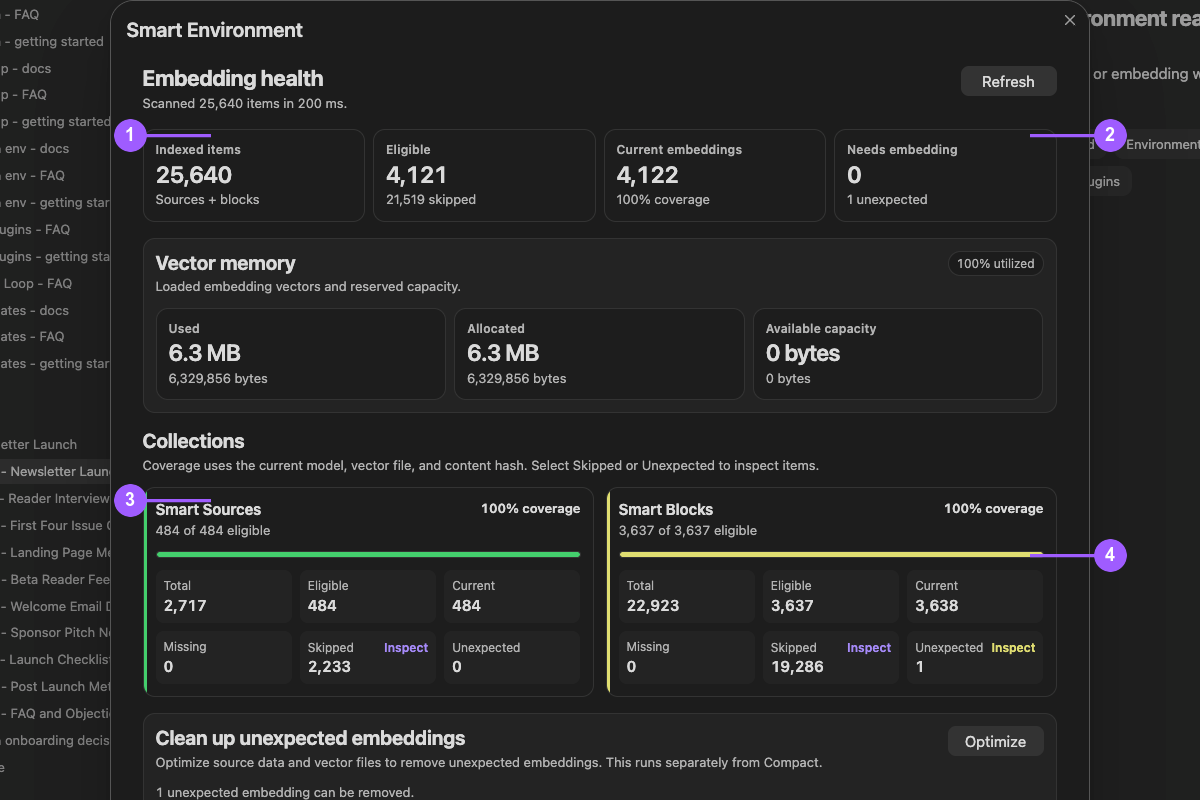
- Total indexed items
- Work still needed and unexpected vectors
- Sources eligibility and coverage
- Blocks eligibility and coverage
Check the collection used by the product workflow. Treat Unexpected as a cleanup signal, not as missing work.
One note is missing. What should I check?
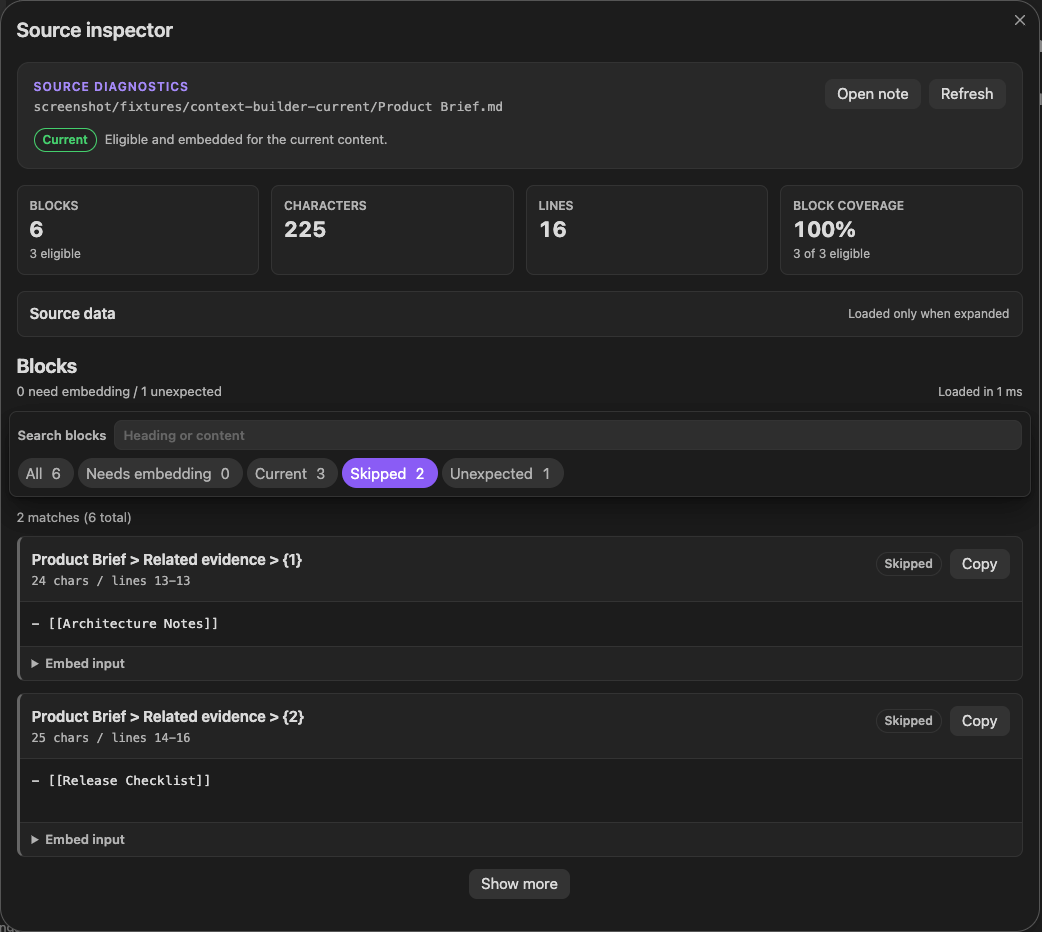
#Keep the note active. Choose Inspect active note from the Smart Environment status menu. Check its source eligibility, exclusions, and the Source or Block state required by the workflow before changing retrieval settings.
Several notes are missing. What should I check?
#Open Environment stats. Review eligible items, current embeddings, Sources and Blocks coverage, and exclusions.
If embedding is paused, choose Resume embedding. If re-import work is queued, choose Run re-import. Use Open events feed for retained warnings and errors.
Does Ready or complete coverage mean Smart Plugins will be fast or accurate?
#No. Ready is a loaded-and-idle state. Coverage describes preparation. Neither measures relevance, answer correctness, startup time, or performance in another vault.
Test the actual workflow with a representative note, query, or prompt. Compare the same task when evaluating speed or quality.
What does Reset data do? Does it delete my notes?
#Reset data or Re-import sources rebuilds Smart Environment source data and starts preparation again. Eligible content may then need new embeddings. It does not delete your Markdown notes.
Use Export data when you need a diagnostic JSON snapshot of sources, blocks, and optional vectors without resetting Environment.
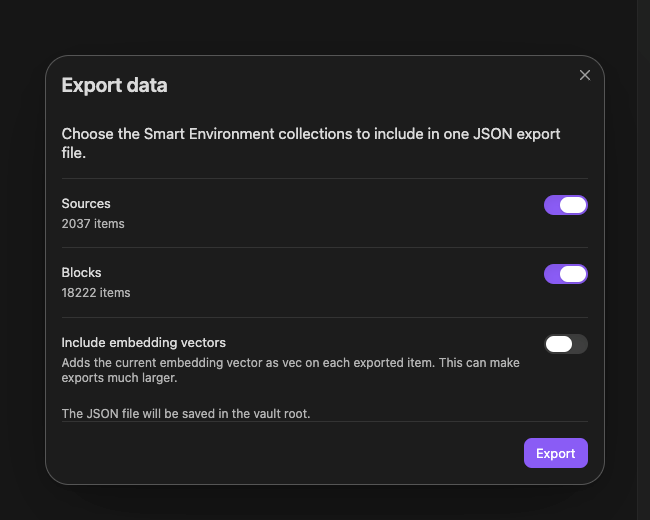
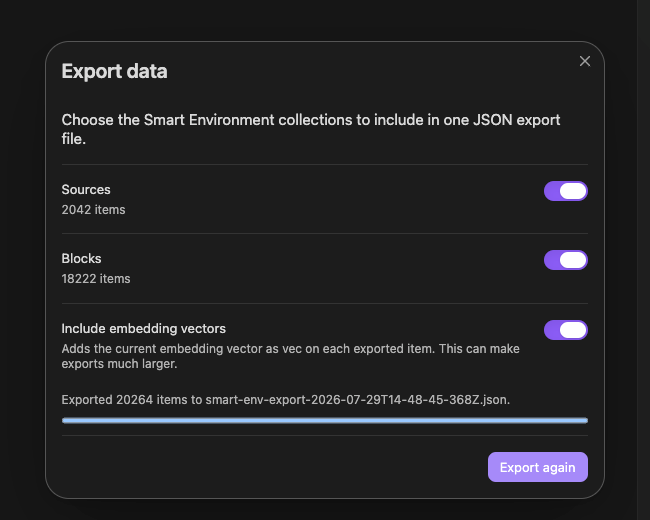
The captured export reports completion with embedding vectors included. Settings and source counts differ from the setup frame above; these images do not establish an unchanged-settings run. This is not proof of a complete vault backup or tested restoration.
What does Embed blocks do?
#Embed blocks makes eligible sections inside notes available as smaller retrieval units. It can improve precision for long notes, but it also increases the number of items, storage, and compute. It does not guarantee more relevant results.
What is the difference between local and cloud models?
#| Model type | Where it runs | What can leave the device |
|---|---|---|
| Local embedding or chat | On the device | Nothing is sent to a remote model for that operation. |
| Cloud embedding or ranking | Through the configured provider API | Eligible source text needed for that operation. |
| Cloud chat | Through the configured provider API | The prompt and context included in the request. |
Cloud providers require their own credentials and connectivity. Review the selected provider before processing sensitive material.
Is deferred loading on mobile a bug?
#No. Mobile can defer Environment loading to keep startup lighter and make resource-heavy preparation explicit. Use this sequence before you test an indexed workflow:
- Choose Load Smart Environment.
- Keep the status view open.
- Wait for Smart Environment ready or Ready.
Why not load everything immediately on mobile?
#Mobile devices have tighter startup, memory, battery, and background-processing constraints. Deferred loading lets you choose when Environment work begins instead of making every vault launch pay that cost.
How do I know Smart Plugins are ready on mobile?
#Use this sequence:
- Open the Environment status view.
- Choose Load Smart Environment.
- Watch the loading, import, and embedding states.
- Wait until Environment reaches Ready.
- Run one product-owned result. For example, open Connections for a meaningful note or run a Lookup query.
What if I muted Smart Environment notices?
#Manage muted notices in Smart Environment settings. Muting a notice does not remove the retained event. Use Open events feed to inspect it later.