
Pro Plugins FAQs
What are Pro plugins?
#Pro plugins add advanced Smart Plugin workflows. Examples include configurable retrieval, reusable external or media context, Smart Chat API Extension, Smart Graph, large-vault indexing, and supported vault actions through Connect Pro.
Start with the one workflow that removes a real bottleneck. You do not need to install or enable every Pro plugin.
What if I am already a supporter?
#Supporters from before 2026 are grandfathered into All-access. Sign in with your account email and existing supporter key in the connection key field. If access is missing, reply to the original welcome email or use the support path on the Pro page.
How do I sign in to Pro plugins?
#Open Browse Smart Plugins in the intended Obsidian vault. Under Connect account, choose Login. The browser's Smart Connect page asks for your account email and connection key. An existing supporter key works in the same key field.
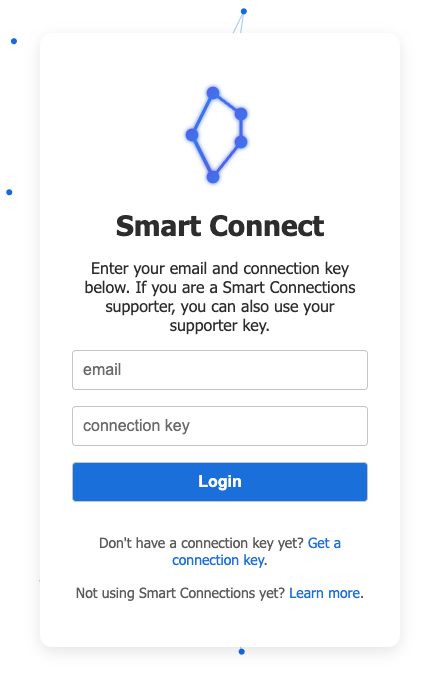
Choose Login, allow the return to Obsidian if prompted, and check the Store for Signed in to Smart Plugins account and your access status. Keep your key private; do not substitute a model-provider API key or Obsidian account password.
What if sign-in does not complete?
#Start from Login in the Store. If the browser does not open, use Copy link to login instead. Open that generated link, not the bare sign-in-page URL: the generated link carries the return information. The default sign-in host is connect.smartconnections.app.
After the browser step, return to the intended vault and reopen the Store. Follow the state it actually shows:
- Connect account: start Login again.
- Session needs refresh: choose Refresh and check the resulting status. If it still needs refresh, make sure you have your connection key before choosing Logout, then Login again.
- All-access subscription expired: check your account's subscription status; repeating browser login is not evidence of renewed access.
Do not share your key or the full generated login or callback URL when asking for help.
Why am I signed in but my Pro workflow is not ready?
#Account sign-in, Pro access, plugin activation, and workflow readiness are separate checks. Read the Store's access message, confirm that the chosen plugin is Active, then complete its required model, index, permission, or connection setup. Finish with one useful result you can inspect.
The Pro getting-started guide shows the account-status screenshot and walks through a complete first result. The example account's lifetime-access message is not a promise that all accounts have lifetime access.
Are free Core plugins going away?
#No. Core remains free and source-available under the Smart Plugins License. That license is not an OSI open-source license.
Does Pro upload my notes?
#Pro access does not upload notes by itself. Smart Plugins are local-first by default.
A configured cloud embedding or ranking provider can receive eligible source text needed for that operation. Provider-backed chat and other downstream workflows can also receive the prompt or context you explicitly send through them. Review the context package and provider before sending a Smart Chat message or using another verified remote-model action. See the Privacy Policy.
Where are Pro API keys stored?
#Supported Pro integrations can store API keys through Obsidian's native keychain-backed secret storage. This protects the credential. It does not change which reviewed note content is sent when a provider-backed action runs. Examine the selected context and provider before you send sensitive material.
Is Pro complicated to set up?
#Setup depends on the plugin. Use this sequence:
Installed -> Enabled -> Active -> Configured or Ready -> Successful result
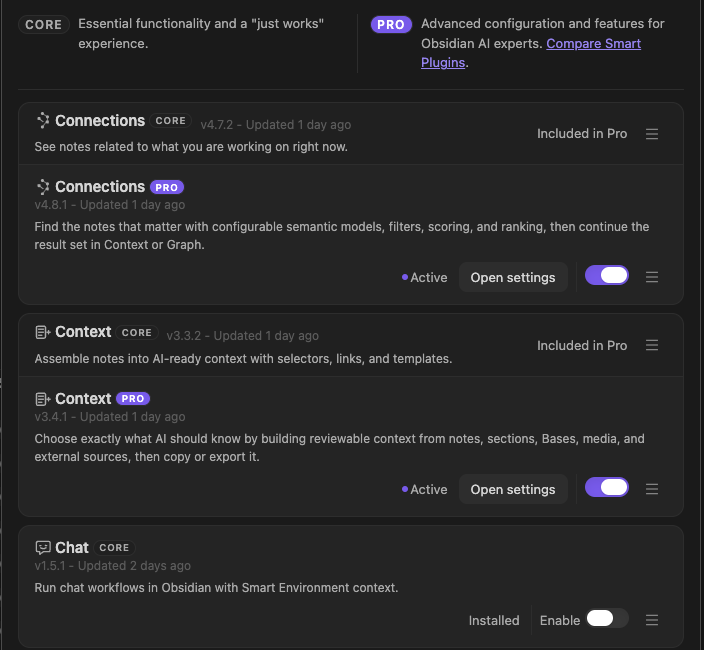
An Active Store row means the plugin loaded in the current Obsidian session. It does not mean that a required model, provider, source index, or connection is ready, and it does not replace a visible product result.
The Pro getting-started guide walks through one complete result before introducing the other plugins.
What if I am not sure Pro is for me yet?
#Use the trial shown on the Pro page to test one real workflow. The current offer includes a 14-day All-access trial. Confirm the current price, renewal date, and cancellation terms at checkout.
Choose one bottleneck. Complete only its prerequisite. Judge the result in its destination. Avoid changing several plugins or shared settings at once.
What is included in the 14-day free trial?
#The current offer provides 14 days of All-access with no charge on the first day. Use the live Pro page to see the packages included now. Use the billing portal to see the renewal date and terms attached to your account.
What does Experimental mean in the Store?
#Experimental plugins are available to eligible Pro accounts but may change more quickly than the main catalog. Use the live Store grouping as the current authority. Do not make an experimental workflow critical until you test its behavior and recovery path with your vault.
Do you offer a student discount?
#The current Pro offer provides a manual student-discount review. Start the trial. Reply to the welcome email. Follow the current proof-of-enrollment instructions. Send only the information requested.
What's the process to cancel a subscription?
#Use Manage subscription. Confirm the effective cancellation date and remaining access in the billing portal.
What if I have not received my key after starting a trial?
#Check the email address used at checkout and its spam folder for your Pro welcome email and key. The browser sign-in form calls this the connection key. If it is still missing, contact support through the Pro page with non-sensitive purchase details. Do not include the key in a public post or screenshot.
What if I encounter an issue with a Pro plugin?
#Include:
- the plugin name
- the exact action you took
- what you expected
- what happened instead
- the complete error message
- your Obsidian version
- Environment readiness when the workflow uses indexed sources
Remove note content, account details, license keys, provider credentials, and local paths from screenshots before sharing them.
Do I need all Pro plugins to get value?
#No. Enable only the workflow that solves the current problem. Milestones and other learning aids are optional.
Can I switch which Pro plugins I use during the trial?
#Yes. All-access lets you test the Pro plugins available to your account in the live Store. Finish one result before switching so you can identify what caused an improvement or failure.
Will Pro help if my large vault feels slow?
#Some Pro workflows add a local performance index used by Connections, Lookup, Inline Connections, Smart Graph, and Dedupe. Its effect depends on the task, vault, and machine. Environment stats show index readiness and coverage; they do not establish a speed improvement in your workflow.
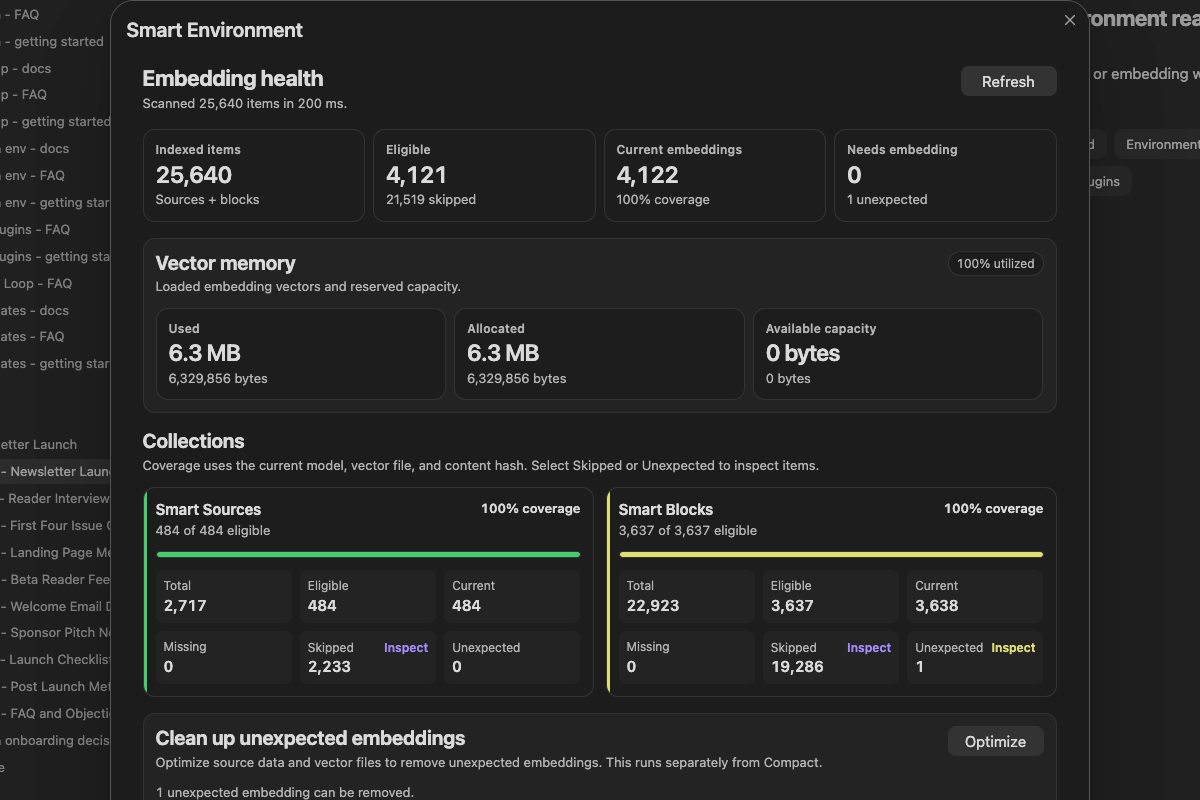
To evaluate a performance change, compare the same representative task with and without the Pro index on the same vault snapshot and machine, after each index is ready. Compare several runs and include preparation or review effort when judging whether the change helps.
What is Connect Pro?
#Connect Pro exposes enabled vault tools to a supported AI app through Local MCP, or through Smart CLI Pro. Connect Pro 2.0.3 includes the Connect Pro Inbox for reviewing dedicated correction, excerpt-move, block-move, and complete-note-merge proposals before those proposals change source notes.
The legacy Remote GPT connection is separate; the Official Connect Pro GPT is not required for Local MCP. Connect Pro is not Sync, a mobile-vault replacement, or an autonomous background agent. Only the dedicated proposal Tools are held for Inbox review; other direct-write Tools are not automatically intercepted.
Does Connect Pro require anything extra?
#Keep the intended vault open in Obsidian Desktop 1.12.2 or later with Connect Pro enabled and its required Pro access active. Select the setup for the route you will use:
| Route | Required setup | First evidence | ||
|---|---|---|---|---|
| Local MCP | Desktop apps (Local MCP) shows Running on this computer; follow Set up a desktop app for a trusted supported client on the same computer. Remote GPT is not required. | The client discovers the enabled tools and returns one recognizable note from the intended vault. | Desktop apps (Local MCP) shows Running on this computer; follow Set up a desktop app for a trusted supported client on the same computer. Remote GPT is not required. | The client discovers the enabled tools and returns one recognizable note from the intended vault. |
| Smart CLI Pro | Enable Obsidian CLI and check Advanced > Obsidian CLI integration and the registered enabled actions. | One bounded read returns the intended content. | ||
| Legacy Remote GPT | An available supported dedicated GPT integration and a connected Smart Connect Pro GPT row, with native CLI support for that route. | An available supported dedicated GPT integration and a connected Smart Connect Pro GPT row, with native CLI support for that route. | Disconnect is available, and one bounded read returns the intended vault content. |
Review Tool permissions before delegating changes; new actions default to enabled. The broad obsidian_cli Tool is not restricted by the individual CLI command toggles. Local MCP describes transport location, not a guarantee that the client's model provider receives no vault content.
The Connect Pro getting-started guide completes setup with one recognizable read from the intended vault. Dedicated proposals are optional next steps; practice one reviewed change when the task needs that capability. A pending proposal leaves source files unchanged. Complete that separate exercise by applying or rejecting it in Obsidian and inspecting the files and recorded decision. Proposal feedback is historical decision evidence, not automatic preference learning.
How do you decide what goes into Core vs Pro?
#Core focuses on broadly useful workflows with little setup. Pro adds deeper configuration, specialized integrations, large-vault infrastructure, and higher-maintenance workflows. See Core vs Pro for the current comparison.