
Smart Lookup Core v0.3
Turn the sentence under your cursor into a vault-wide search
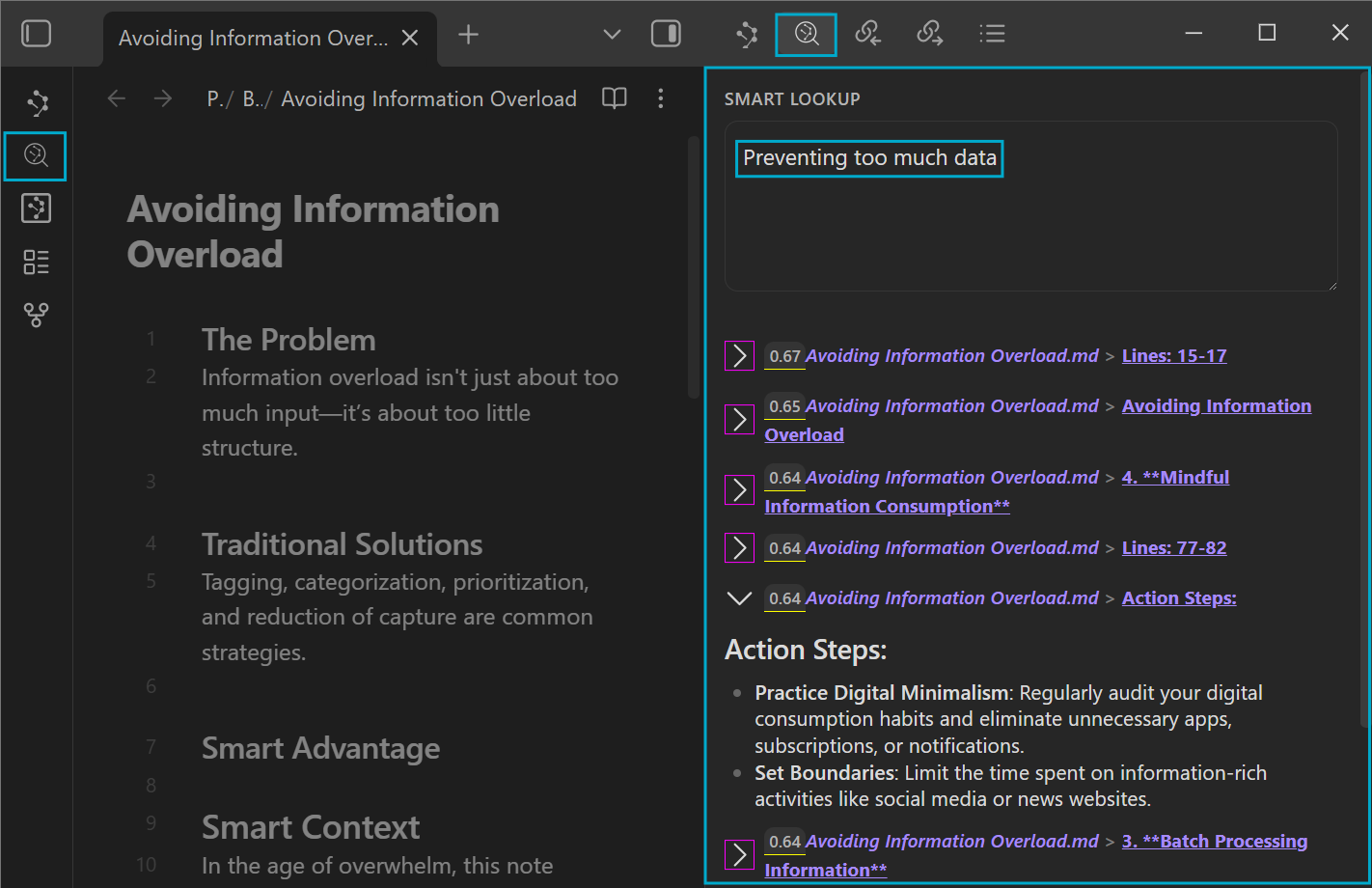
Select a phrase in the note you are reading or writing, run Smart Lookup, and search the vault by meaning without retyping the thought in another pane.
When the result set is useful, send it directly into Context or Graph instead of rebuilding the same source list by hand.
Update all installed Smart Plugins together, then restart Obsidian. Smart Lookup Core v0.3 requires Smart Environment v3.
A better model foundation behind every query
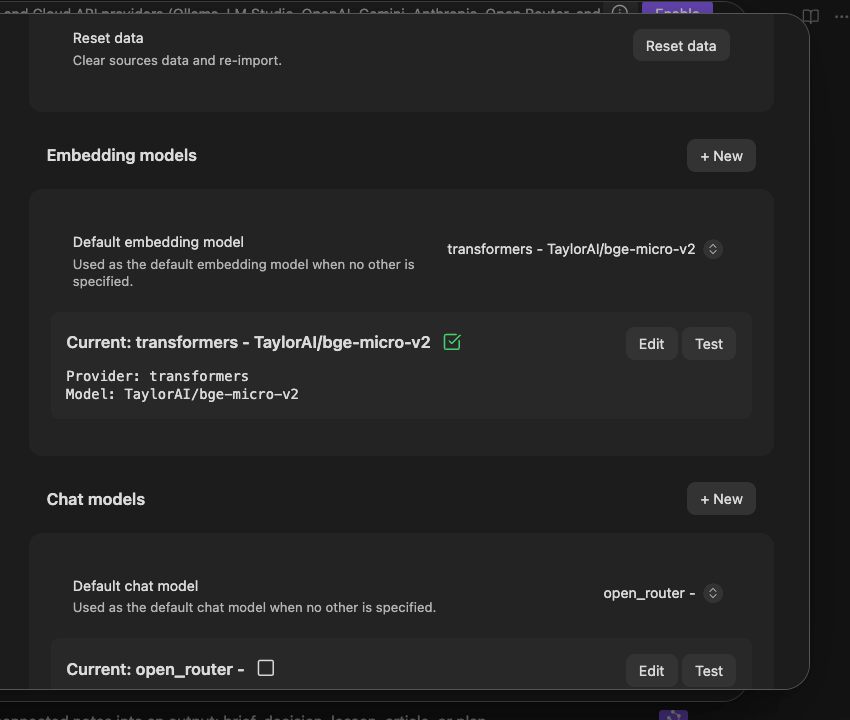
Every Lookup result begins with the embedding model. Smart Environment v3 gets semantic workflows ready sooner, adds more built-in local models, and lets you switch the active model without restarting Obsidian or deleting the embeddings produced by the model you were using before.
That gives different vaults more room to choose. Try a lighter model for constrained hardware, a multilingual model for mixed-language notes, or another built-in option without making the experiment irreversible.
Lookup now also shows when the selected embedding model is still loading. An empty result pane no longer has to leave you wondering whether the query failed or the model simply is not ready yet.
Learn more about the release of Smart Environment v3.
Search from the note instead of interrupting it
Select editor text and run Smart Lookup from the command palette or context menu. The selection becomes the semantic query, so a promising sentence can turn into a vault-wide retrieval step without a copy-paste detour.
This keeps Lookup distinct from Connections: Connections starts from the note in view; Lookup starts from the question or phrase you deliberately choose.
The result list is now a handoff, not an endpoint
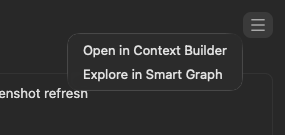
Open one consistent result-list menu and continue with the current set:
- Send it to Smart Context when you want to inspect, trim, save, or reuse the sources.
- Send it to Smart Graph when clusters, bridges, and outliers are easier to understand visually.
- Open or act on individual results without losing the query that produced the list.
Before / After
| Before | With Smart Lookup Core v0.3 |
|---|---|
| A thought in the editor had to be copied into a separate search surface. | Search selected text directly from the note. |
| Model startup could look like an empty or stalled search. | A loading state explains when the embedding model is not ready yet. |
| Trying another model risked discarding the earlier embedding set. | Switch models without deleting the embeddings you may want to return to. |
| The built-in local model choice was narrower. | Choose from more lightweight, multilingual, and experimental options. |
| Useful results had to be reassembled for Context or Graph. | Send the reviewed result set directly into the next Smart Plugin workflow. |
Supporting improvements
- Result retrieval now uses the shared Smart Environment action system for more consistent menus and handoffs.
- A semantic-query action is available to supported tool and automation surfaces without changing Lookup's user-facing job.
- Smart Environment Stats and source inspection make it easier to diagnose missing or stale indexed material when a query behaves unexpectedly.
Learn more
Release notes
v0.3.1
Updated: Smart Environment
v0.3.0
Added: menus to Lookup interface for integration with Context, Graph, and other plugins
Add loading state for embedding model in lookup process
Refactor: Update lookup result retrieval to use actions for configurable behavior and improved flexibility
Add lookup_list_query tool action for semantic lookup
Added: editor command and selection context-menu action to search selected text with Smart Lookup
Updated: Smart Environment v3
v0.3.0
- Added semantic search for selected editor text from a command and context-menu action.
- Added result-list actions for sending the current set to Smart Context and Smart Graph.
- Added a shared semantic-query action for supported tools and automation workflows.
- Added a visible loading state while the selected embedding model becomes ready.
- Updated Smart Lookup Core to Smart Environment Core v3.1.0.
- Requires Smart Environment v3.0.0 or newer.