
Problem
Keyword guesses, filename hunting, and tab hopping slow you down when recall is fuzzy.
Official Smart Plugins site Smart Plugins are independent third-party plugins for Obsidian. Smart Connections is the flagship plugin.
Question-first semantic search for Obsidian
You know the note exists, but you do not remember the phrase. Ask your vault a plain-language question and surface relevant notes by meaning so wording drift does not break your flow.
Problem
Keyword guesses, filename hunting, and tab hopping slow you down when recall is fuzzy.
Turning point
Treat search like a question, not a keyword puzzle. Smart Lookup ranks notes by semantic similarity to your query.
Outcome
Find the right note fast enough to keep writing, reuse prior thinking, and act on the result immediately.
Plain-language queries Meaning-ranked results Same semantic layer as Smart Connections
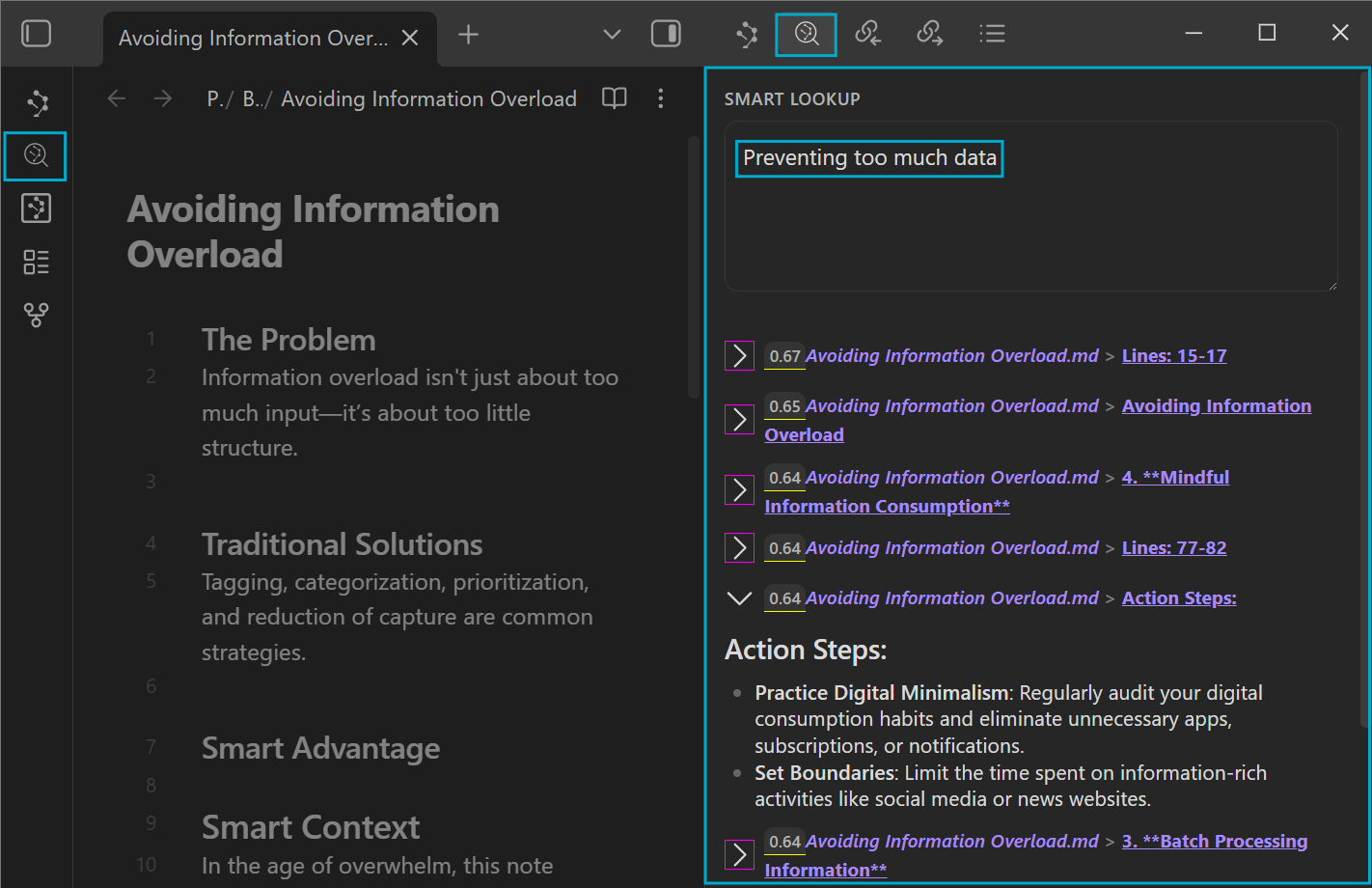
Want the annotated walkthrough? Open the Smart Lookup search guide .
Start with one real question you would ask yourself if the right note were already open.
Step 1
Open the Lookup view from the command palette, the ribbon, or a hotkey you assign.
Step 2
Describe the idea, topic, or decision you want to recover. Add 1-2 context nouns when your vault is broad.
Step 3
Expand 1-2 results, open the strongest match, then link it, build a reading trail, or export it into Smart Context.
Recovered note: you find something that exact keyword search would have made harder to recover.
Faster confirmation: the right heading, block, or note appears quickly enough that you stay in flow.
Next action: the result becomes a link, a reading trail, or grounded AI context instead of another dead end.
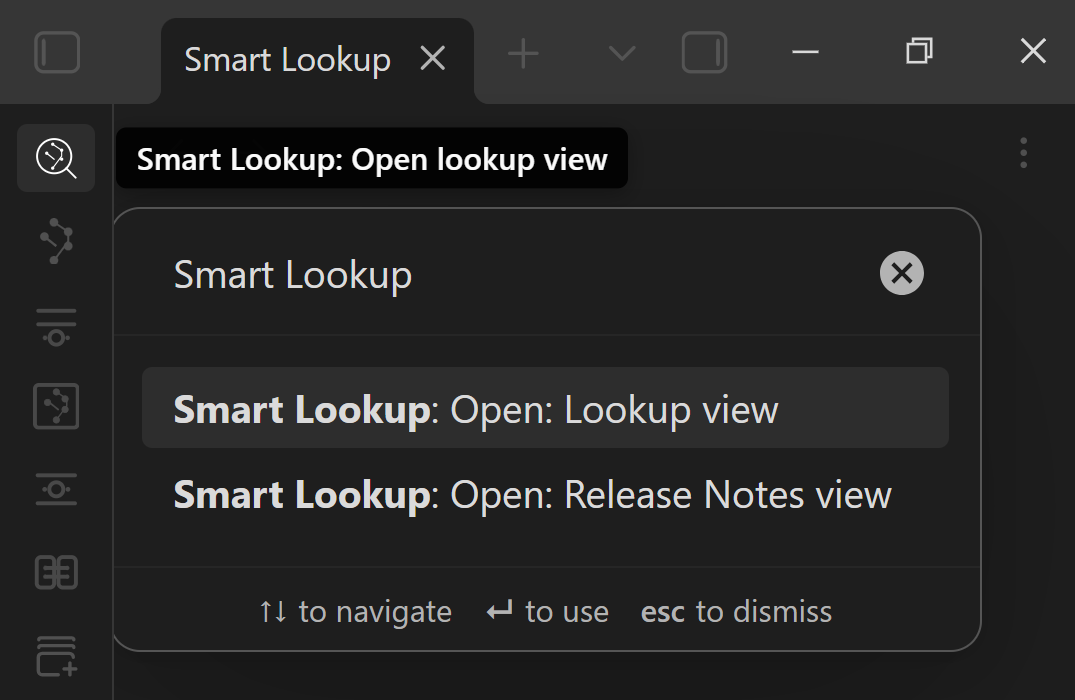
Once it earns a permanent place in your workflow, pin a hotkey so question-first search stays one move away.
Use Lookup when the problem is recall, wording drift, or concept discovery rather than exact phrase matching.
You remember the idea, not the phrase, file name, or heading you used when you wrote it.
Your current wording changed, but the underlying idea is still in the vault.
You want to recover tradeoffs, prior decisions, or the best note on a topic before you re-solve it.
You want a fast reading trail from your prior thinking before you write, delegate, or brief an AI tool.
Exact match
Best when you need exact phrases, tags, operators, file names, or regex.
Question-first
Best when you want notes about an idea even if the note does not contain your search terms.
Note-first
Best when you are already inside a note and want related material to update around your current context.
Lookup is question-first. Your query becomes the reference point, and results are ranked by semantic similarity instead of exact word overlap.
Start with the idea, topic, or question you want to recover. Write it the way you would ask yourself.
Similarity scores help rank the results inside one lookup. Expand a few candidates to confirm relevance before you act.
Use sources when you want broader note discovery. Use blocks when you want more precise sections without hunting inside long notes.
Topic + context nouns + desired output
Stronger query: "My notes about reducing information overload while researching - list the best steps."
Fast refinement: add 1-2 constraints such as project name, domain, people, tools, or output type.
Need the deeper walkthrough? Open the search guide . Need to tune sources, blocks, limits, or filters? Use Connections settings .
Lookup is strongest when it hands off to the next workflow instead of ending at the results list.
Find
Recover the most relevant notes when you start from a question instead of an anchor note.
Package
Turn strong Lookup matches into reusable context so your next prompt starts grounded.
Converse
Ask follow-up questions with the right notes already attached, then keep the thread tied to the work.
Already inside a note and want related material to update around it automatically? Use the Connections view for note-first discovery.
Lookup is additive, not a replacement for exact search. Use Obsidian Search for exact phrases and operators, and use Lookup for meaning-level discovery.
Results stay inspectable. Expand items, confirm relevance, and then open, link, or export what deserves action.
Lookup uses the same semantic layer as Smart Connections, so the mental model stays consistent across question-first and note-first workflows.
When your vault grows, you can tune result type, limits, and filters in Connections settings instead of guessing why the list changed.
Quick answers for people deciding whether Lookup is the right search surface.
Smart Lookup is question-first semantic search for Obsidian. It lets you ask plain-language questions and surfaces notes by meaning, not just exact text overlap.
Use Lookup when you remember the idea but not the exact phrase. Use Obsidian Search when you need exact phrases, tags, operators, file names, or regex.
Smart Lookup is question-first: you start with a query. Smart Connections is note-first: you start from the note you are already viewing and let related results update around it.
That can be normal in semantic search. Lookup ranks by meaning, not literal word overlap, so a note with different wording may outrank a note that repeats your exact phrase without matching your intent.
Start with sources when you want broader discovery. Switch to blocks when you keep opening long notes and hunting for the right section.
Open the best match, link it into the working note, build a short reading trail, or export the strongest matches into Smart Context for grounded AI work.
When you remember the idea but not the words, Smart Lookup turns recall friction into forward motion.
Smart Project lessons
Begin with a four-part introduction, followed by selected lessons from the systems, tools, and workflows behind Smart Plugins.
Subscribe to the Smart Project lessons and selected updates. Unsubscribe anytime. Privacy policy.