
Smart Lookup
Smart Lookup finds notes by meaning when you know the idea but not the exact words. It starts from a query rather than from the active note.
[!TIP] New to Smart Lookup? Start with Getting started with Smart Lookup. Run one real query. Review one result. Use the source.
[!IMPORTANT] Lookup retrieves source material A ranked row, score, and excerpt help you decide what to inspect. Lookup does not compose an answer or establish that a source is correct.
Search Obsidian notes by meaning with Smart Lookup
Use Lookup when a question, idea, or remembered concept is the starting point. Use Connections when the current note is the starting point. Use Obsidian Search when exact text or syntax matters.
Open the Lookup view
Open Smart Lookup from its ribbon action or run this Command Palette command:
Smart Lookup: Open: Lookup view
- Filter the Command Palette to Smart Lookup.
- Run Smart Lookup: Open: Lookup view.
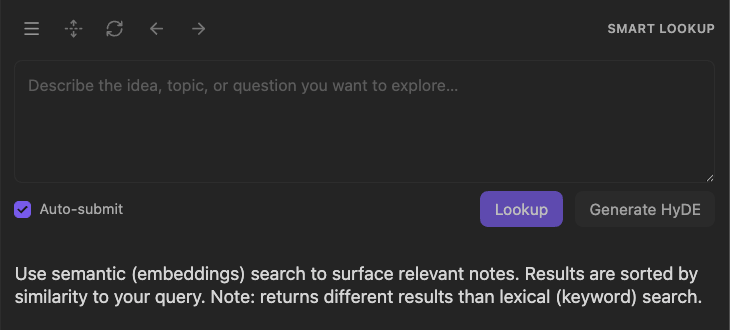
The text in the Lookup query box is the retrieval anchor. Lookup does not automatically treat the entire current note as the query. The search-control reference images on this page use Smart Lookup Pro v0.2.2; the Lookup-to-Context handoff uses Smart Lookup Pro v0.4.0 and Smart Context Pro v3.4.2. The separate Generate HyDE action is not required for ordinary Lookup.
Write a useful semantic query
Use one clear idea, topic, or question in ordinary language. A useful pattern is:
subject + context + distinguishing detail
Examples:
customer onboarding friction and activation
prior decisions about Context Builder tradeoffs
preventing information overload during research
When the intended query already exists in a note, select the complete phrase. From the editor context menu, choose Search selection with Smart Lookup.
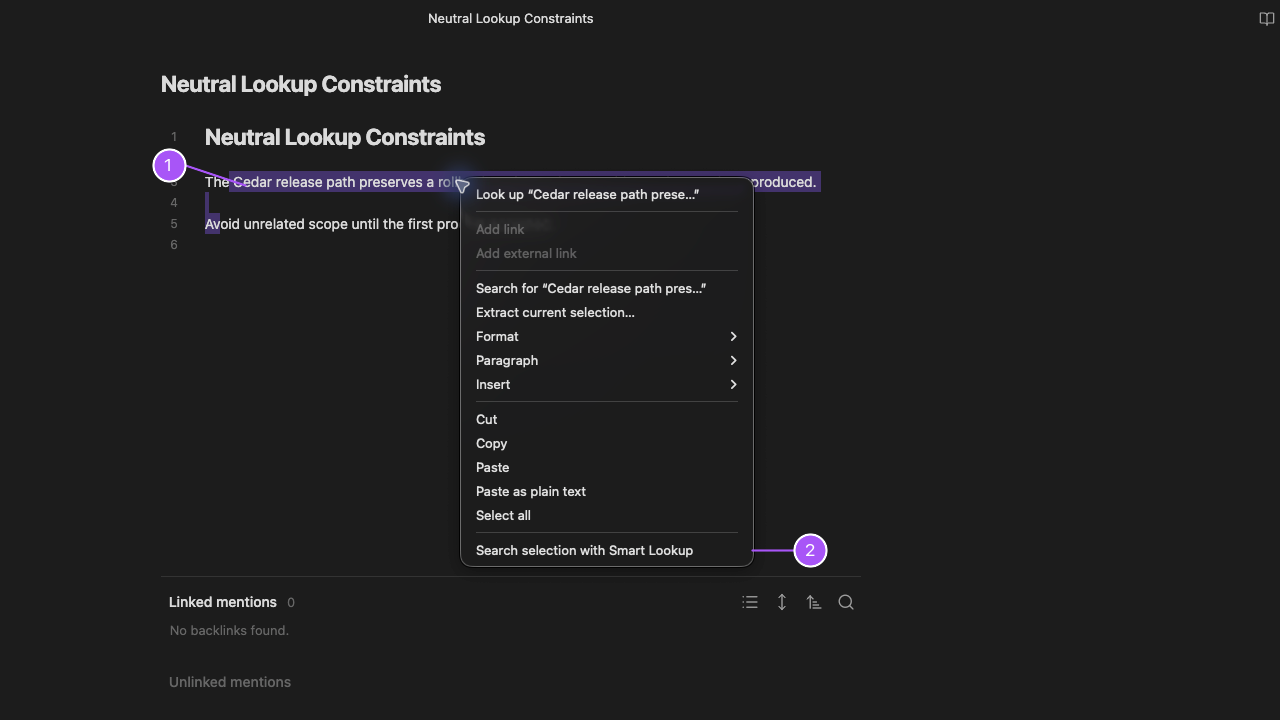
- Select only the text that expresses the retrieval intent.
- Choose Search selection with Smart Lookup to send it into the Lookup pane.
Describe the material you want to recover, not the report you want an AI to write afterward. Search for project risks, unresolved decisions, and next actions rather than summarize everything and recommend what to do.
Use Auto-submit
With Auto-submit enabled, Lookup runs after a short pause in typing. Disable it when you want to review the complete query before each run.
Run Lookup manually
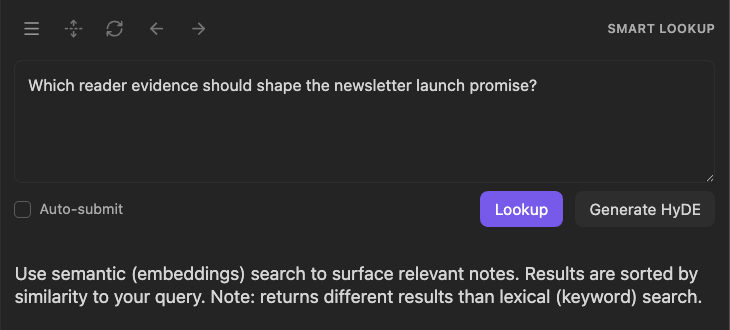
With Auto-submit disabled, choose Lookup to execute the current query. One clear intent usually works better than a long multi-part prompt.
Normal Lookup searches from the query without calling a chat model. Generate HyDE is a separate, explicit action.
Revisit a previous query
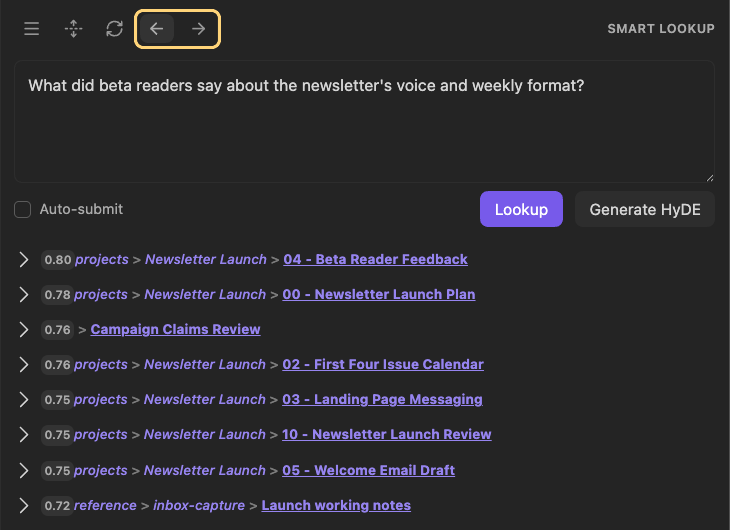
Use Previous query and Next query in the Lookup toolbar to move between searches. Check the restored question and its results before continuing. Query navigation does not open the first result in the editor automatically.
Understand Generate HyDE
In Smart Lookup Pro, Generate HyDE is an optional model-backed search action. It sends the query and bounded excerpts from the configured number of top query matches to your default chat model, then uses a generated hypothetical document for retrieval. The generated document is not a source note or a validated answer.
In Lookup settings, HyDE context results controls the excerpt count from 0 to 20, with a default of 5. Zero omits source excerpts. This is separate from Results limit, which controls how many Lookup results are displayed.
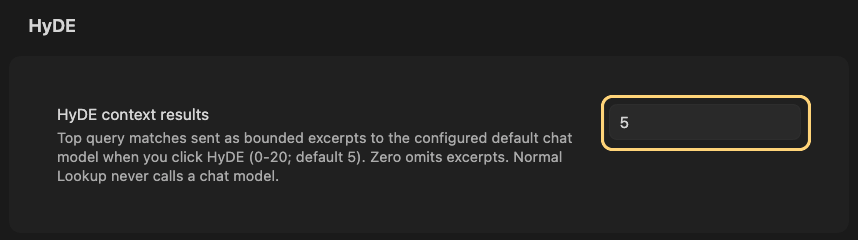
Review the query, source scope, and configured provider before using HyDE. If generation fails, Lookup can fall back to ordinary query results; check Events and notifications instead of treating a returned list as proof that generation succeeded.
After generation and retrieval complete, Lookup combines query matches with hypothetical-document matches and returns real sources to inspect. This view does not display the generated document.
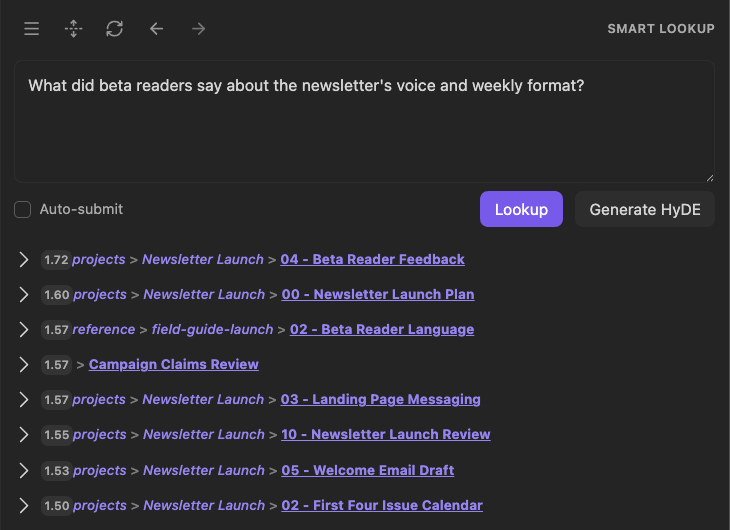
Expand a result to read the original source, not the generated retrieval text. Combined scores can exceed 1; they are not confidence percentages or evidence that a result is better than an ordinary Lookup match.
Read result rows
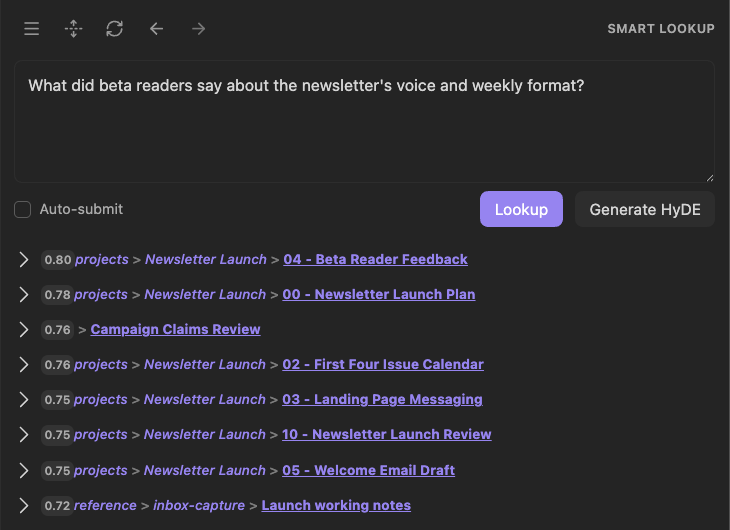
- The query remains visible above the result set.
- Each row is a ranked source candidate, not a generated answer.
Rows can include the note or block identity, heading or line context, a relative score, and an expand control. Use the score to choose what to inspect first. Do not use it as a correctness grade. Treat scores as relative signals within the current query and result set. Do not compare score values from different queries directly.
Expand a result
Expand a promising row to read the source text without leaving Lookup. Check the title and path; for Blocks, also review the heading or line context when shown.
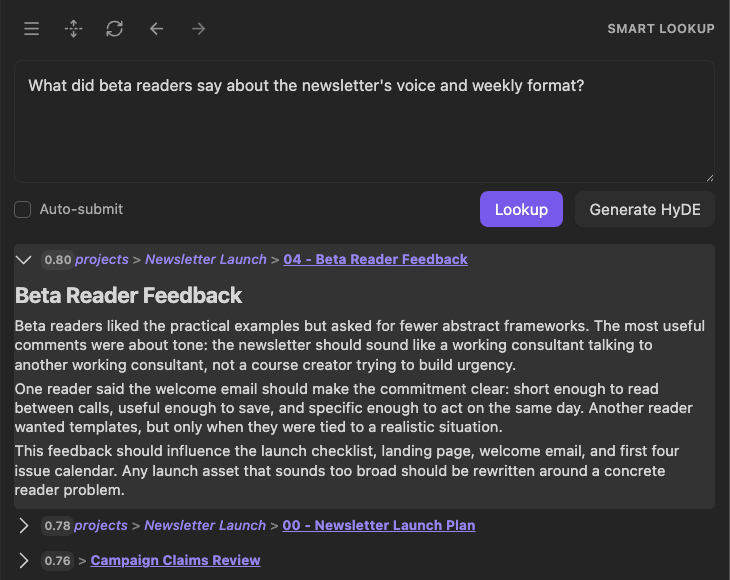
Here, the source contains the requested voice and format feedback. Reading that passage, rather than relying on its score, establishes why it is worth opening.
Preview on hover
On desktop, hold Cmd/Ctrl while hovering a result to use Obsidian Hover Preview when available. Open the source when you need more context than the preview provides.
Drag a reviewed result into the next workflow
A reviewed result can be dragged to supported destinations such as:
- a Markdown editor to create an Obsidian link
- Smart Chat as current response context
- a named-context dashboard for durable curation
- Smart Graph as the current graph scope
- the live Connections view as a fixed current target
After the drop, confirm that the expected source appears in the destination.
Review a result set in Smart Graph
Use More actions at the left of the Lookup toolbar when a reviewed set should be explored spatially. This menu applies to the result list, not an individual row.
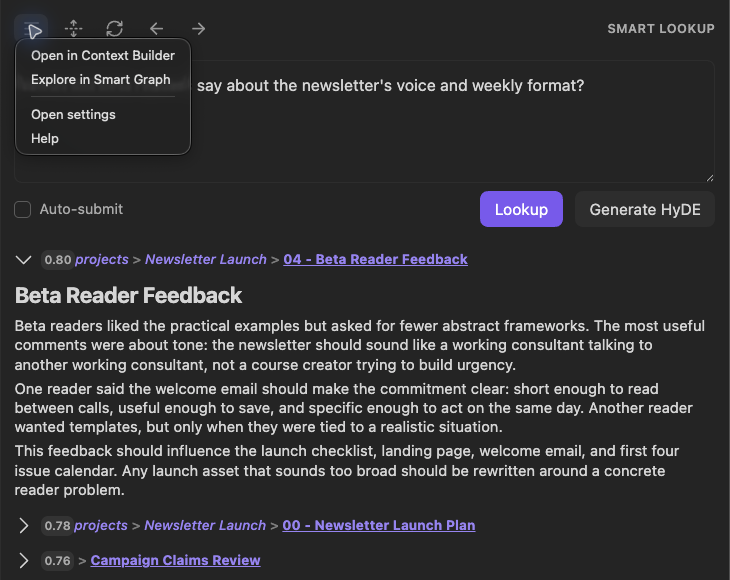
- Review the query and ranked sources before transfer.
- Open More actions.
- Choose Explore in Smart Graph.
Smart Graph opens with the current result list as distinct indexed source notes, including results below the visible portion of the list. Multiple Blocks from one note become one Graph source; results that cannot resolve to an indexed source are skipped. In this ordinary-Lookup example, the same 20 source identities arrived in Graph. The selection list below has been scrolled to Beta Reader Feedback; no sources were added or removed.
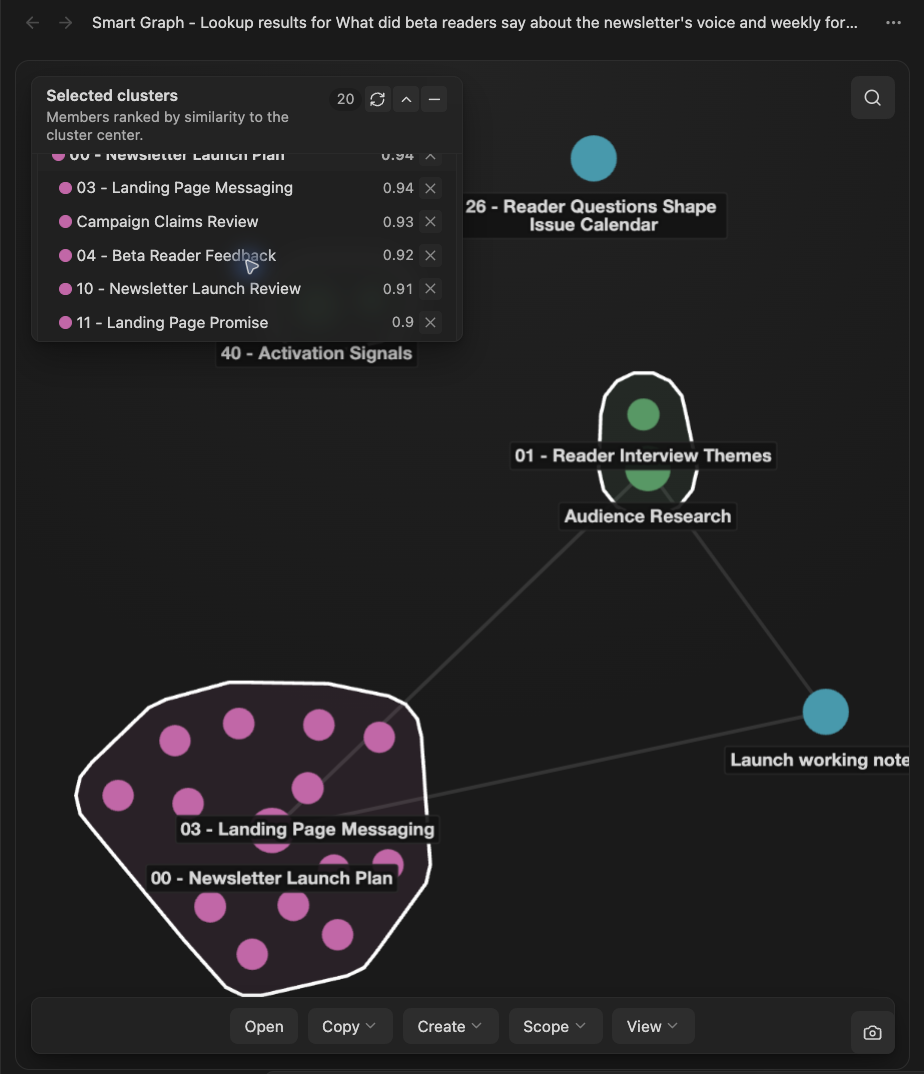
Check the source identities and scope before taking another action. Graph groups sources spatially and ranks selection-list members against cluster centers, so its ordering and scores need not match Lookup's query ranking. This handoff used ordinary Lookup results, not the separate HyDE example above.
Open the reviewed result set in Context Builder
Use the Lookup list menu when the current result set should become an inspectable package in Smart Context Builder:
- Review the complete query and settled result set.
This ordinary-Lookup run used Sources, a temporary Results limit of 3, and Auto-submit off. No chat model or HyDE generation was used.
What did beta readers say about the newsletter's voice and weekly format?
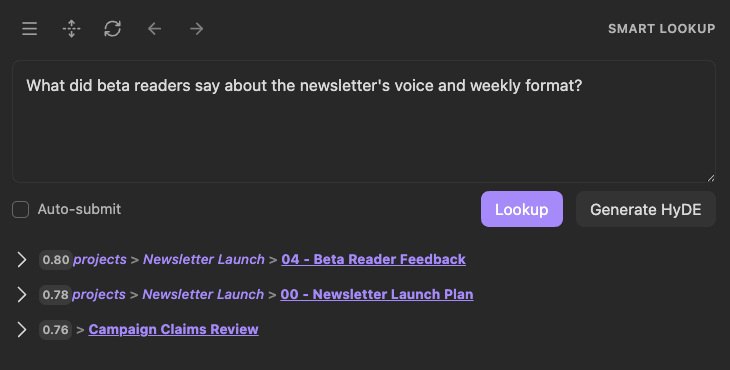
- Open More actions at the left of the Lookup toolbar.
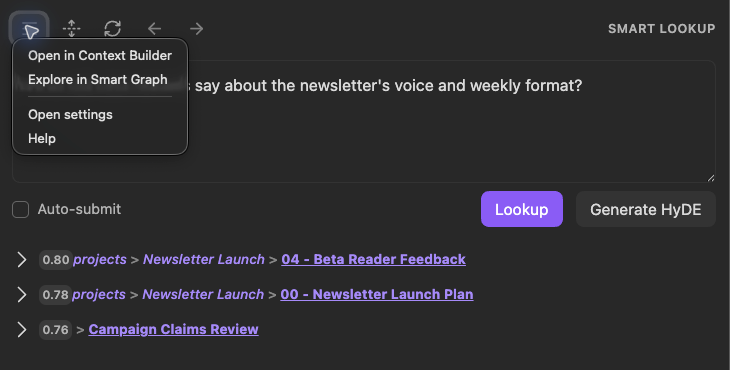
The native menu overlaps the start of the query. The preceding image preserves the complete query and result set.
- Choose Open in Context Builder, then verify the received sources.
The action opened a new, unnamed Builder context with the same three notes: Beta Reader Feedback, Newsletter Launch Plan, and Campaign Claims Review. The received package shows 3 sources, about 1.1K tokens, and 1 rule.
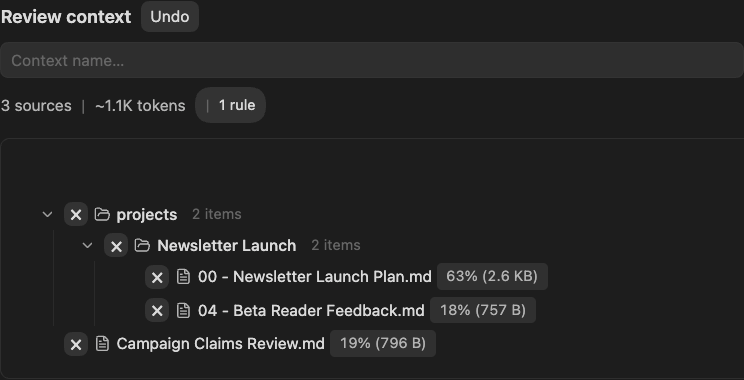
Builder displays the sources in a folder hierarchy rather than Lookup's ranked order. Its percentage labels are not Lookup similarity scores. These are captured native handoff states, not a continuous recording; no context was named, copied, sent, or reopened in this sequence.
- Remove unrelated, stale, duplicated, or untrusted sources before copying or sending the package. This capture ends at the received-source review, not a completed copy or send.
This is a list-level handoff. There is no verified per-result button named Add to Context. Open or drag one reviewed row only when the next workflow should receive that single source.
[!NOTE] Data boundary Ordinary Lookup searches the local Smart Environment index after your notes are prepared. If a cloud embedding provider is configured, it receives eligible source text during embedding. Provider-backed downstream workflows also receive the content you explicitly attach, copy, paste, or send.
Open a result
Open the source when the excerpt is not enough to judge the match. A useful Lookup workflow ends with a real note-level action, not merely a ranked list.
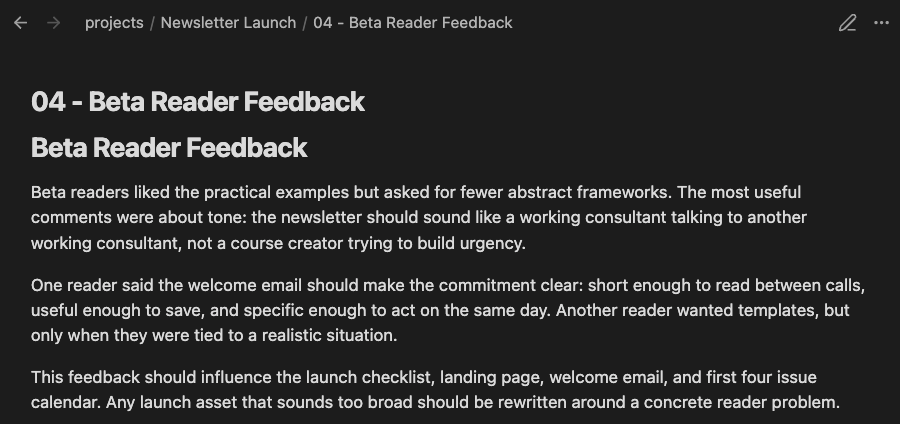
The opened source matches the expanded Lookup result shown above. This focused editor crop omits the Lookup pane; the accepted native capture retains both panes.
Choose Sources or Blocks
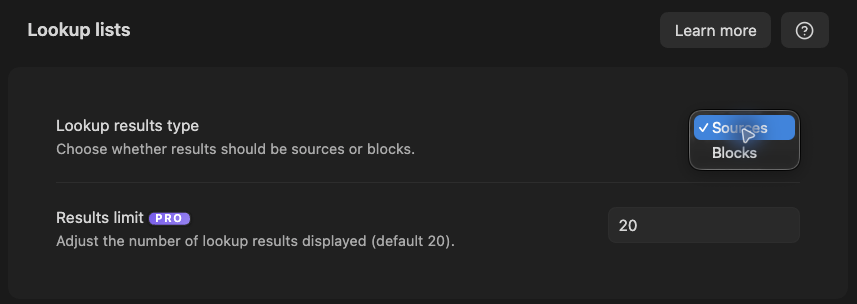
Sources returns whole notes. Blocks returns smaller sections.
Start with Sources for discovery. Switch to Blocks when the correct note appears but the useful passage is buried inside a long source.
In Lookup settings, use Lookup results type to choose the result unit. The selector below shows Sources selected and Blocks available; Results limit is a separate control.
Choose Lookup, Connections, or Obsidian Search
| Starting point | Use |
|---|---|
| A typed idea or question | Smart Lookup |
| The active note | Smart Connections |
| An exact word, filename, heading, tag, syntax, or regex | Obsidian Search |
Why did Lookup return a note without my exact words?
Lookup ranks semantic similarity. Different wording can express the same idea. Use Obsidian Search when literal text matters.
Does Lookup answer my question?
No. It finds candidate source material. Review a small set. Then use Smart Context or Smart Chat when you need a grounded answer.
Improve weak or overly broad results
| Symptom | First adjustment |
|---|---|
| Too broad | Add one distinguishing project, audience, constraint, or problem. |
| Too narrow | Remove the least important detail. |
| Exact phrase needed | Use Obsidian Search. |
| Whole note hides the passage | Switch to Blocks. |
| Empty or stale across known topics | Check Environment import, embeddings, exclusions, and readiness. |