
Smart Graph
Smart Graph maps indexed notes into a semantic landscape. Start from one current note when you want a related note. Open Whole vault when you want a wider pattern.
Start with Getting started with Smart Graph. Create a Neighborhood from the current note. Then open one related note.
Explore semantic clusters in Obsidian with Smart Graph
Smart Graph presents indexed source notes as a semantic landscape. Clusters, representatives, and affinities are current hypotheses for inspection, not permanent authored categories.
The Whole vault view establishes the current Graph surface and cluster landscape. Narrow it before you act. Clustering and scores are exploration signals, not final judgments.
Before opening Smart Graph
Smart Graph requires eligible Smart Sources and current embeddings. To start from the active note, that note must be indexed. Use Inspect active note or Environment stats when Graph reports that the note or source set is unavailable.
Open Smart Graph
Choose the entry that matches the task:
| Command | Result |
|---|---|
Smart Graph Pro: Create graph from current note |
Opens a Neighborhood seeded by the indexed active note and selects that seed. |
Smart Graph Pro: Create graph from selected note |
Opens a source-seeded graph for the selected indexed note. |
Smart Graph Pro: Open: Smart Graph view |
Opens Whole vault. The Open Smart Graph ribbon action uses this route. |
Smart Graph Pro: Refresh Smart Graph |
Rebuilds the current Graph view from the current index. |
Foreground nodes represent indexed source notes. Blocks resolve to their owning notes rather than appearing as separate foreground nodes.
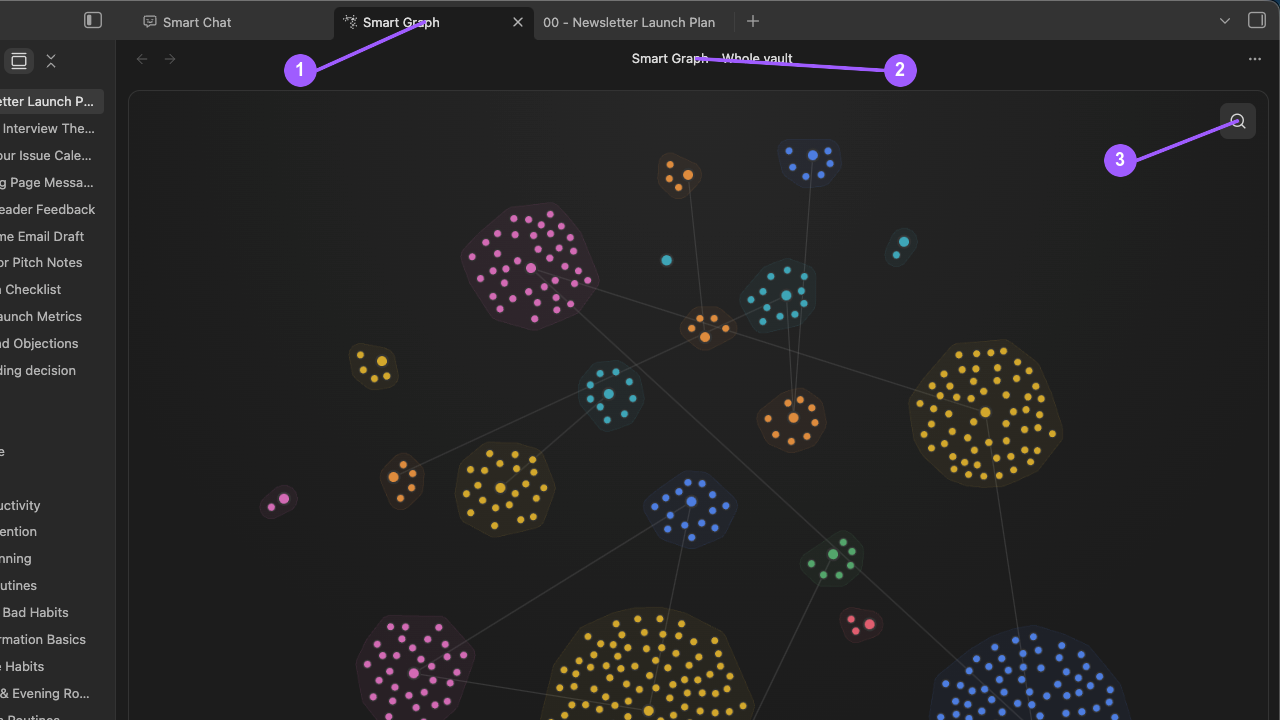
What to notice:
- The active tab identifies the Smart Graph workspace.
- Smart Graph - Whole vault states the current scope.
- Search is available before narrowing or selecting the graph.
Use the view title to confirm whether you opened Whole vault or Neighborhood of source.
Choose a graph scope
Smart Graph supports:
- Whole vault
- Neighborhood
- Focus cluster
- Focus nodes
The current scope is shown in the view title after Smart Graph -.
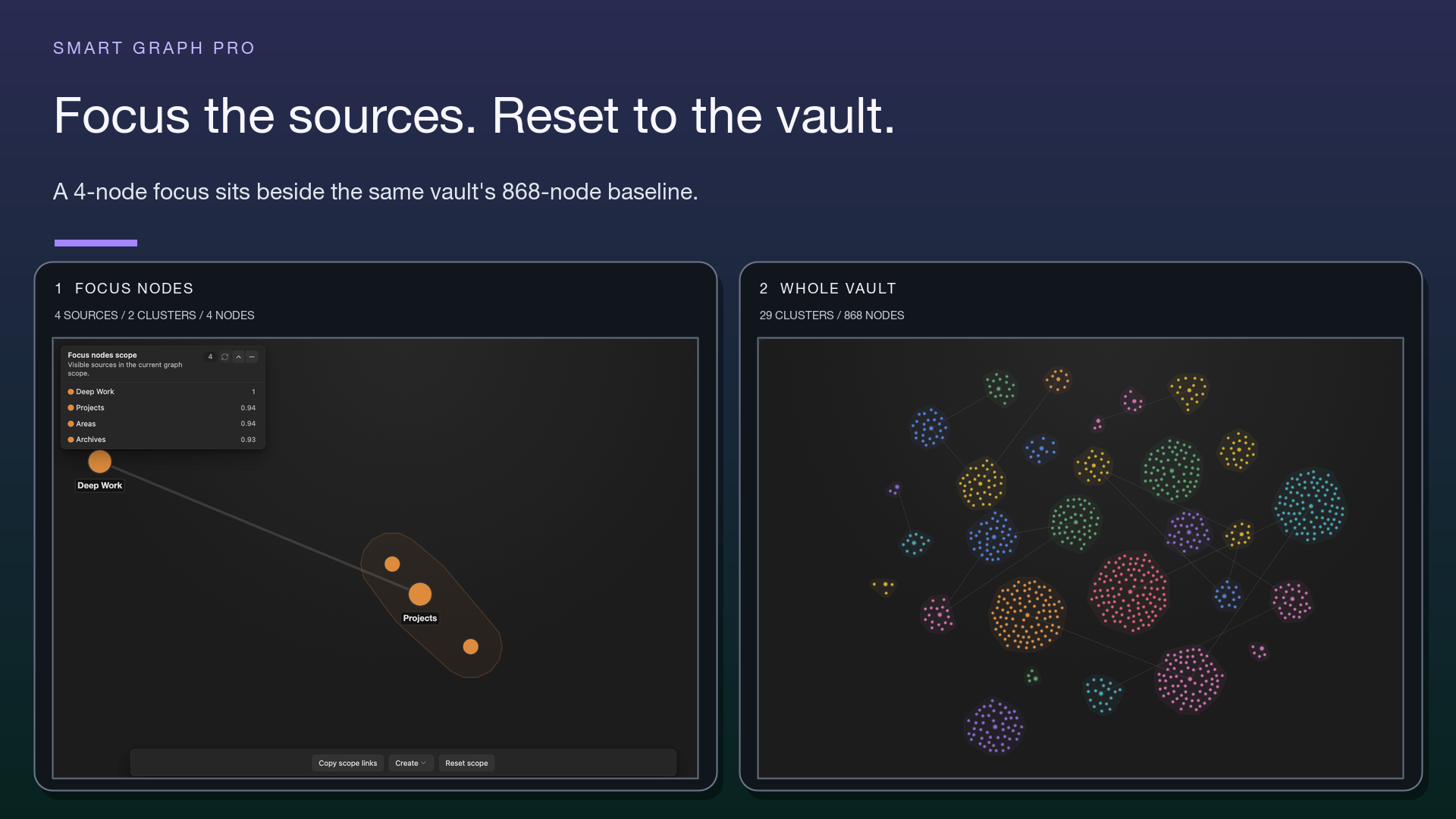
Compare a focused source scope with the same vault's broader graph.
Add notes and folders by dropping them into Smart Graph
Drop indexed notes, supported folders, Connections or Lookup results, or a graph source onto Smart Graph.
- Whole vault becomes a Focus nodes scope containing the dropped indexed sources.
- An existing focused scope keeps its current members, adds newly dropped sources, and becomes a Focus nodes scope.
- A dropped folder expands recursively to indexed source notes.
- A dropped block resolves to its owning indexed source note.
The resolved dropped sources become the current selection when the scope changes. A duplicate-only drop leaves the scope unchanged. Unindexed items and ambiguous paths are rejected.
Understand source nodes
Foreground nodes represent indexed source notes. Visual emphasis can reflect stronger members or the current representative without changing the note's identity.
Understand cluster regions
Semantic regions sit behind source nodes and can be selected as a group. They are current clustering results, not permanent topic objects.
Are semantic regions permanent topics?
No. They can change after note edits, reindexing, reclustering, model changes, or scope changes.
Understand visible bridges
Smart Graph can show two different edge types:
- Semantic bridges connect current cluster representatives. They are generated from the current index and scope. Treat them as exploration signals.
- Authored source links appear after Show links. They come from note links, use arrowheads for direction, and can show arrows in both directions.
Use Hide links to remove authored-link edges. Do not describe a semantic bridge as an authored link, or an authored link as proof of semantic similarity.
Select sources and clusters
- Click a source to add it to the selection.
- Alt/Option-click removes only that source.
- Drag across the graph to select by area.
- Click a semantic region to add its members.
- Click the background to clear the selection.
- Hold Space while dragging to pan without changing selection.
- While holding Space, use the scroll wheel to zoom in or out.
- Mod-click a source to open it while preserving the previous selection.
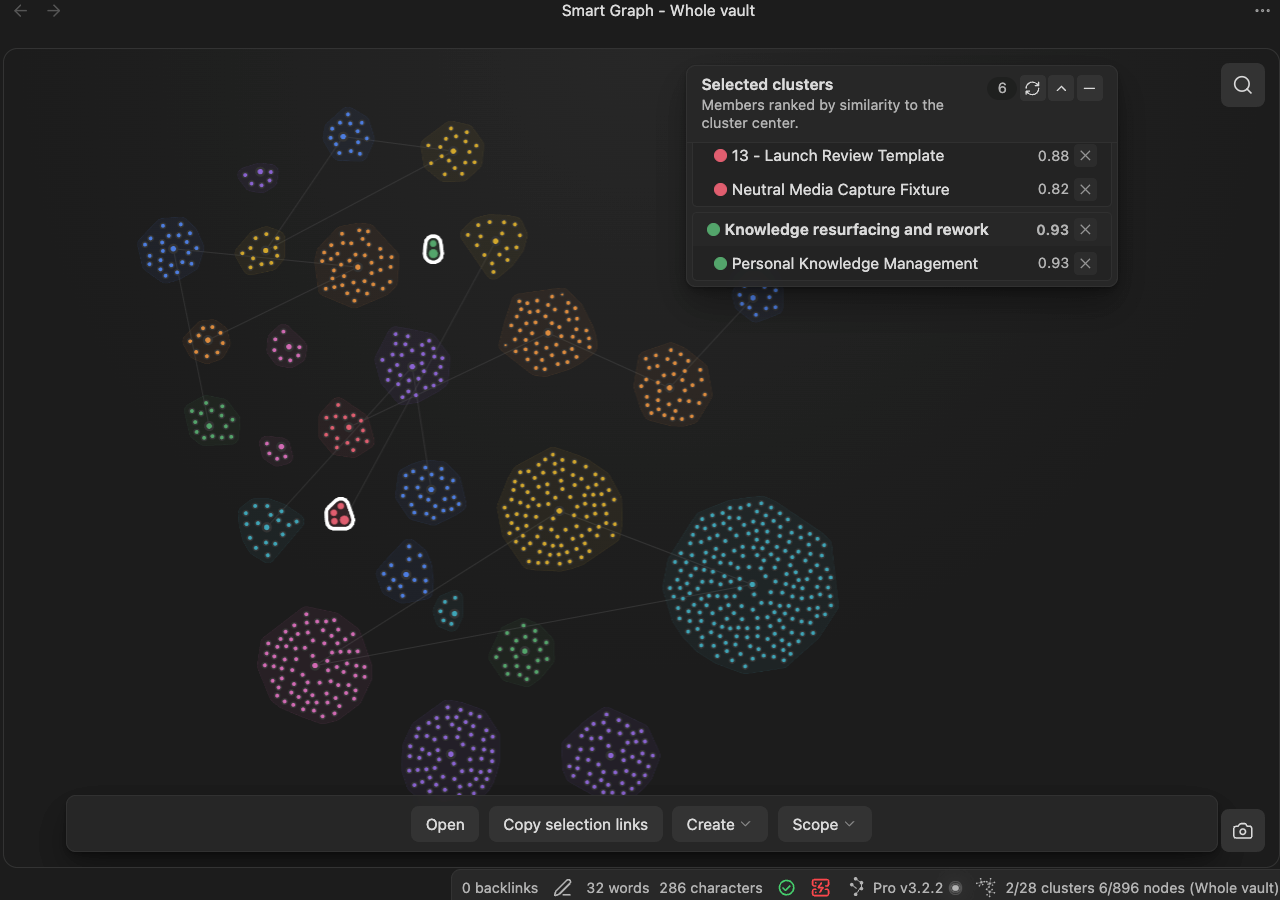
Use the Notes panel
The Notes panel changes its visible heading with its contents:
- Selection for an ordinary source selection
- Selected cluster or Selected clusters when the selection contains complete semantic regions
- Focus nodes scope, Focus cluster scope, or Neighborhood scope when no source is selected and the panel is listing an explicit scope
Hover a row to highlight its node. Select a row to move the camera to that source without changing the graph selection. Use the row remove control to subtract a selected source.
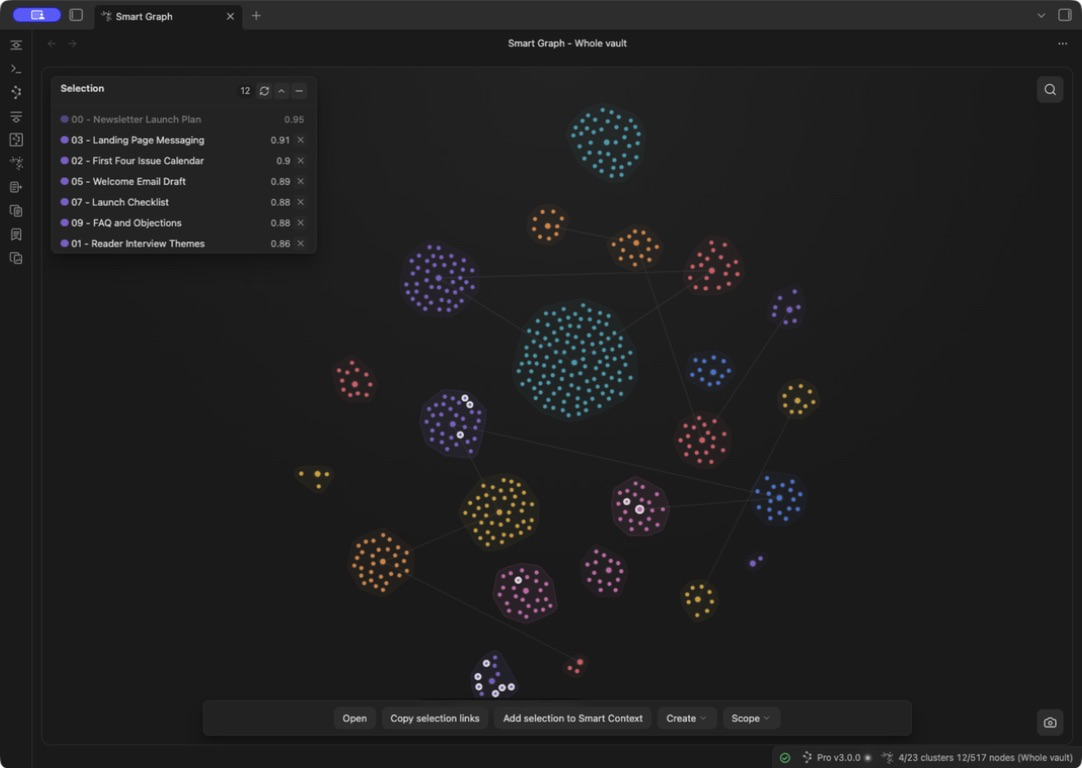
Search the graph
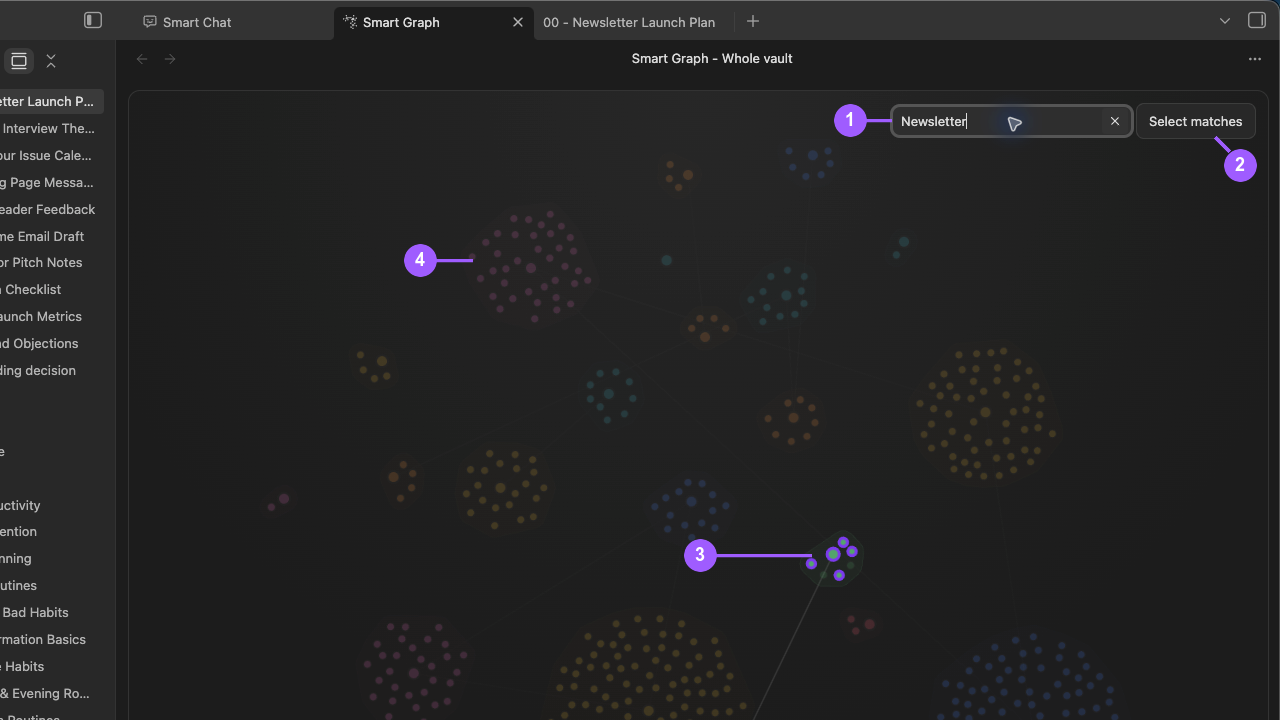
The Newsletter Launch query highlights matching sources while preserving the surrounding landscape.
What to notice:
- The query defines the current visual search filter.
- Select matches adds the visible matches to the selection.
- Matching nodes are emphasized but are not selected until committed.
- Nonmatches remain visible in a dimmed surrounding landscape.
Search matches source labels and full source paths.
- Matches are emphasized without being selected.
- Nonmatches are dimmed.
- Selected nonmatches remain visible.
- A zero-match query leaves the graph usable instead of hiding everything.
- Select matches adds all current matches to the selection.
- Clear or press Escape to close search while preserving the committed selection.
Does selecting a search match change the graph scope?
No. Search, selection, and scope are separate. Use Select matches or a scope action explicitly.
Use graph context menus
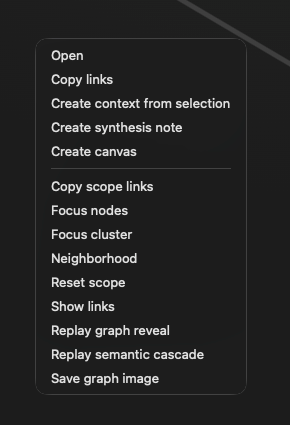
Right-click behavior depends on the target:
- source: include that source in the selection and show relevant actions
- semantic region: include its members and show relevant actions
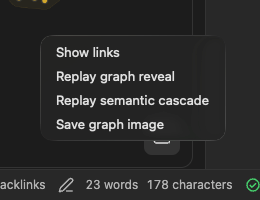
- background or visible bridge: preserve the current selection and show graph-wide actions
Camera and viewport behavior
A graph rebuild refits the rendered scope so its visible elements return to view.
The camera button in the lower-right corner saves the current graph image to the vault root with a name shaped like smart-graph-YYYY-MM-DD-hh-mm-ss.png. After saving, Graph attempts to copy the same image to the clipboard for pasting. Verify the saved file and clipboard result separately.
Why did the camera refit after refresh?
A graph rebuild refits the current rendered scope.
Empty and error states
| Message | Recovery |
|---|---|
Smart Graph needs indexed Smart Sources before it can render. |
Prepare eligible sources in Smart Environment. Refresh Graph. |
Current note is not indexed by Smart Environment. |
Inspect the active note. Resolve the reported exclusion or source-eligibility problem. Re-import the note. |
This scope did not return any cluster data. Reset scope to show the whole vault. |
Choose Reset scope. |
Unable to build Smart Graph cluster data. |
Confirm source and embedding readiness. Run Smart Graph Pro: Refresh Smart Graph. |
Smart Graph canvas was not ready to render. |
Refresh or reopen the Graph tab. |
Use Smart Graph actions
The actions overlay and right-click menus provide the same selected-source, scope, creation, and save actions.
Actions overlay
The actions overlay exposes operations for the current source selection and the current graph scope. Controls appear only when their required selection or scope is available.
Its primary controls include Open, Copy, Create, Scope, and View when their grouped menus are needed; a group with only one visible action renders that action directly. Open Create to choose an artifact, Scope to change the rendered source set, or View for link and replay controls.
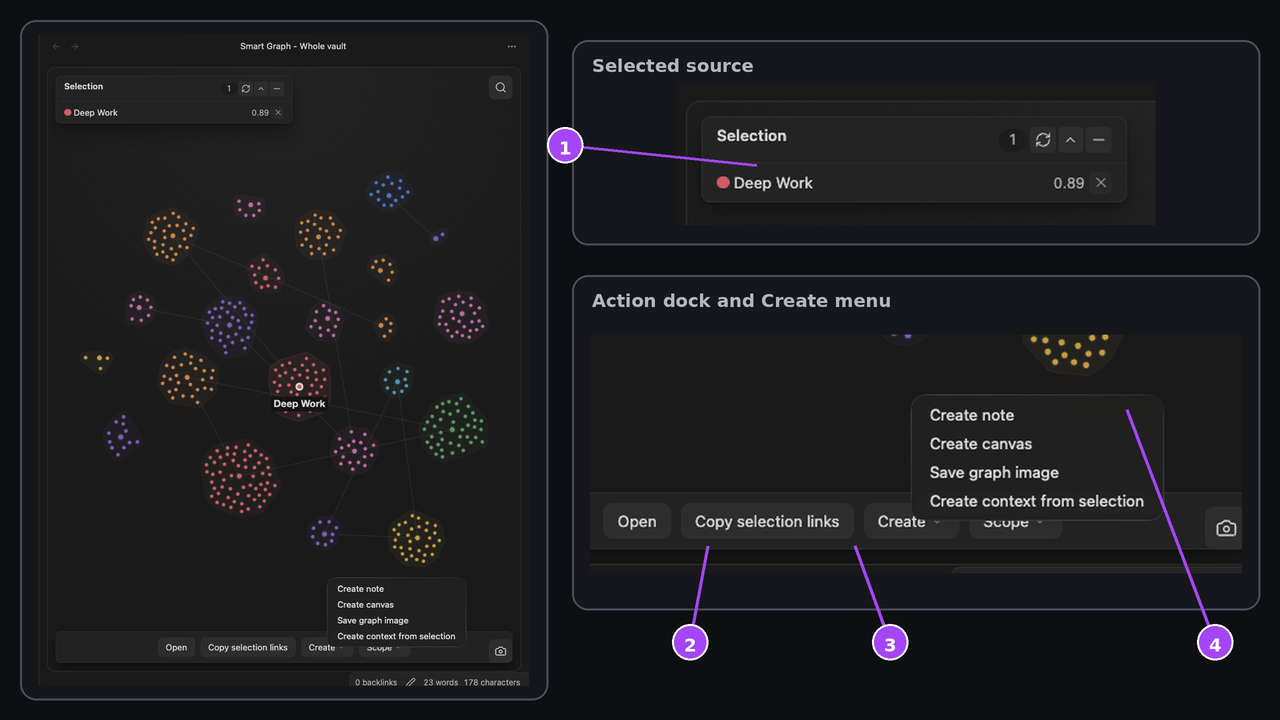
What to notice:
- The selected-source panel shows the reviewed source that remains active while the menu is open.
- Open acts on the reviewed source.
- Copy selection links copies the reviewed source identity.
- Create exposes note, Canvas, graph-image, and Context choices. Scope remains a separate boundary.
After you use an action, check its destination. Make sure that the applicable output matches the reviewed selection or scope. The output can be opened notes, pasted links, a created note or Canvas, a saved image, or sources transferred to Context Builder.
Open
Open launches the selected source notes. For a large selection, read and confirm any warning before opening many notes at once.
Why did Open ask for confirmation?
More than ten sources were selected. The second click confirms the large open action.
Copy selected links
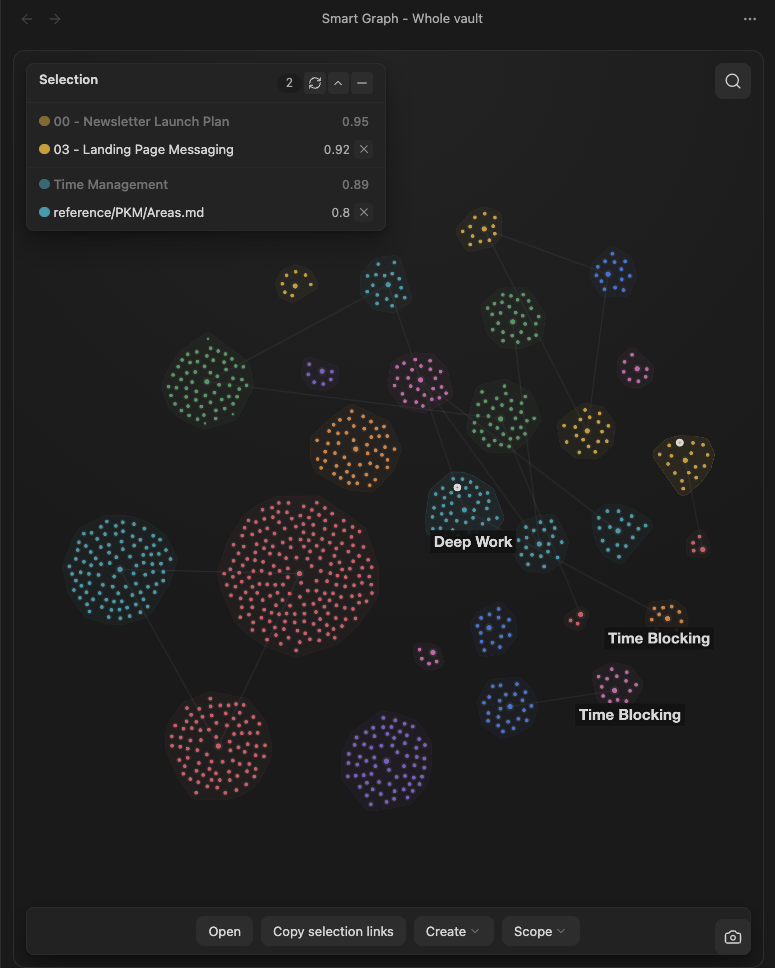
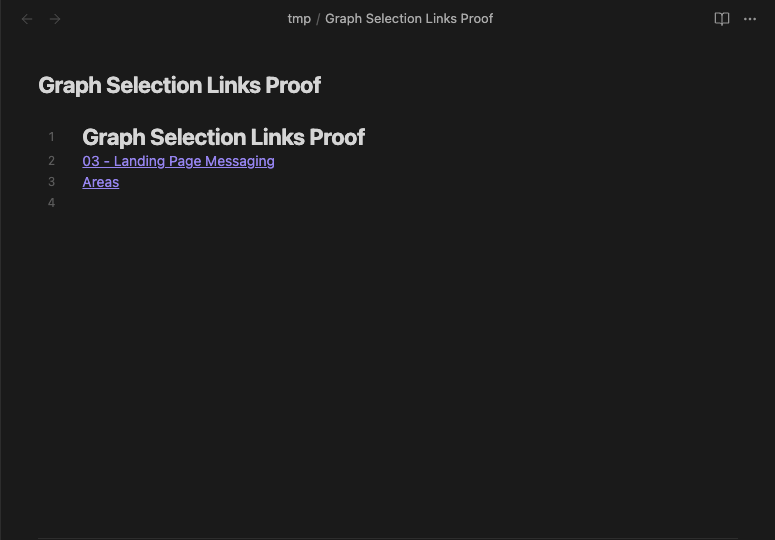
Use Copy selection links. Paste the result into a clean note. Make sure that every intended source appears as an Obsidian wikilink.
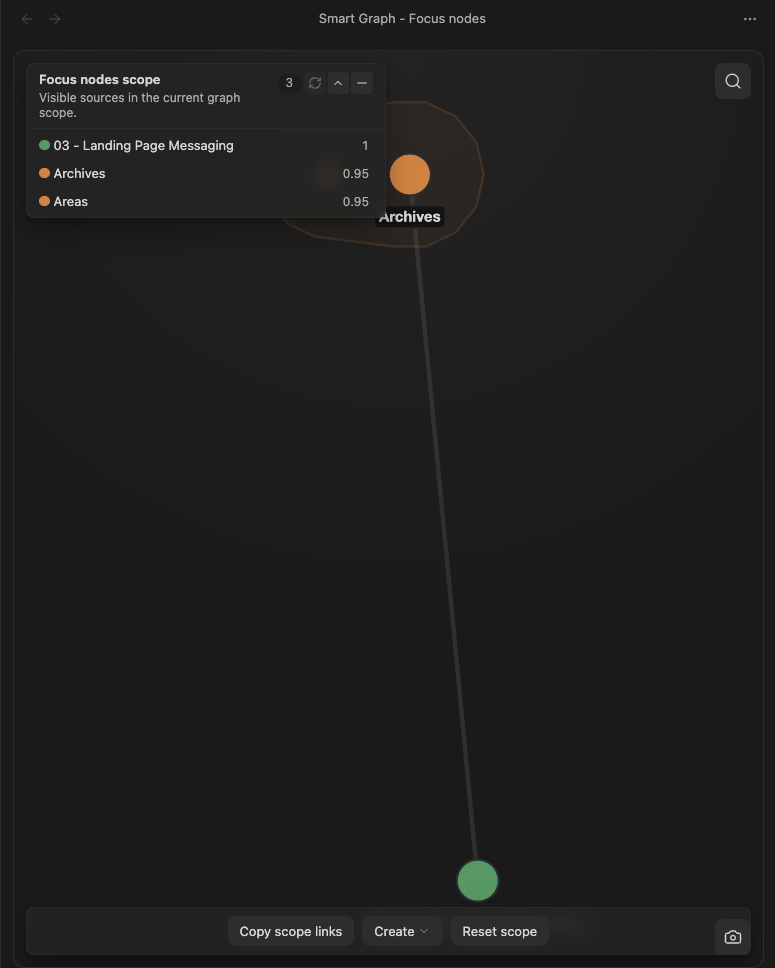
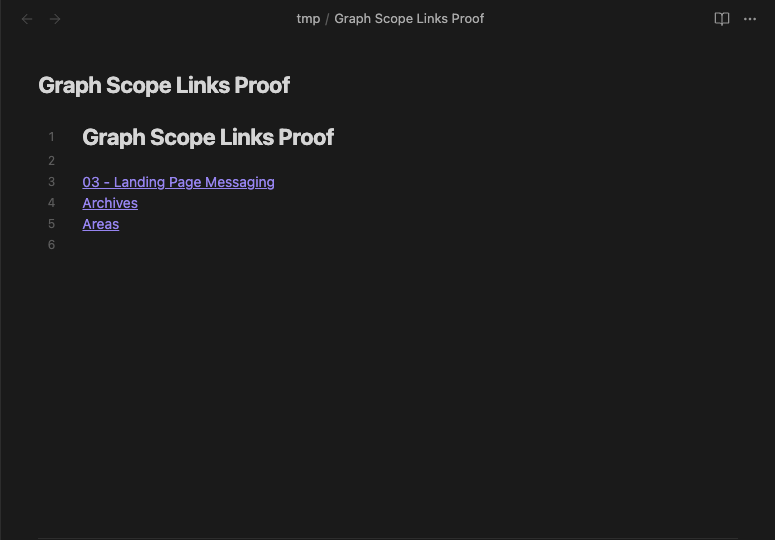
Copy scope links
Use Copy scope links. Paste the result into a clean note. Make sure that the links match the current explicit Graph scope.
Add the selection to Smart Context
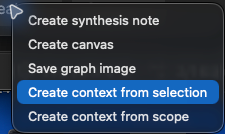
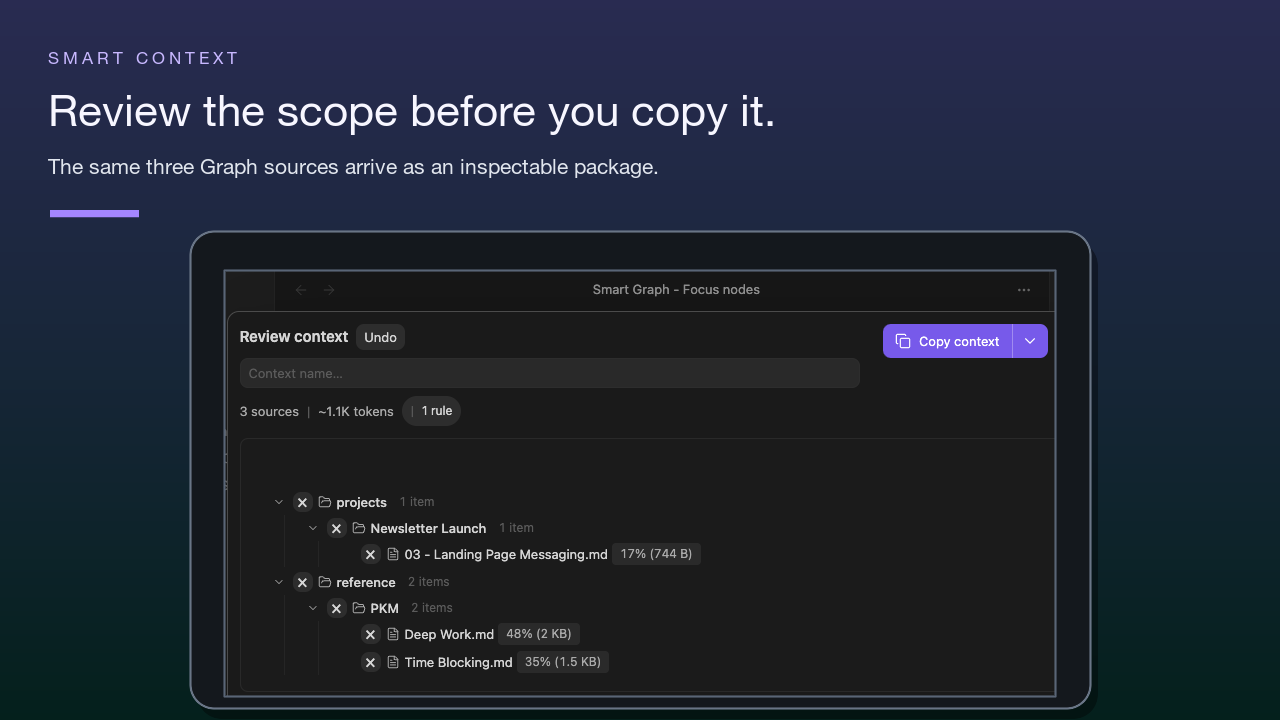
Choose Create context from selection. Confirm every transferred source in Smart Context Builder. Then copy or save the package.
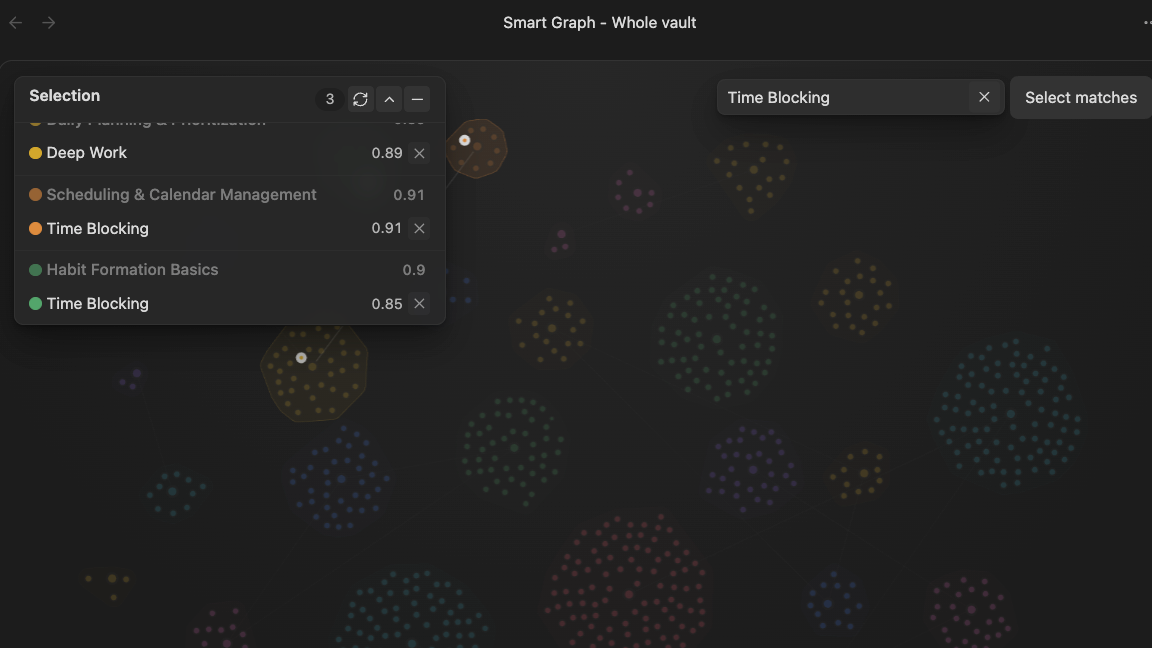
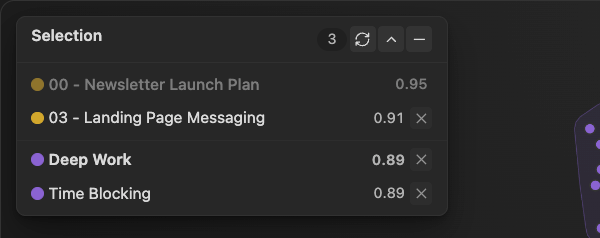
- Select the intended sources. Here, Selection 3 contains 03 - Landing Page Messaging, Deep Work, and Time Blocking. The muted 00 - Newsletter Launch Plan row is an unselected parent, not a fourth source.
- Keep that selection unchanged. Open Create and choose Create context from selection, not Create context from scope.
- Review the receipt in Builder. 3 sources and the expanded paths match the three selected notes, with no extra source.
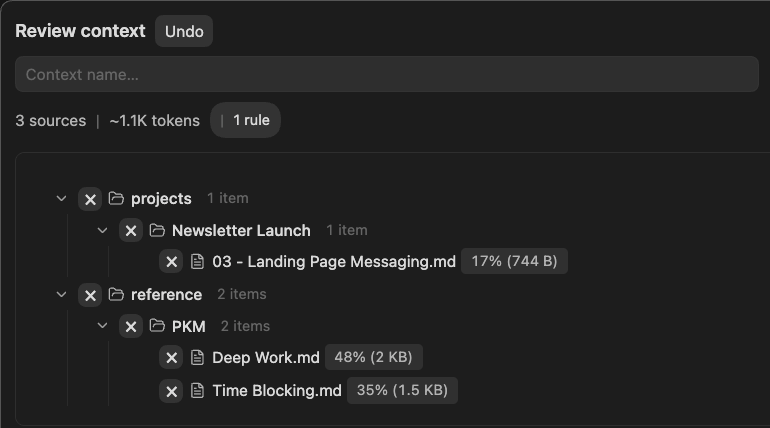
Matched capture: Smart Graph 1.2.1 and Smart Context 3.4.1. This sequence ends at the reviewed package; it does not show copying or sending.
Add the scope to Smart Context
If Create context from scope is unavailable, check Smart Context in Browse Smart Plugins. Install it if it is not installed. Enable it if it is not enabled. Then choose Create context from scope. Make sure that Builder contains every intended source from the explicit Graph scope.
Create a note
With one selected source, choose Create note. With two or more selected sources, the label becomes Create synthesis note. Inspect the new note. Depending on the selection, it can include:
- current scope
- selected-source count
- editable synthesis prompts
- source links grouped by current semantic group
- possible bridge candidates when the graph contains them
Group and bridge suggestions are review aids, not conclusions.
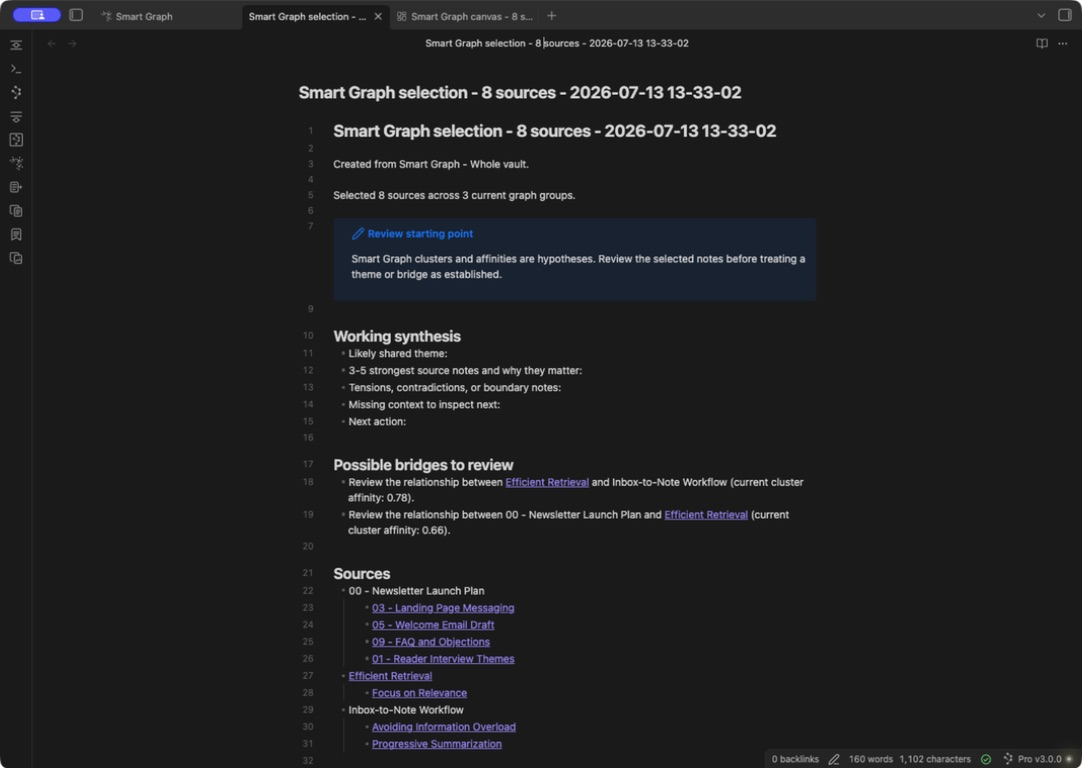
The generated note remains editable after Graph creates it from the selected sources.
Does Create note infer a final topic name for each group?
No. It creates an editable synthesis scaffold from the current graph.
Create a Canvas
Choose Create canvas. Inspect the new Canvas. Make sure that every selected source appears. Cards can use Graph positions and colors when available. Adjust the layout before you treat it as a durable artifact.
The generated Canvas does not add Canvas group boxes.
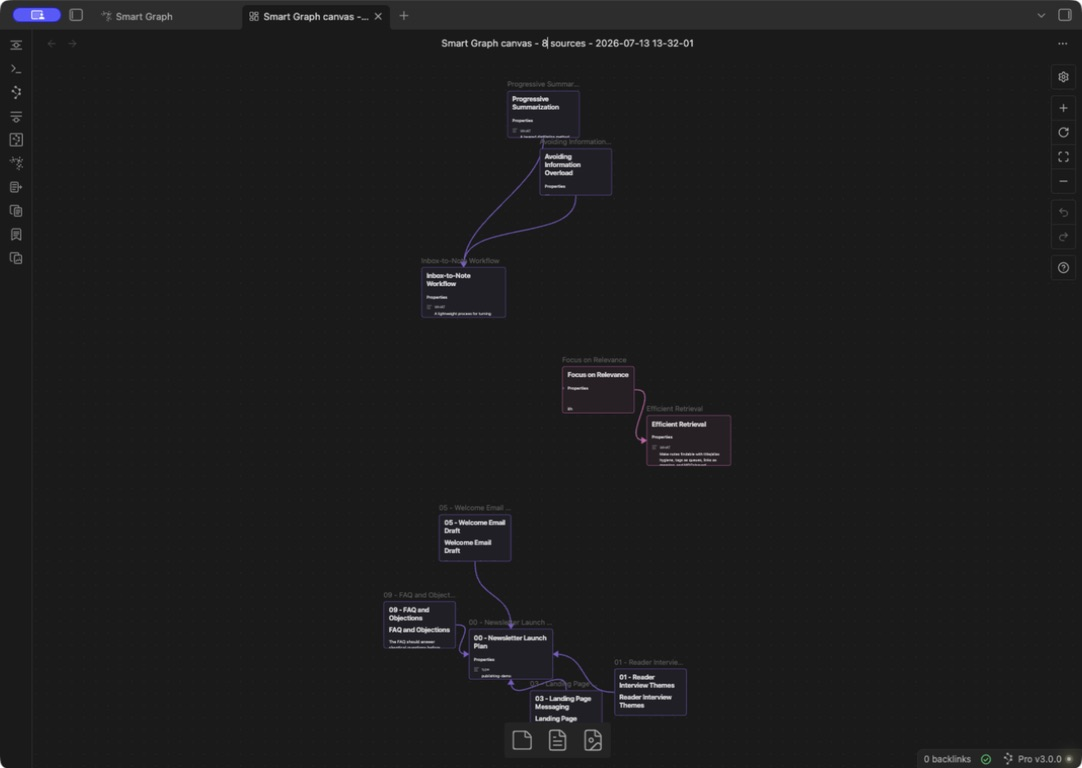
The created Canvas includes every selected file card and may also include each selected cluster's representative file card even when that representative was not selected. It uses available Graph placement; Graph groups are not converted into Canvas group boxes.
Does Create canvas add Canvas group boxes?
No. It arranges file cards spatially without adding group boxes.
Save graph image
Choose Save graph image or use the lower-right camera button. Open the timestamped PNG in the vault root. Make sure that it contains the intended viewport, scope label, selected-source markers, and a readable source key. Paste the clipboard image separately and compare it with the saved output.
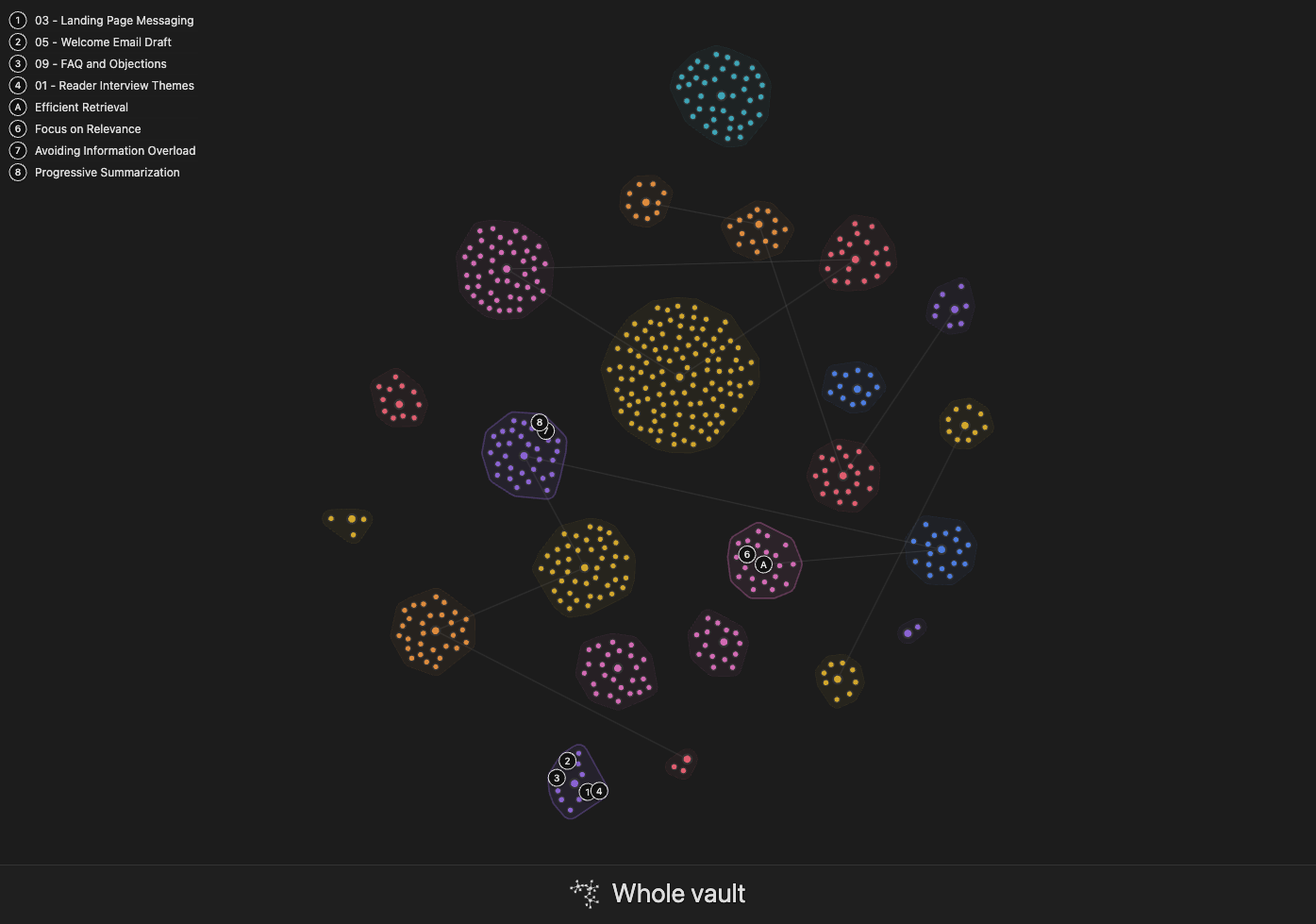
This is the saved output itself: selected-node markers and the source key remain visible without live Graph controls.
Focus nodes
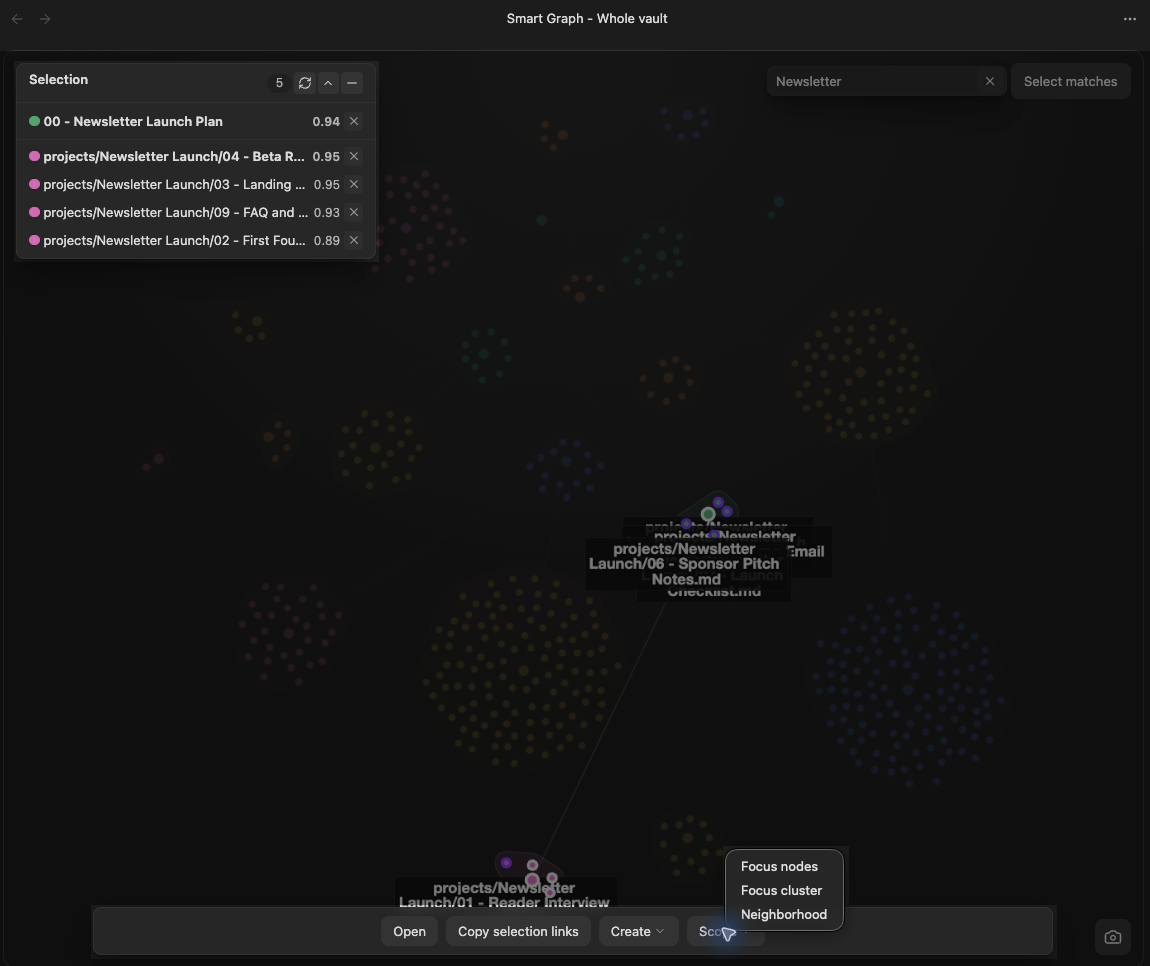
Focus nodes changes the graph to the selected-source scope. The manual action is available when at least three sources are selected.
After the scope changes, the view title reads Smart Graph - Focus nodes. Clear the selection to review the full focused set under Focus nodes scope in the Notes panel. Treat the topic interpretation and node positions as current exploration results.
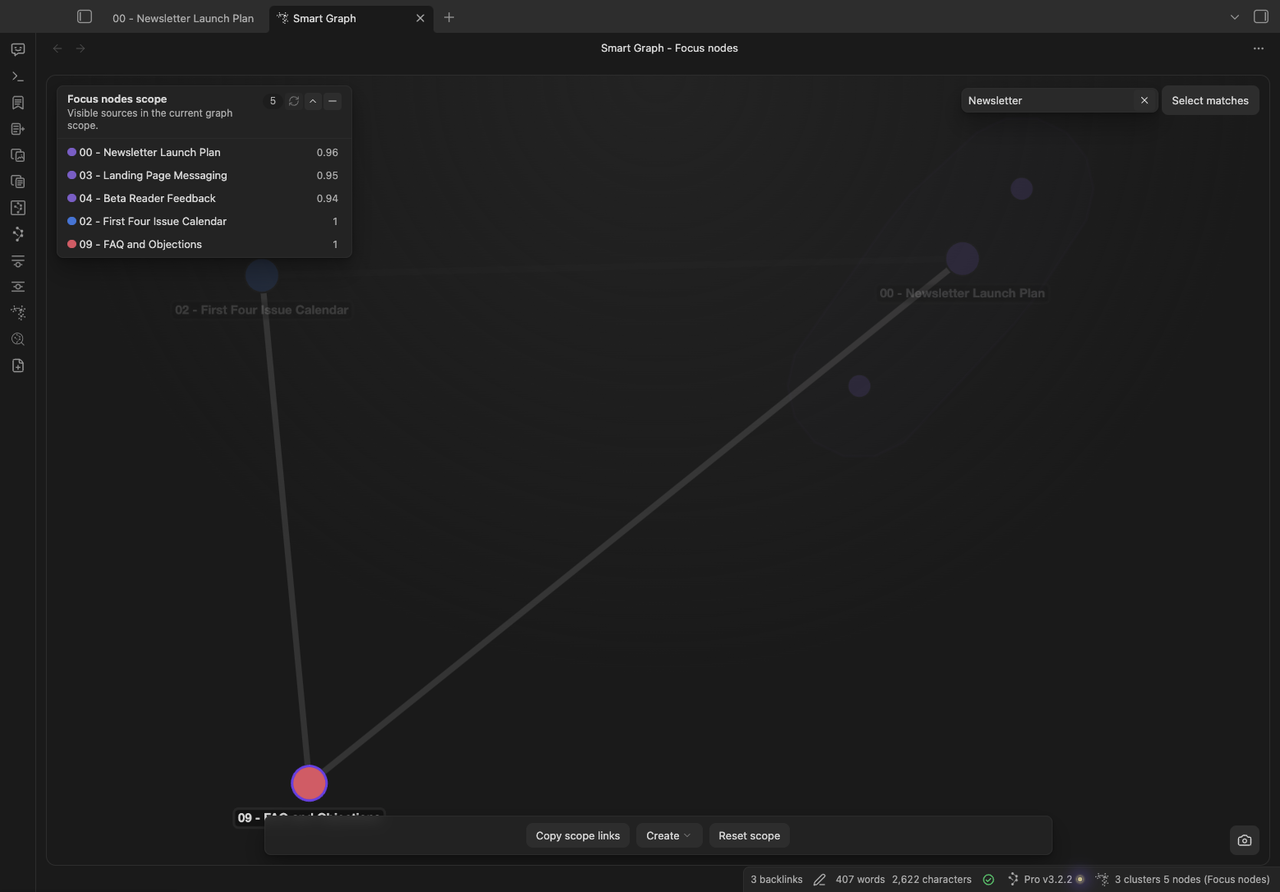
What to notice:
- Focus nodes scope lists the five sources now visible in the graph.
- The
Newsletterquery remains a search filter inside the focused scope. - A matching source stays emphasized without changing the scope.
- Visible relationships are recomputed Graph signals, not new authored links.
Focus cluster
Focus cluster limits the graph to the selected semantic group's members. Use it to review that source set separately from the rest of the vault.
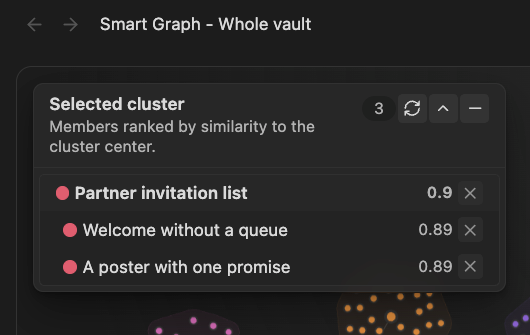
- Select a complete cluster. The Selected cluster panel identifies its three members in Whole vault.
- Open Scope and choose Focus cluster.
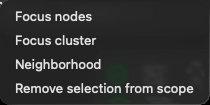
- Confirm Smart Graph - Focus cluster and the same three notes under Focus cluster scope.
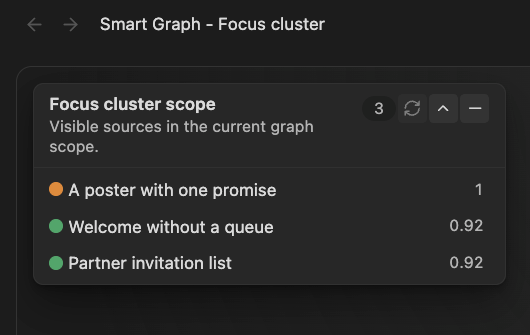
Pro 1.2.2, one matched run. Membership is preserved, but the focused sources can regroup: this run rendered two clusters containing the same three notes. The crops foreground scope and source identity, not the full graph layout.
Neighborhood
Neighborhood creates a local graph around a source or selected semantic group.
Reset scope
Reset scope returns a scoped graph to Whole vault. It is hidden while Whole vault is already active.
Why is Reset scope missing?
The graph is already in Whole-vault scope, or the active view does not have a narrower scope to reset.
Right-click menus
- Right-click a source or semantic region for selection actions and graph-wide actions.
- Right-click the graph background or a visible bridge to keep the current selection and open graph-wide actions.
- With no selection, background and bridge menus omit selection-only actions.
Replay and link controls
Graph-wide actions can include Show links or Hide links, Replay graph reveal, and Replay semantic cascade. Replay actions animate the existing view. They do not change source content or create a durable artifact.
Interpret clusters, representatives, and affinities
Clustering describes the current index and scope. Identifiers and affinities can change after edits, reindexing, or another run.
Whole-vault clustering
Whole-vault scope groups the currently indexed notes by semantic similarity. The groups are recomputed from the current index rather than stored as permanent folders or tags.
Scoped clustering
Focused scopes cluster only the source notes included in that scope. Block-based entry points resolve to their owning notes before graph construction.
Neighborhood clustering
Neighborhood scope uses the selected source or cluster as a seed so the local graph stays centered on that starting point.
Cluster representative
Each group uses one current note as its representative. The representative is the note nearest the group's semantic center. It is not an authored title or permanent category name.
Is the representative note the official group name?
No. It is only the current note nearest the group center.
Group members
A note's strength inside a group is relative to the current clustering run. Use it for visual emphasis and review, not as a durable score to store in notes.
Relationships between groups
Smart Graph ranks current relationships between groups. These signals can support layout, visible bridges, and bridge candidates in generated notes, but they remain hypotheses for inspection.
Interpret clustering scores
Compare scores only within the same graph generation and scope. Reindexing, changing models, editing notes, or changing scope can change membership and score ranges.
Durability limits
Do not treat current group numbers, positions, representatives, or bridge scores as permanent identifiers. Use normal note links or durable note metadata when a relationship must persist beyond the current graph.
Why did a note move to another group?
The graph was recomputed from a changed index, scope, model, or note content.
Can I save a group number as a permanent label?
No. Current group identities are not durable.
Large-vault and performance guidance
Use a bounded scope when Whole vault is dense or slow. Start with Create graph from current note. You can also use Search, Focus nodes, Focus cluster, or Neighborhood. A ready view or a smaller scope is not a speed benchmark.
Troubleshooting Smart Graph
- Read the Graph view title to identify the current scope.
- Clear Search if nonmatches are merely dimmed.
- Read the Notes panel heading: Selection describes selected sources, while a heading ending in scope describes the visible scope.
- Choose Reset scope when a focused scope is empty.
- Check Source Inspector or Environment stats for missing sources or embeddings.
- Run
Smart Graph Pro: Refresh Smart Graph. - If rendering still fails, reopen the tab.
Requirements and availability
This page documents Smart Graph Pro on desktop. The current Store lists Smart Graph in the main Pro catalog rather than under Experimental. Use the live Store as the authority if that grouping changes. Context creation actions require Smart Context. Graph image, note, Canvas, and Context actions should be considered complete only after their destination opens and matches the reviewed selection or scope.