
Smart Connections Core v4.7
Related notes show up sooner. Change the anchor in place.
Smart Connections still starts from the note in front of you. v4.7 removes the detour when another source should take over: choose a recent note, focus on one block, or drop a vault file onto Connections and let the list update in place.
The larger upgrade is underneath the list. Smart Environment v3 gets Connections ready sooner, adds more built-in local embedding models, and lets you switch models without restarting Obsidian or deleting the embeddings you may want to return to.
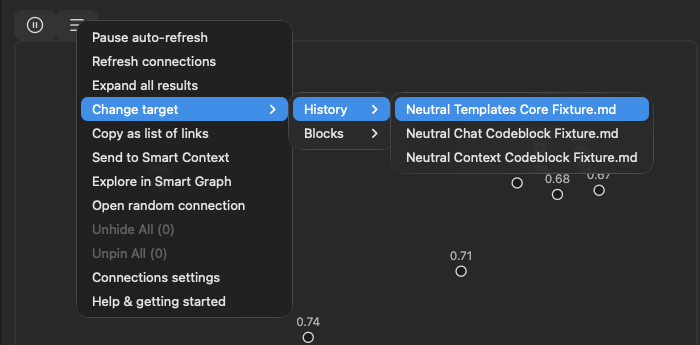
Update all installed Smart Plugins together, then restart Obsidian. Smart Connections Core v4.7 requires Smart Environment v3.
A stronger semantic engine before the first result
Connections depends on the embedding model that turns your notes into semantic signals. v3 makes that choice less permanent and more useful:
- Start using Connections sooner after opening Obsidian.
- Choose from a broader built-in catalog, including more lightweight and multilingual local models.
- Change the active model without deleting another model's stored embeddings.
- Use the improved Environment Stats and source inspector when a note appears stale, skipped, or unexpectedly absent from results.
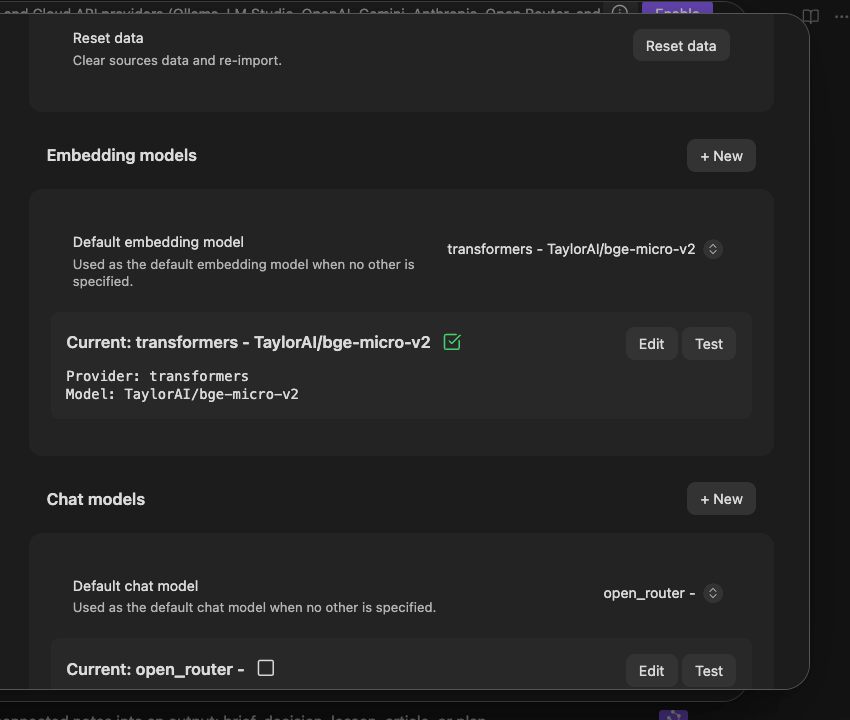
Learn more about the release of Smart Environment v3.
Change the target without changing your workspace
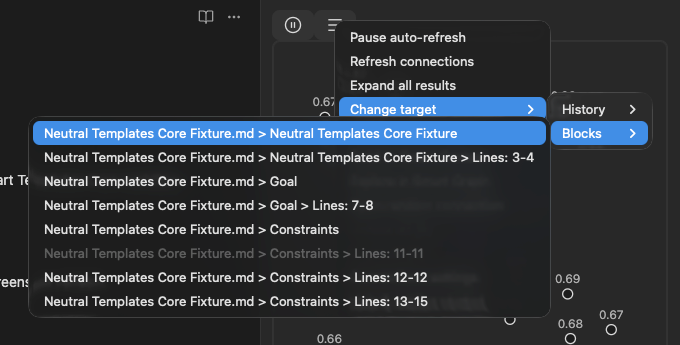
The active note remains the calm default. When it is not the source you want, the target menu now gives you three direct alternatives:
- Pick a recent Connections target.
- Focus on a specific block inside the current note.
- Drop another vault file onto the Connections view.
The related-note list updates around that source without making you navigate away first.
Keep a useful result set moving
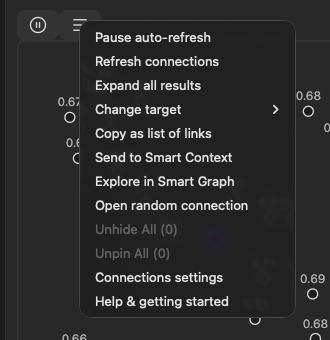
The list menu now follows the same shared action system used across Smart Environment v3. Pause or refresh discovery, open a random connection, copy the list, or continue with the reviewed sources in Context or Graph without rebuilding the set by hand.
Source menus elsewhere in the suite can also open Connections for the item you are already looking at. The workflow begins from the source, not from hunting down the right plugin command.
Put Connections where it helps
Footer Connections now uses a configurable display component instead of a single graph on/off switch. Choose the supported presentation that fits the note surface and screen size. Scores also follow the final displayed ranking score when another ranking step provides one, so the number beside a result better matches the order you see.
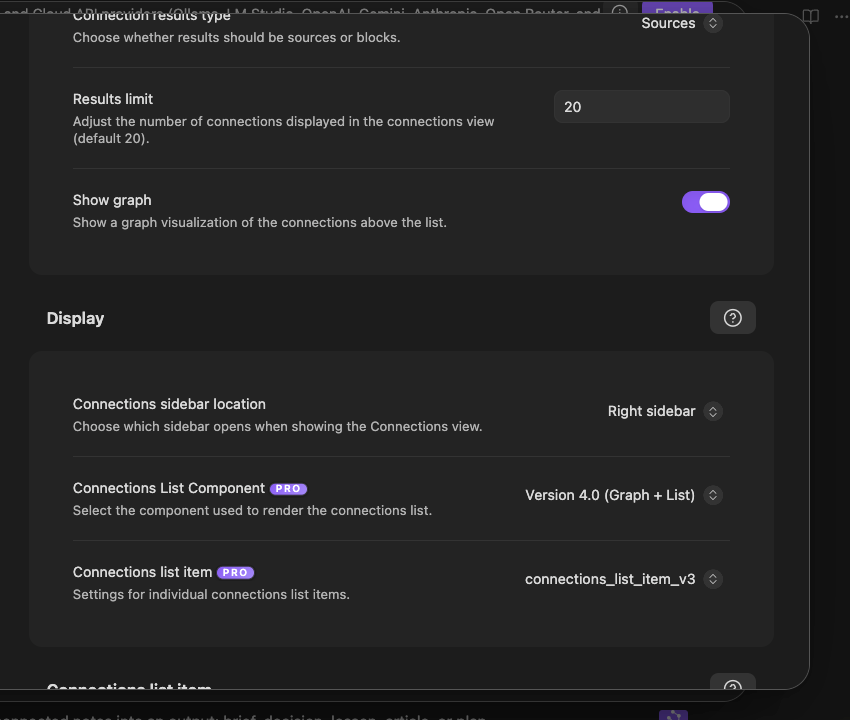
Before / After
| Before | With Smart Connections Core v4.7 |
|---|---|
| Connections could take longer to become ready after startup. | Smart Environment v3 reduces blocking and repeated startup work. |
| Trying another embedding model felt like committing to a rebuild. | Switch models without deleting the previous model's stored embeddings. |
| Retargeting often meant navigating to another note first. | Choose a recent note, a current-note block, or drop a file onto the view. |
| A useful result list could become a dead end. | Continue the reviewed sources through consistent Context and Graph actions. |
| Footer display was controlled by one graph toggle. | Choose the supported Connections component that fits the surface. |
Supporting improvements
- More consistent list, result, command, ribbon, pause, and random-connection actions.
- A shared source action for opening Connections from supported Smart Plugin menus.
- Better score display after optional ranking.
- Improved vector compatibility and performance reporting through Smart Environment v3.
Learn more
- Smart Connections overview
- Smart Connections documentation
- Smart Connections getting started
- Smart Connections FAQ
Release notes
v4.7.2
Updated: Smart Environment
Updated: minimum Obsidian app version to 1.8.7
Added: Connections list display configuration
v4.7.0
improved: score handling uses score_display if available
improved: allow configurable component for connections footer
improved: enhance score calculation logic and update is_vec function to support ArrayBuffer views
improved: Connections list menu now handled using Smart Environment menu actions pattern to enable deeper integration and extendability
improved: Connections list item menu now handled using Smart Environment menu actions pattern to enable deeper integration and extendability
Added: control connections anchor/target note from menu actions. Select new target from recent connections history and blocks inside the current note.
Improved: random and pause connections features migrated to actions pattern.
Added: view connections action for source menus.
migrated: ribbon icons to actions architecture
Migrated commands to actions command architecture
Added: drag-and-drop functionality for connections to update connections target from dropped file
Enhance performance logging in get_results method and emit event with elapsed time
Add footer connections list component configuration and remove show_graph setting in favor of component selection in settings
Updated: Smart Environment v3
v4.7.0
- Added target selection from recent Connections history and blocks in the current note.
- Added drag-and-drop retargeting from vault files.
- Added a shared source action for opening Connections for supported items.
- Unified list, result, command, ribbon, pause, and random-connection actions on the Smart Environment v3 action system.
- Added configurable Footer Connections components and replaced the previous graph toggle with component selection.
- Improved the score shown after optional result ranking.
- Improved Smart Environment v3 compatibility and performance reporting.
- Updated Smart Connections Core to Smart Environment Core v3.1.0.
- Requires Smart Environment v3.0.0 or newer.