
Smart Lookup v0.4
Give a difficult search a second angle
You remember the idea, but the first results aren't the notes you had in mind. Smart Lookup Pro v0.4 adds Generate HyDE: an optional way to search from what a relevant passage might say, alongside your original question.
You still get real notes and sections to open, review, and use. Now you have another route to finding them, with query history that makes it easier to explore without losing a promising result set.
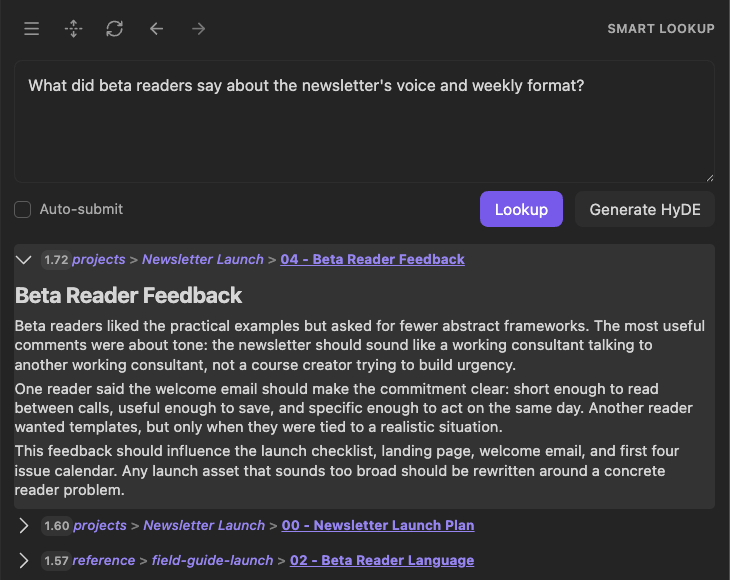
Inspect the actual source passage without losing the question that led you there.
Update all installed Smart Plugins together, then restart Obsidian.
Find another way back to the source
Describe the material you want to recover: reader feedback about a newsletter's voice, the reasoning behind a project decision, or an approach you remember researching.
When ordinary Lookup isn't enough, choose Generate HyDE beside Lookup. Your configured chat model drafts a short hypothetical passage, and Lookup uses it as another search input. Matches from that search and your original question come together in one result list.
The generated passage is a search aid, not an answer or a new note. Open the actual sources to decide what is useful. There is no generated document to file, rename, or clean up afterward.
Choose when AI joins the search
Ordinary Lookup and Auto-submit remain available without a chat model. Typing a question does not trigger AI generation; Generate HyDE is a separate choice.
When you choose it, your query and short excerpts from the top matches go to your configured default chat model. HyDE context results lets you choose how many source excerpts to include. Set it to 0 to omit note excerpts.
If the HyDE step fails, Lookup will fall back to ordinary query results.
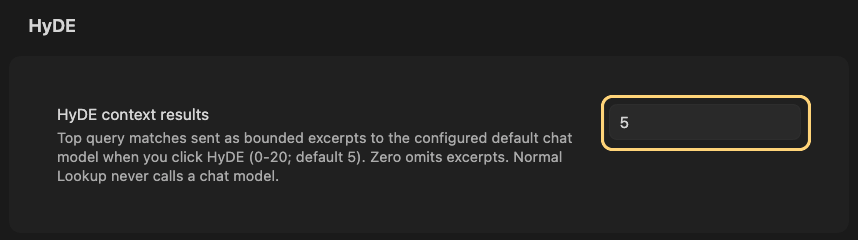
Choose how many source excerpts to share with your chat model, including none.
Explore without losing a useful query
Use Previous query and Next query to move between searches in the current Lookup view. Return to an earlier question and its retained results without retyping it or generating again.
Refresh lookup runs the selected question again as an ordinary search. Use it to check current results; choose Generate HyDE separately when you want another model-assisted attempt.
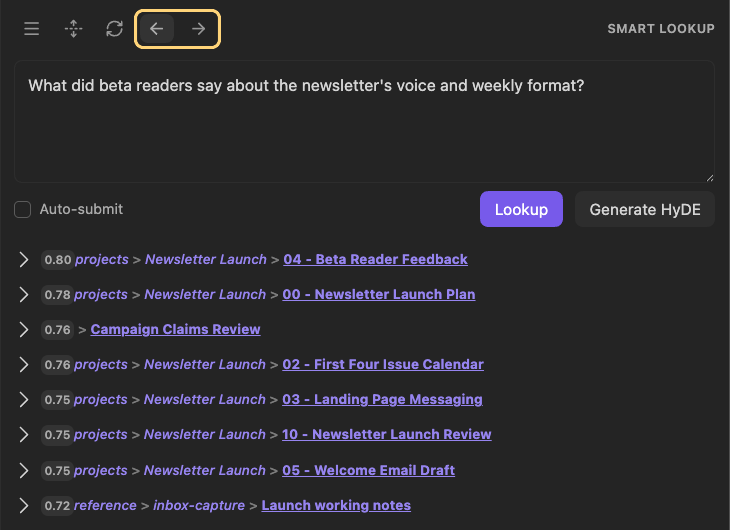
Return to an earlier question and its results without retyping the search.
Keep search focused as your vault grows
When exclusions remove early matches, Lookup keeps looking for eligible alternatives rather than stopping at an unnecessarily short list.
Keep the familiar Sources and Blocks choices: review whole notes when you need context, or individual sections when you need a specific passage. If acceleration is unavailable, Lookup can use its standard search instead.
Put the recovered source to work
Once you find useful material, continue working with the result list. With the corresponding plugins installed, use Open in Context Builder to review and package it, or Explore in Smart Graph to explore its source notes visually.
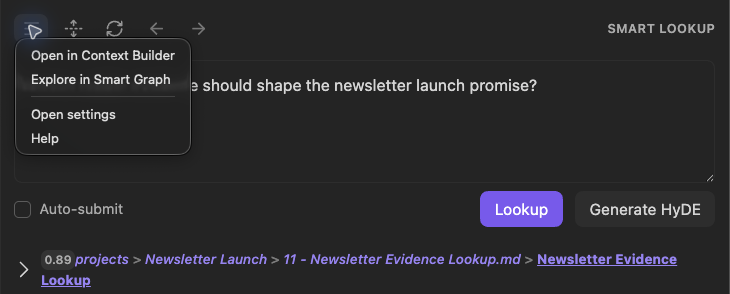
Choose where to take your results next, without rebuilding the source list.
Improved drag-and-drop also helps you carry the right material forward. Drag a reviewed note or section into a supported destination. In supported Smart Chat Pro drops, a selected section stays that section instead of silently expanding into its whole parent note.
With Connect Pro configured, your connected assistant can also ask Lookup to find sources from a question, a proposed passage, or both. Bring relevant vault material into the conversation without repeating the search by hand.
What v0.4 helps you do
| When you need to... | Smart Lookup Pro v0.4 |
|---|---|
| Try another angle on a difficult search | Use Generate HyDE alongside your original question. |
| Return to a promising search | Move backward and forward through queries and their retained results. |
| Decide whether a match is useful | Expand the result and inspect the real source passage. |
| Keep working if HyDE fails | Fall back to ordinary query results. |
Supporting improvements
- Late results from an earlier query no longer replace the search you have moved on to.
- Clearer loading and error states help you tell when to wait and when to retry.
- Expand results in place to review source text before opening or transferring it.
Try it on a question you already care about
Run an ordinary Lookup for something you remember saving. Review the first matches, then try Generate HyDE when you need another angle. The useful outcome is a real source you can bring back into your work.
Learn more
Release notes
v0.4.0
Initial Lookup Pro release:
- Improved Lookup UI in Obsidian
- Adds support for hypothetical document generation (HyDE) to the Lookup UI
- Adds tool actions for MCP and CLI connectors (via Connect Pro plugin)