
Introducing Smart Graph
Smart Graph is a new Pro plugin for Obsidian that turns semantic relationships in your vault into a visual map you can act on.
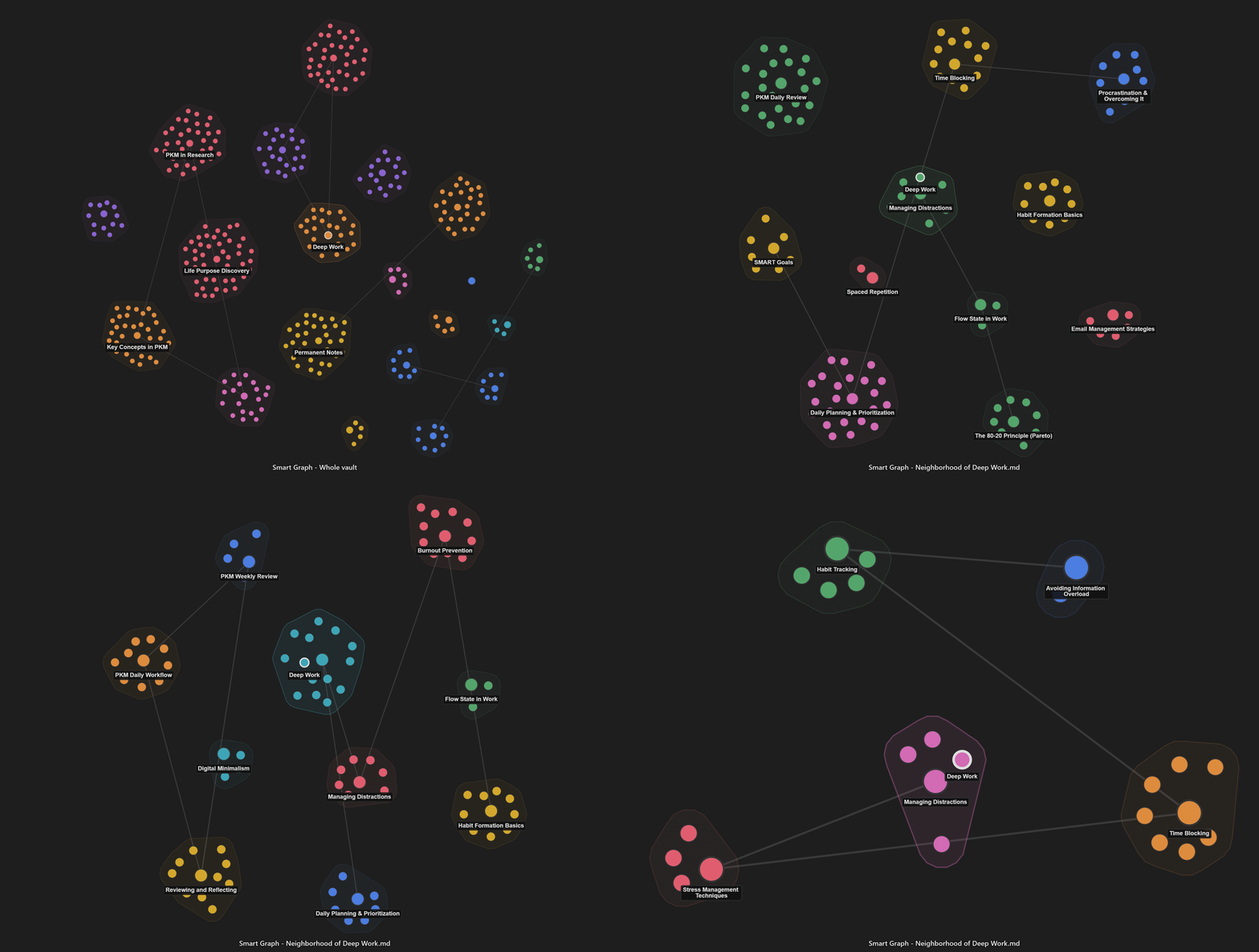
Search gives you a list. Smart Graph gives you the landscape: clusters of related notes, nearby neighborhoods, and source notes you can open, copy, send to Smart Context, or capture as an image.
Why this matters
Obsidian's native graph shows authored links. Smart Graph shows meaning-level relationships between notes, even when those notes are not directly linked.
Use Smart Graph when you want to answer:
- What belongs together here?
- What surrounds this topic?
- Where should I look next?
- Which notes should I use as context?
What's included
-
Semantic graph view
- See your vault as clusters of related source notes.
- Nodes represent source notes, not abstract graph objects.
- Cluster regions make semantic areas easier to scan and select.
-
Scope controls
- Use Whole vault for the broad landscape.
- Use Focus cluster for the tightest semantic slice.
- Use Focus nodes when you want a graph from a selected set.
- Use Neighborhood when you want nearby context around a note, cluster, or selection.
-
Actionable selections
- Select notes visually.
- Open selected sources.
- Copy selected sources as wikilinks.
- Add selected sources to Smart Context.
-
Current-note and Connections workflows
- Create a Smart Graph neighborhood from the current note.
- Create a graph from a selected source.
- Open Smart Graph from Connections results to explore the current result set visually.
-
Search inside the graph
- Find matching source nodes.
- Flash and outline matches without losing your current scope.
- Select matches when you want to turn search results into a working set.
-
Screenshot capture
- Capture the current graph view when the shape tells the story faster than a list.
- Captured images include the current scope breadcrumb so the artifact explains what it is showing.
First useful workflow
- Open Smart Graph.
- Scan the visible clusters.
- Select a promising note, cluster, or group of sources.
- Use Focus cluster or Neighborhood to narrow the view.
Use your favorite chat to analyze a cluster
- Select a cluster
- Click "Add to context"
- Copy the context to clipboard
- Paste into your favorite chat for analysis
Share or save a cluster view
Use the camera icon () in the bottom-right corner of the graph to capture the current view. The image will be copied to your clipboard and saved at the root of your vault.
Best when
Smart Graph is especially useful when list-based retrieval feels too flat:
- researching a broad topic
- finding related source notes for synthesis
- seeing boundaries between nearby ideas
- spotting clusters worth exploring
- turning visual exploration into AI-ready context
Notes
Smart Graph is launching as a Pro plugin. It is built for exploration, synthesis, and source selection. The graph is not a replacement for Obsidian's native graph; it answers a different question.
- Native graph: What did I explicitly link?
- Smart Connections: What is related to the note I am writing?
- Smart Lookup: What notes answer this question?
- Smart Graph: What belongs together, what surrounds it, and what should I act on next?
Release notes
v1.0.2
- Updated Smart Environment for handling Obsidian API changes
v1.0.1
fixed: Graph should work with all available embedding models
v1.0.0
- Smart Graph is currently an experimental plugin, that means things might break and there may be rapid changes to the plugin.
- If you have any feedback or questions, please reply to your Pro plugins welcome email.