
Smart Templates FAQs
What is Smart Templates for Obsidian?
#Smart Templates turns Markdown templates into reusable AI workflows. Use the current note or selected text as the starting context. Add only the context that the task needs. Select one or more templates. Add a short instruction for the specific request.
Current Smart Templates 2.3 copies the completed prompt in Core and Pro.
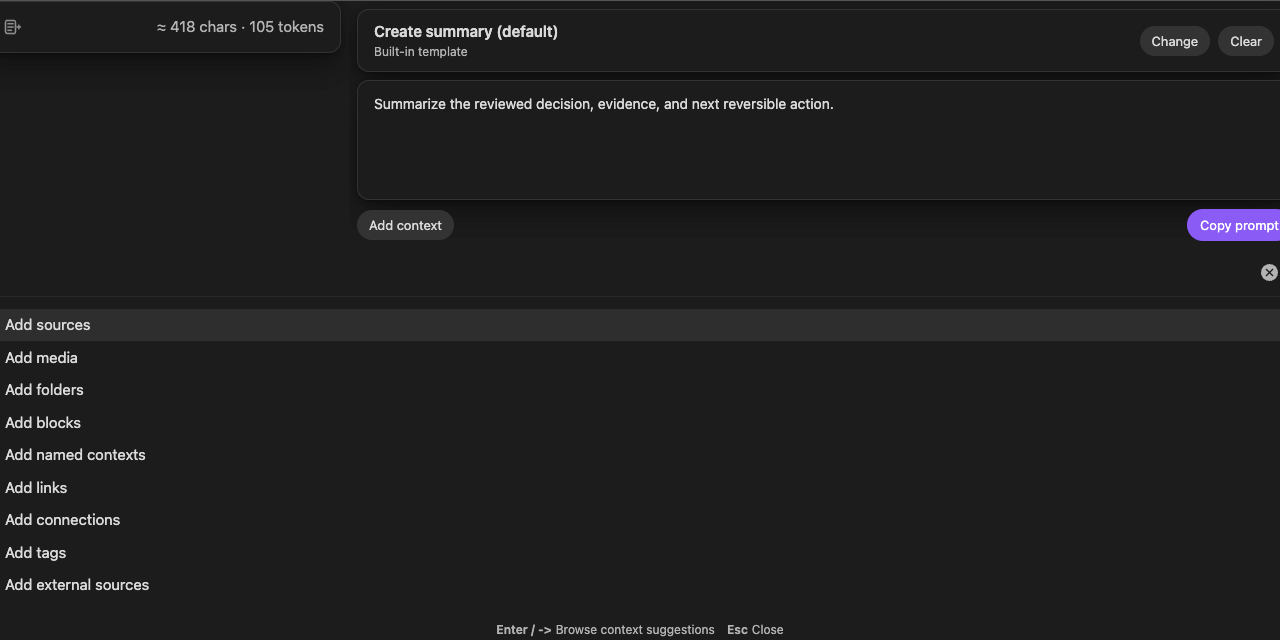
What is the current workflow?
#The shared preparation flow is:
current note or selection -> context -> template -> instructions
Then complete the current workflow:
Core and Pro -> Copy prompt -> paste -> examine -> send
Both editions use the same Template Context modal for preparing the request.
Does Smart Templates replace Obsidian Templates?
#No. Obsidian Templates inserts predefined content into notes. Smart Templates uses template content as reusable AI structure layered onto the current note, selection, and optional supporting context.
You can point Smart Templates at an existing Obsidian Templates folder.
Do I need an API key?
#Not for the current Smart Templates 2.3 workflow. Smart Templates builds the prompt in Obsidian and copies it so you can use ChatGPT, Claude, Gemini, Smart Chat, or another AI interface. The destination can require its own account, model, or provider configuration.
What is the difference between Core and Pro?
#Current Core and Pro surfaces use the same Template Context preparation flow and end at Copy prompt. This canon does not define a separate current Pro generation path.
Use the live Smart Plugins Store for current edition access. Do not infer current Generate, model-selector, or output-review controls from older Templates v1 guides.
Where did Generate, Regenerate, Insert, and Create note go?
#These controls belonged to Smart Templates v1 and are not current Smart Templates 2.3 controls. The retired workflow also included generated-output review and a Templates-specific default or per-request model selector.
Current Smart Templates ends at Copy prompt. The former Generate routes now lead to the migration section.
Does current Smart Templates require a configured model?
#No. Smart Templates prepares and copies the request. The AI tool where you paste or send the request can require its own model, account, or provider configuration.
How are templates detected?
#Smart Templates can discover templates from configured folders, the Obsidian Templates folder, notes marked with smart template: true, a configured filename rule, or matching headings. Built-in templates remain available before vault-specific setup.
Can I keep multiple templates in one note?
#Yes. Matching headings can act as separate reusable templates, allowing one note to hold several related prompt structures.
Can I use more than one template at once?
#Yes. Smart Templates combines selected templates in selection order. Review the completed request when order affects section sequence or instruction priority.
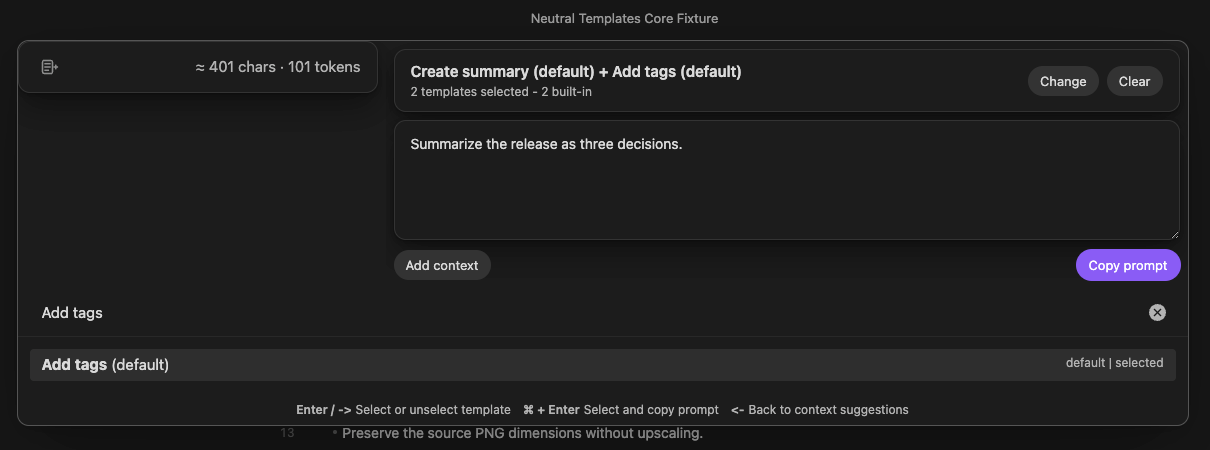
Can I use Smart Templates with ChatGPT, Claude, Gemini, or Smart Chat?
#Yes. Select Copy prompt. Paste the request into a compatible ChatGPT, Claude, Gemini, Smart Chat, or other AI interface. Examine the pasted request before sending it.
How is Smart Templates different from Smart Context?
#Smart Context determines which source material belongs in the package. Smart Templates determines the reusable output structure and request instructions.
Use both when the task needs carefully assembled evidence and a repeatable result format.
Does Smart Templates keep my notes private and local-first?
#Smart Templates prepares the request in Obsidian and copies it to the clipboard. Smart Templates itself stops at the clipboard, but a configured cloud embedding or ranking provider can already receive eligible source text during Smart Environment processing. The copied prompt leaves Obsidian when you paste or send it through another application or provider-backed tool. Review the context, template, instructions, and destination before sending sensitive material.
How do I know Copy prompt worked?
#To verify Copy prompt:
- Paste the copied content into a clean composer or temporary note.
- Make sure that the intended context is present.
- Make sure that the selected templates are present.
- Make sure that the request-specific instructions are present.
A copy confirmation shows that the copy action is complete. The pasted content shows what Smart Templates copied.
What if an older guide says Generate worked?
#That guide describes the retired Smart Templates v1 workflow. In current Smart Templates 2.3, use Copy prompt and examine the complete pasted request. The destination, not Smart Templates, produces the model output.