
Smart Graph FAQs
What is Smart Graph for Obsidian?
#Smart Graph maps indexed notes into semantic regions so you can review related sources and act on a deliberate selection.
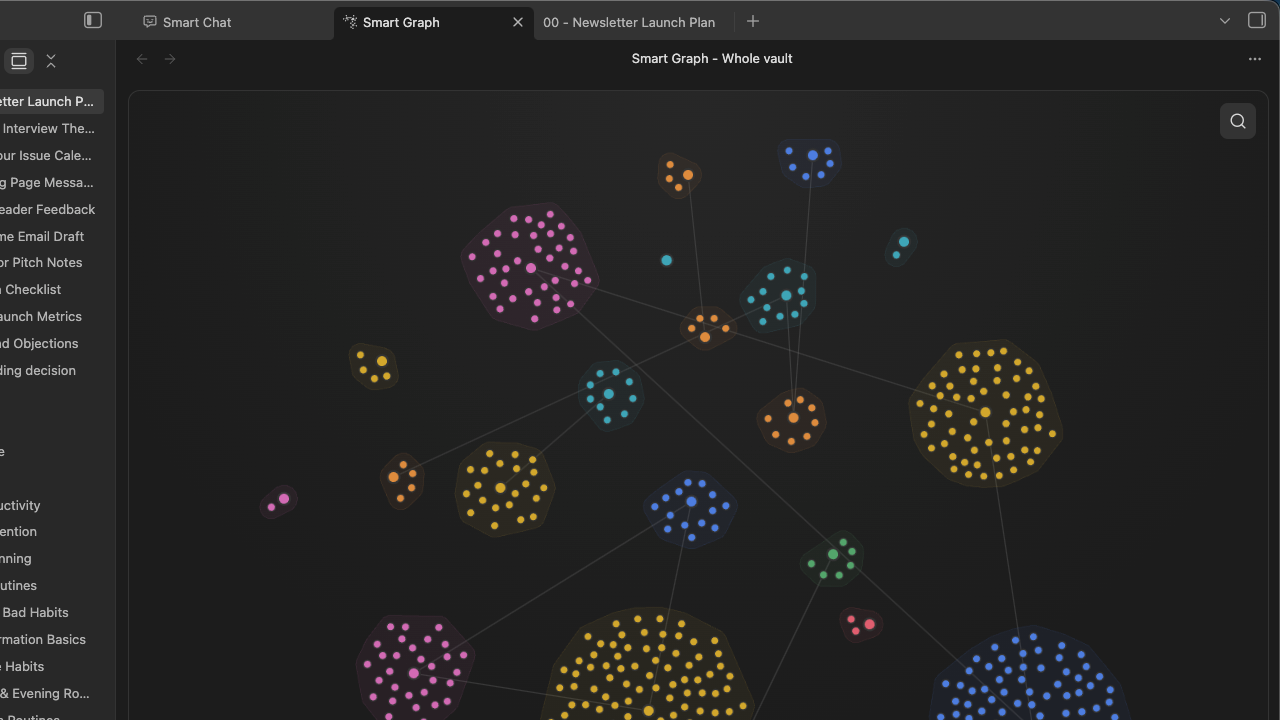
The Whole vault view shows the current cluster landscape before you narrow, select, or act. Cluster position and score are current exploration signals, not permanent metadata.
What should I do first?
#Use this sequence:
- Open a meaningful indexed note.
- Run
Smart Graph Pro: Create graph from current note. - Make sure that the title reads Smart Graph - Neighborhood of note name.
- Select one related note.
- Choose Open.
- Inspect the opened note.
Which command opens Whole vault?
#Run Smart Graph Pro: Open: Smart Graph view or use the Open Smart Graph ribbon action. Run Smart Graph Pro: Refresh Smart Graph when the current view needs to be rebuilt from the index.
What does Smart Graph require?
#Graph needs eligible Smart Sources and current embeddings. A current-note Neighborhood also requires the active note to be indexed. Use Inspect active note or Environment stats when Graph reports that sources are missing.
When should I use Smart Graph instead of Smart Connections?
#Use Smart Connections for a ranked list around the active note. Use Graph when spatial regions, a wider scope, or a multi-source action makes the relationship easier to inspect.
When should I use Smart Graph instead of Smart Lookup?
#Use Smart Lookup when you start with a phrase or question. Use Graph when you want to explore a semantic area and choose sources visually.
When should I use Obsidian Search instead?
#Use Obsidian Search when you need an exact word, title, heading, tag, operator, syntax pattern, or regular expression. Use Smart Graph when you want to explore a topic visually or review relationships among a selected set of notes.
How is Smart Graph different from Obsidian's native graph?
#Obsidian's native graph centers authored links. Smart Graph starts from semantic similarity. It can also overlay authored links when Show links is active.
What do the lines mean?
#Subdued semantic bridges connect current cluster representatives. They are generated exploration signals. Show links adds authored source-link edges with arrowheads for direction. Use Hide links to remove that overlay.
Are the nodes real notes I can act on?
#Source nodes represent indexed notes or other supported sources. Select a node. Confirm its title in the Notes panel. Choose Open. Inspect the source. Cluster regions are computed groupings for exploration. They are not files or permanent folders.
Does Smart Graph help if my notes are not heavily linked?
#Yes. Smart Graph maps semantic similarity, so it can reveal neighborhoods even when authored links are sparse.
What can I do after I find a useful cluster?
#After you find a useful cluster, you can:
- Open sources.
- Use Copy selection links or Copy scope links.
- Create a note or synthesis note.
- Create a Canvas.
- Create a Smart Context.
- Change scope.
- Save a graph image.
Check the opened, pasted, or created destination before you call the action complete.
With one selected source the note action reads Create note. With two or more it reads Create synthesis note.
What do Focus cluster, Focus nodes, and Neighborhood mean?
#Focus cluster renders one semantic region. Neighborhood renders a local graph around a source or region. Focus nodes renders an explicit selected-source scope and requires at least three selected sources when invoked manually.
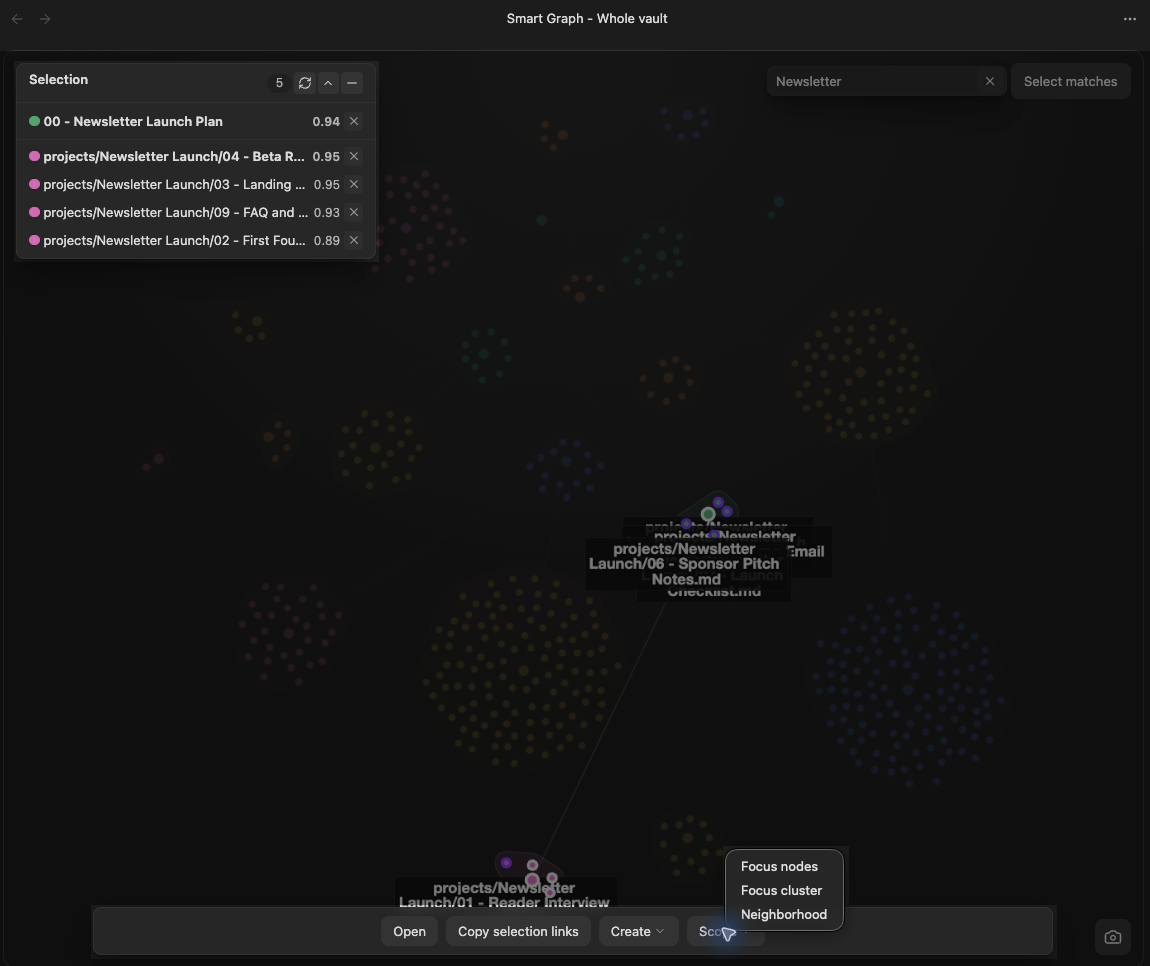
Read the view title and Notes panel after changing scope.
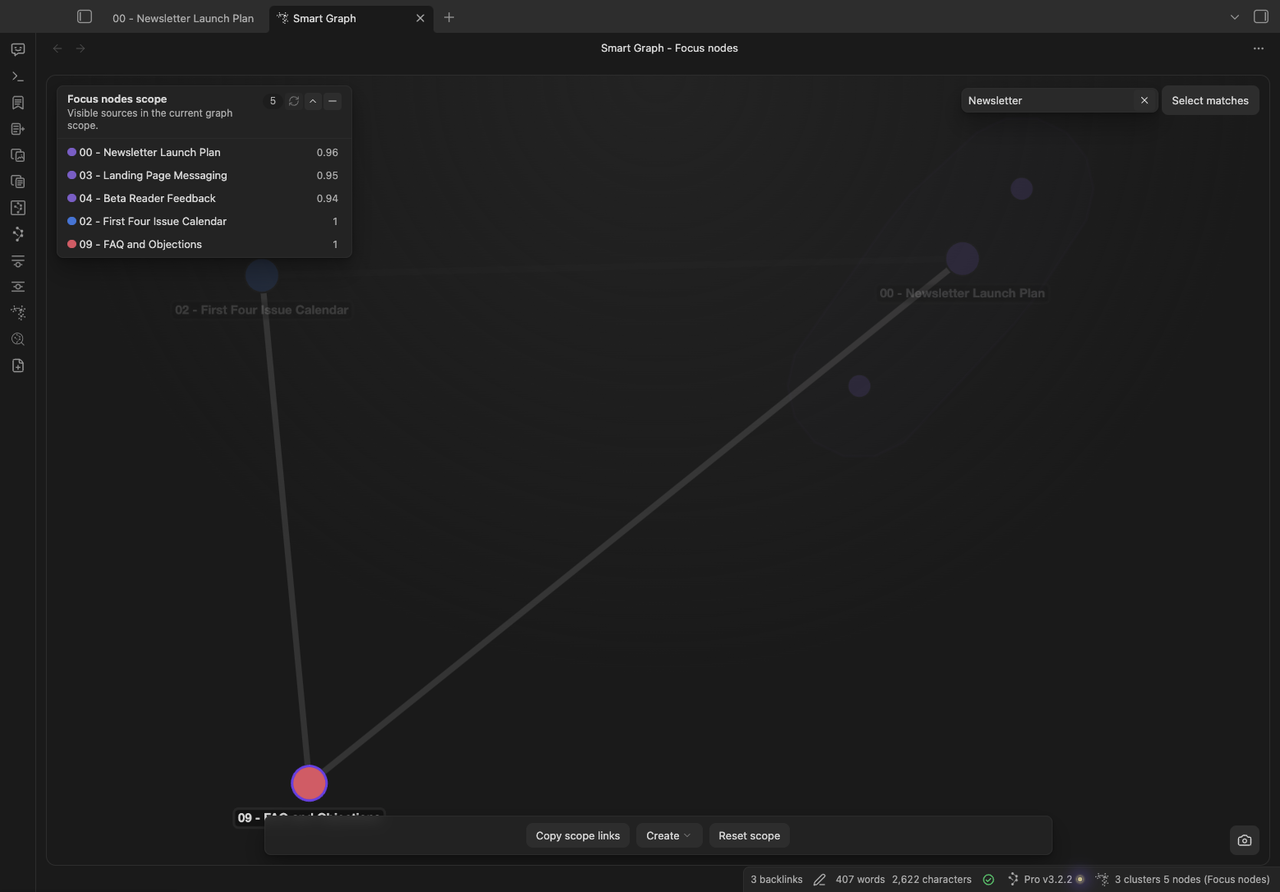
The Focus nodes action limits the graph to the selected sources. Regions, positions, and affinities can change after edits, reindexing, or refresh.
Does Select matches change the Graph scope?
#No. Search changes visual emphasis, Select matches changes the selection, and Scope actions change the rendered source set. These states are independent.
Why is my current note missing?
#The note may be excluded, too short under the current source policy, not imported yet, or missing current embeddings. Use this sequence:
- Choose Inspect active note.
- Resolve the reported source state.
- Re-import the note.
- Refresh Graph.
Why did a note or cluster move?
#Graph is recomputed from the current index, embedding model, scope, and note content. Preserve durable conclusions in normal note links or metadata, not cluster numbers or positions.
What should I do when Graph is empty?
#- Prepare indexed Smart Sources when Graph says it needs them.
- Choose Reset scope when the current scope returned no cluster data.
- Clear Search when nonmatches are only dimmed.
- Run
Smart Graph Pro: Refresh Smart Graphafter source or embedding changes. - Reopen the Graph tab after a canvas-rendering failure.
Does Create canvas preserve Graph groups?
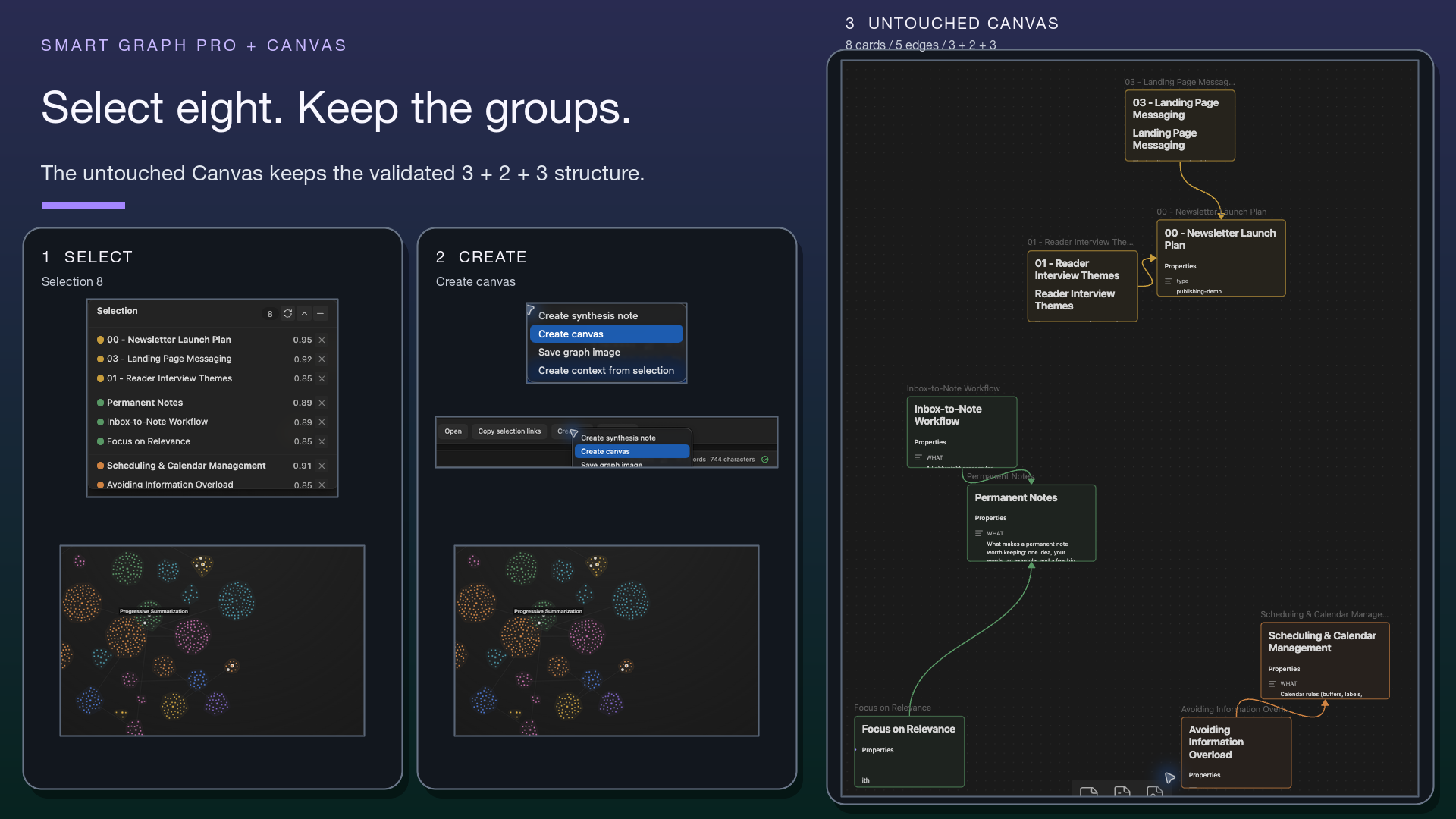
#No. The created Canvas can contain selected file cards plus each selected cluster's representative file card even when that representative was not selected; it uses available Graph positions or colors but does not add Canvas group boxes.
How do I get access to Smart Graph?
#Smart Graph is a Pro plugin. Use this sequence:
- Open the live Smart Plugins Store.
- Check Smart Graph availability for your account.
- Follow the visible Install or Enable action.
- If Enable appears after installation, choose it.
- Open the Graph workflow with one of the commands above.
Is Smart Graph experimental?
#The current Store lists Smart Graph in the main Pro catalog, not under Experimental. The live Store is the authority if that grouping changes. Rows under Experimental carry the notice that they are available to Pro subscribers and may change quickly.