
Smart Context settings
Smart Context exports a selection of notes (and optionally their linked notes) into a single, easy-to-use bundle you can paste into chat.
These settings control the format of that export by applying two layers of templates:
- Context templates wrap the entire export.
- Item templates wrap each note (each "item") inside the export.
Where to find these settings in Obsidian
Open Settings -> Community plugins -> Smart Context .
Templates only change the text you copy/export. They do not change your notes on disk.
How a context is structured
When you copy a context, Smart Context outputs one text blob that is built like this:
- Context Template Before
- Repeated for each item:
- Item Template Before
- Item content (the note text)
- Item Template After
- Item Template Before
- Context Template After
In the examples below, each template is shown as a single block to make the final output shape obvious.
To apply an example in the settings UI:
- Split the Context template at
{{CONTEXT_ITEMS}}- Everything above goes in Context Template Before
- Everything below goes in Context Template After
- Everything above goes in Context Template Before
- Split the Item template at
{{ITEM_CONTENT}}- Everything above goes in Item Template Before
- Everything below goes in Item Template After
- Everything above goes in Item Template Before
If you want reproducibility (stable prompts) or machine parsing, templates are the control surface.
Context templates
Context templates wrap the entire export.
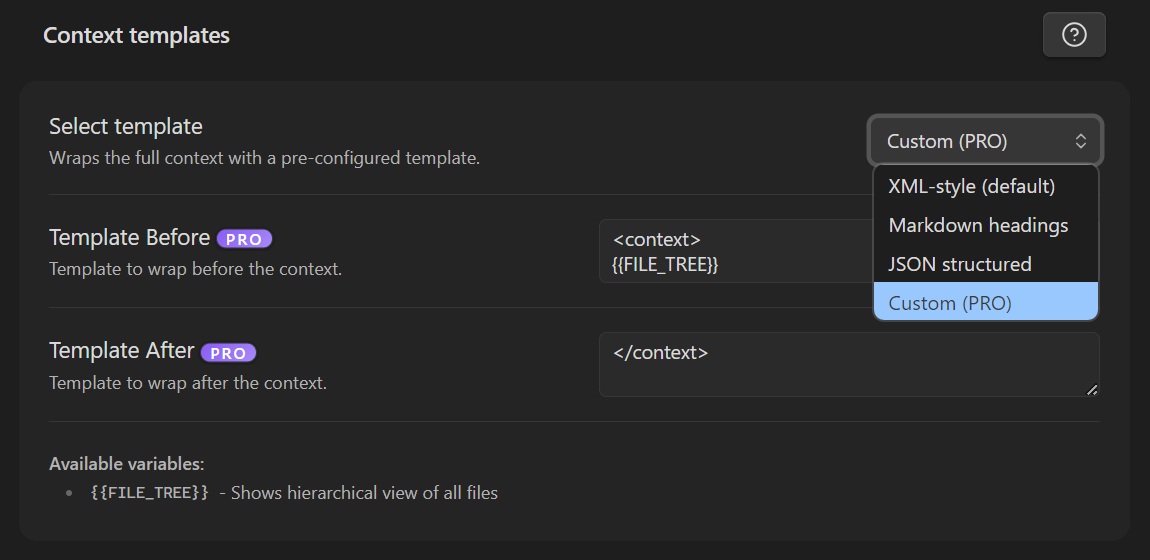
Available variables
{{FILE_TREE}}- shows a hierarchical view of all files included in the export.
If you remove {{FILE_TREE}} from your Context Template Before/After, the export will not include the file tree.
Default (XML-style)
Context template (single-block representation)
<context>
{{FILE_TREE}}
{{CONTEXT_ITEMS}}
</context>
Keep global wrappers short. Every extra character here repeats on every copy and costs tokens if you paste into an LLM.
Item templates
Item templates wrap each individual item (usually a note) in the export.
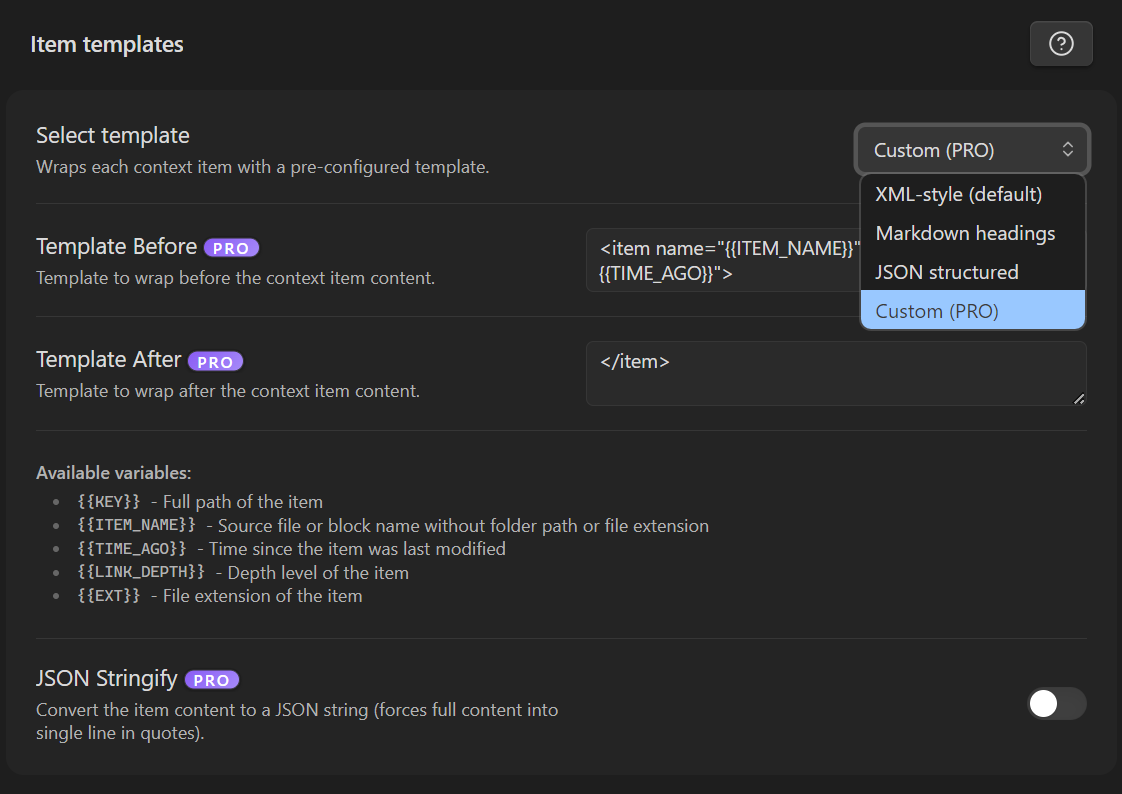
Available variables
{{KEY}}- full path of the item.{{ITEM_NAME}}- source file or block name without folder path or file extension.{{TIME_AGO}}- time since the item was last modified.{{LINK_DEPTH}}- depth level of the item.{{EXT}}- file extension of the item.
{{LINK_DEPTH}} is most useful when you export with linked notes included:
- Depth
0is typically the item you explicitly selected. - Depth
1+are items pulled in via link expansion (linked notes-of-notes, etc.).
Default (XML-style)
Item template (single-block representation)
<item loc="{{KEY}}" at="{{TIME_AGO}}" depth="{{LINK_DEPTH}}">
{{ITEM_CONTENT}}
</item>
Heading filters (PRO)
Smart Context can include or exclude specific headings when copying context items.
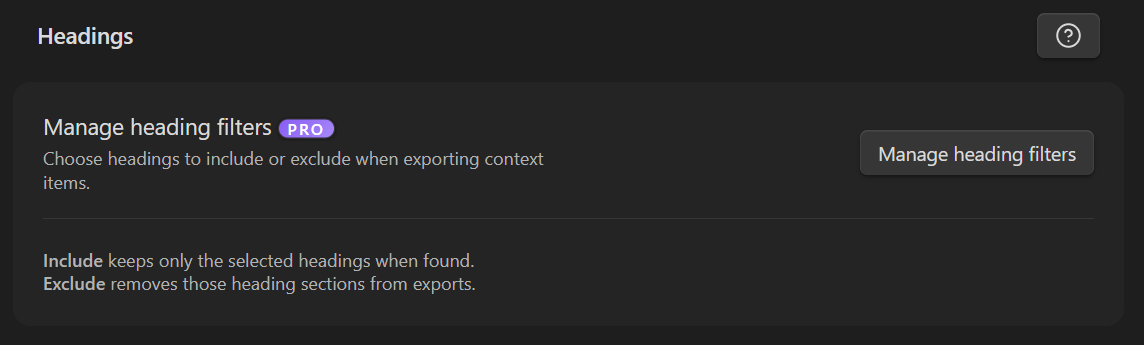
Include vs exclude
- Include: if a selected heading exists in the active file, only those heading sections are exported.
- Exclude: removes the specified heading section while leaving the rest intact.
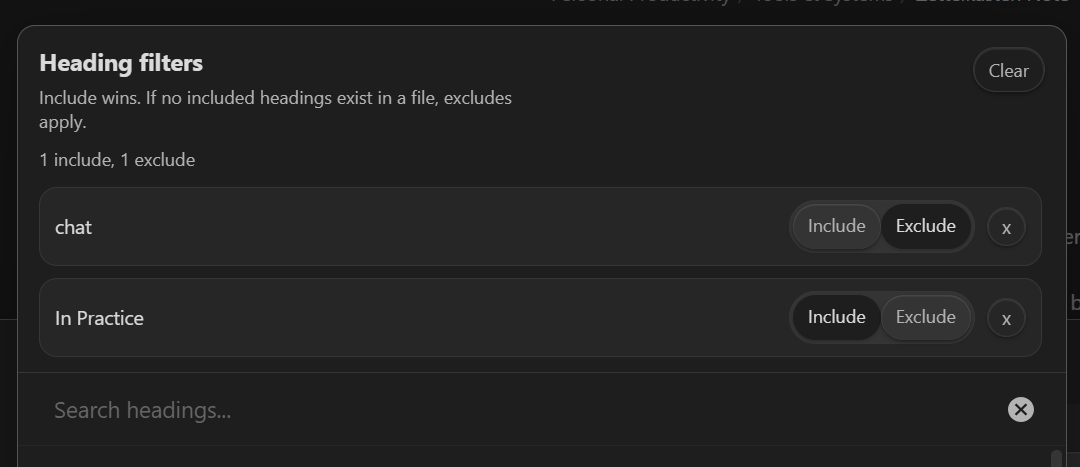
How to configure:
- Click Manage heading filters in Smart Context settings.
- Use fuzzy search to add headings, then toggle Include or Exclude per heading.
- Matching is not case-sensitive.
Template presets
Use these as starting points depending on how you use Smart Context.
1) XML-style (default)
Context template
<context>
{{FILE_TREE}}
{{CONTEXT_ITEMS}}
</context>
Item template
<item loc="{{KEY}}" at="{{TIME_AGO}}" depth="{{LINK_DEPTH}}">
{{ITEM_CONTENT}}
</item>
Why this works:
- Works well with downstream tooling (split on
<item ...>boundaries). - Keeps metadata attached to each item.
- Most language models handle the XML structure well.
2) Markdown headings (LLM-friendly, minimal structure)
Context template
{{FILE_TREE}}
{{CONTEXT_ITEMS}}
Item template
## {{KEY}}
Updated: {{TIME_AGO}} | Depth: {{LINK_DEPTH}}
````{{EXT}}
Why this works:
- Easy to skim.
- Headings help the model segment content.
- Uses a 4-backtick fence so pasted content can safely contain triple-backtick fences.
3) JSON structured (tool-friendly)
Context template
{
	"context": {
{{CONTEXT_ITEMS}}
	}
}
Item template
"{{KEY}}": {
	"name": "{{ITEM_NAME}}",
	"updated": "{{TIME_AGO}}",
	"depth": {{LINK_DEPTH}},
	"content": "{{ITEM_CONTENT}}"
},
Why this works:
- Easy to parse for custom tooling.
- Keeps per-item metadata adjacent to content.
- Useful when you want structured exports for post-processing.
External sources
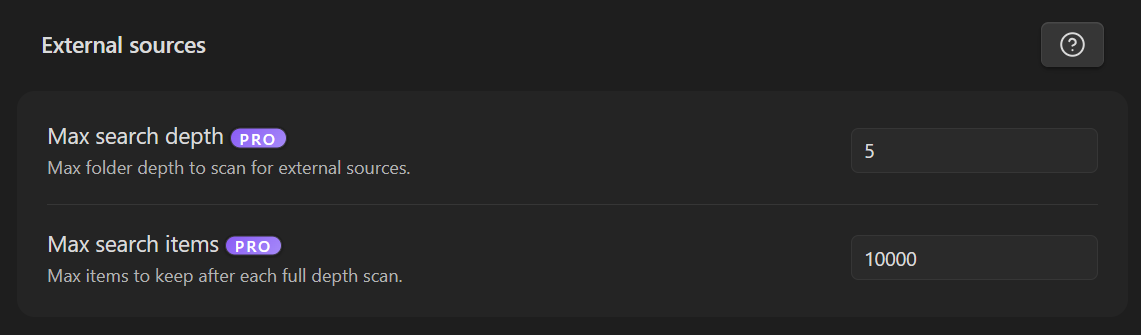
Smart Context can scan folders outside your vault (external sources) when you use external suggestions.
Max search depth
PRO. Limits how many folder levels deep Smart Context will scan for external sources.
Max search items
PRO. Caps how many items are kept after each full-depth scan.
These values act as defaults to keep external scans predictable. Some actions may override them when explicit params are provided.
Setting these too high can cause slow searches and UI lag. Start low and increase only when needed.
Troubleshooting
"My file tree is missing"
Ensure {{FILE_TREE}} is present in either Context Template Before or Context Template After.
"I included linked notes but cannot tell which were pulled in"
Add depth="{{LINK_DEPTH}}" (or an equivalent line) to your Item Template Before so the depth is visible per item.
"My export is too long / too many tokens"
- Remove or shorten heavy wrappers.
- Consider removing the file tree if you do not need it.
- Use smaller item headers (or none) if you only need raw content.