
Smart Lookup: semantic search in Obsidian
Smart Lookup lets you search your vault by meaning (embeddings), not exact words.
Use it when you want:
"notes that are about this"
even if the note does not contain your search terms.
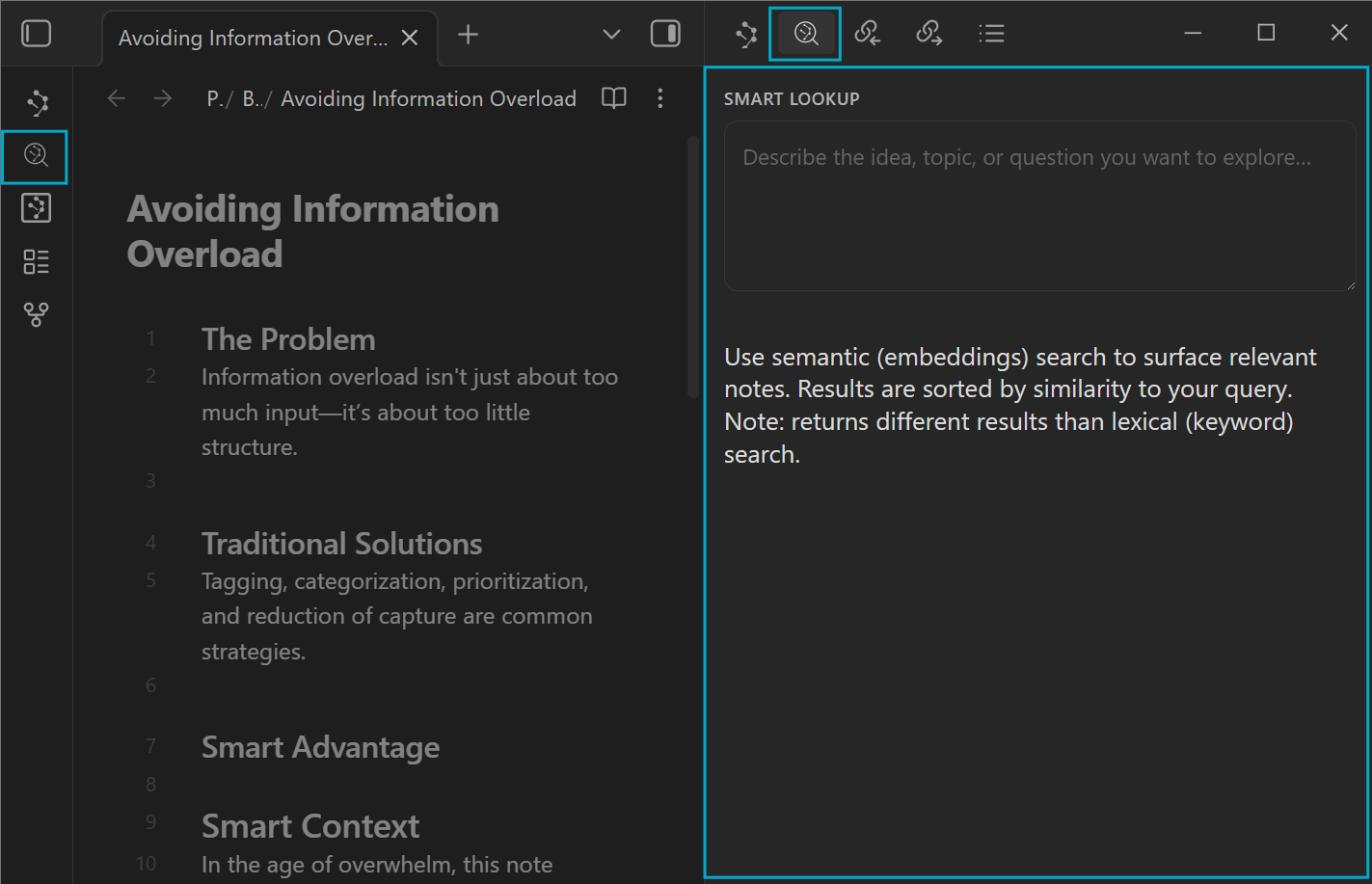
The Smart Lookup loop
- Ask a question in plain language.
- Scan the top results and expand 1-2 to confirm relevance.
- Open the best matches and act:
- link them into your working note, or
- build a meaning-ranked reading trail, or
- export them as AI context.
Opening the Lookup view
Open Smart Lookup from:
- the ribbon icon, or
- the command palette, or
- a hotkey you assign
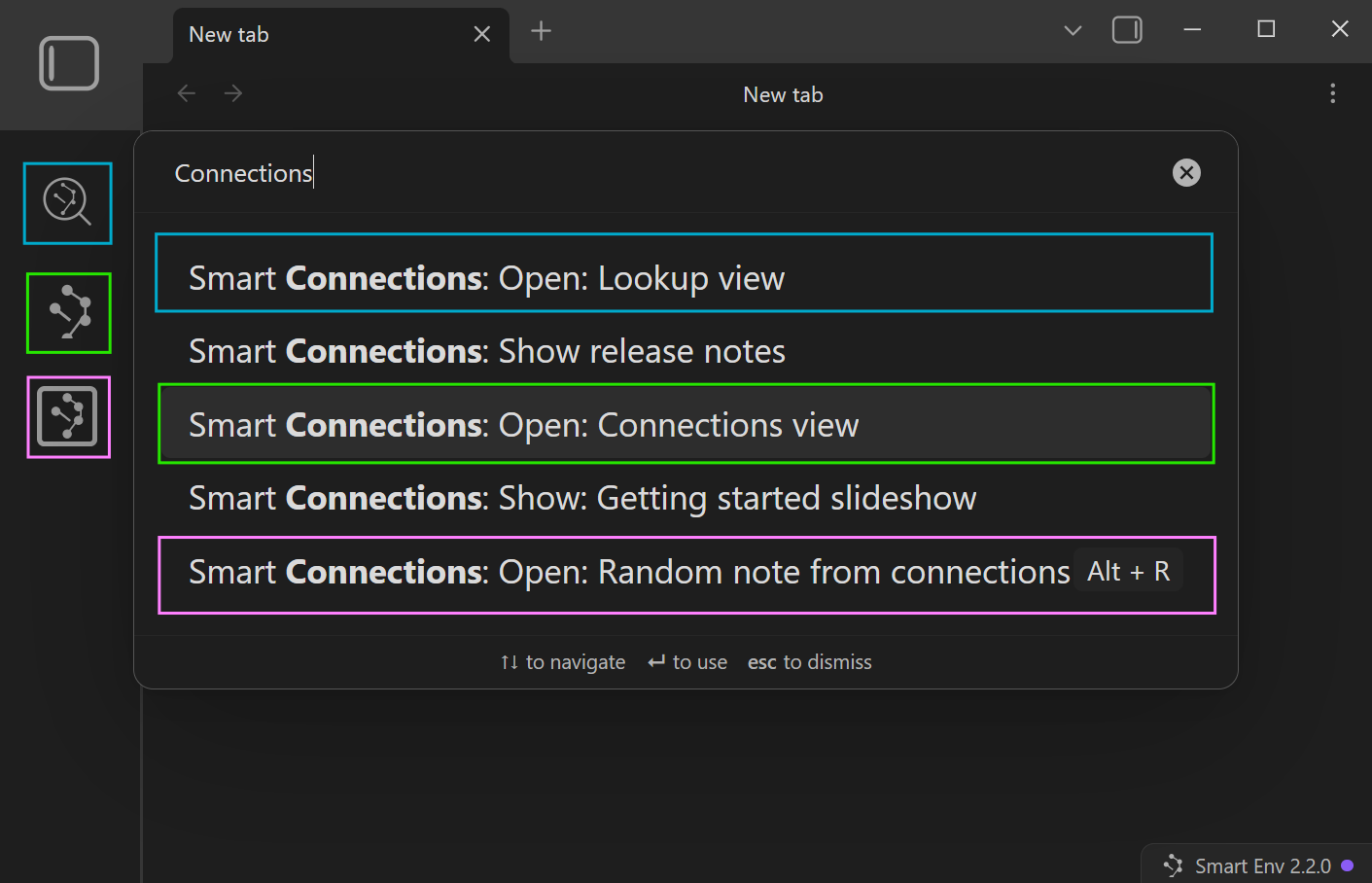
Command palette:
- "Smart Connections: Open: Lookup view"
Quick start (90 seconds)
- Open Smart Lookup.
- Type a query like:
- "My notes about reducing context switching while writing"
- Expand 1-2 of the top results to confirm you are in the right neighborhood.
- Open the best match.
- Optional:
- copy links into a reading trail, or
- send results to Smart Context for grounded AI work
Understanding results (how to read the UI)
Results are sorted by similarity to your query.
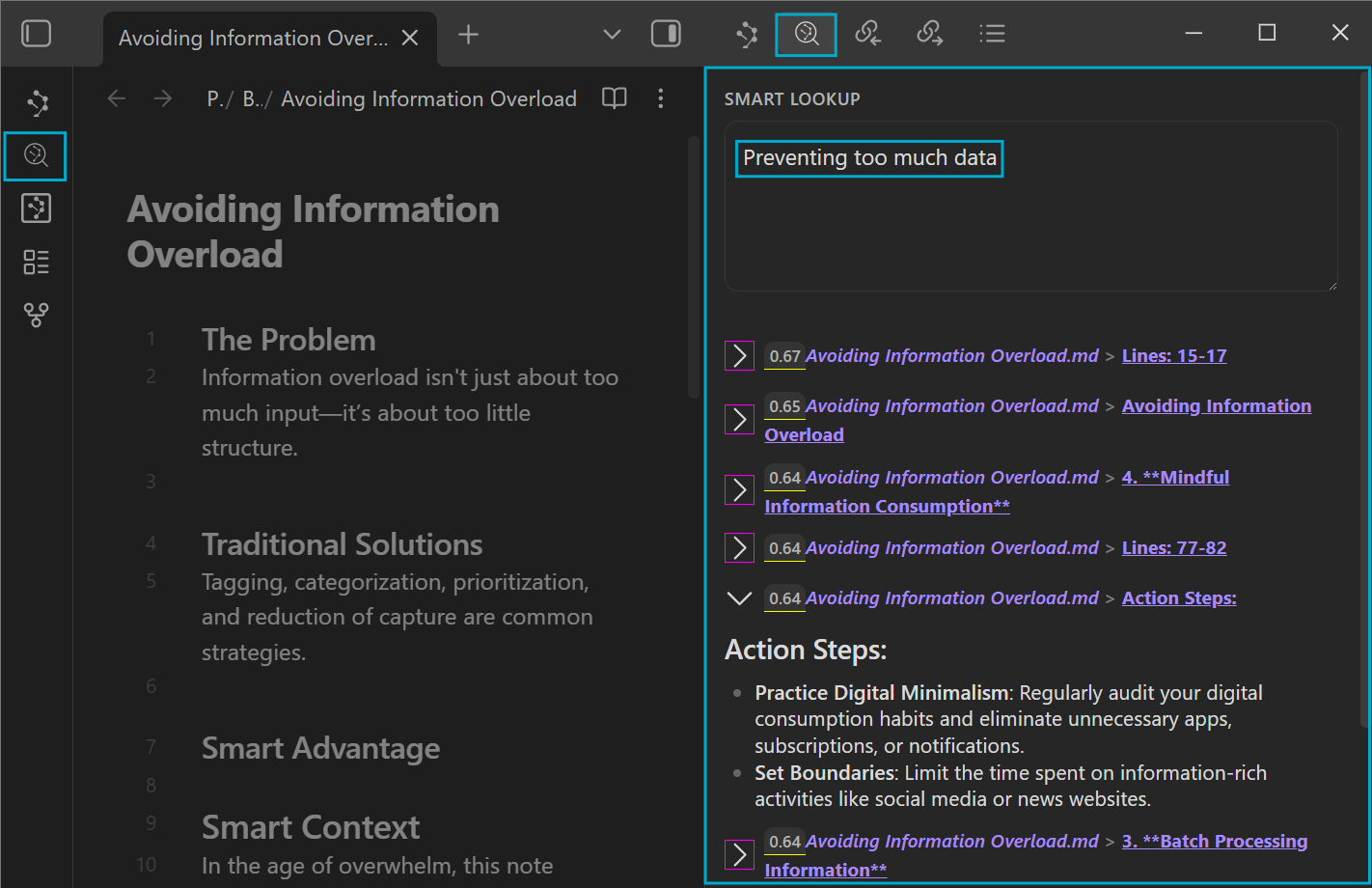
You will typically see:
- The query (highlighted in blue) is used as the reference point for the results
- A score (underlined)
- higher means "more related" to the query
- The note name follows the connection score
- may include a note heading or line range to reference a specific section of the note
- Expandable items (expand or collapse) that let you preview relevant content before opening
How to use the score:
- Treat it as a ranking signal, not a grade.
- Compare scores within the same lookup, not across different queries.
- If the top score is low, your query is probably too vague (add context nouns).
Sources vs Blocks (granularity)
Lookup can return:
- Sources (whole notes)
- Blocks (more granular chunks)
Choose:
- Blocks when you keep opening notes and hunting inside them.
- Sources when you want faster, broader discovery.
When Smart Lookup is the right tool
Smart Lookup shines when you are dealing with classic PKM friction:
- Fuzzy recall: you remember the idea, not the phrase you used.
- Vocabulary drift: you wrote it months ago with different words than you would use today.
- Conceptual research: you want examples, counterexamples, or related sub-ideas.
- Avoiding duplicate work: you want to check if you already solved something before re-solving it.
- Starting a draft: you want to quickly gather your prior thinking before you write.
- Decision recall: you want "where did I decide X?" or "what tradeoffs did I list?"
If you need exact matching (quotes, operators, tags, filenames, regex), use Obsidian's built-in search.
Fast decision: Lookup vs Obsidian search vs Connections
| What you are trying to do | Best tool | Why |
|---|---|---|
| Find an exact phrase, tag, filename, regex, or operators | Obsidian search | Lexical matching |
| Find notes about an idea, even when words do not match | Smart Lookup | Semantic matching |
| Find what is related to the note you are viewing right now | Connections list | Note-first discovery |
If you want the "current note anchored" workflow, see
Exploring the Connections view.
Troubleshooting
"My exact note did not appear"
That can be normal in semantic search.
Try:
- query the idea, not the filename
- add distinctive context words you used at the time
- switch to Blocks for more precision
If you truly need exact matching, use Obsidian search.
"Results feel noisy"
Try:
- add constraints ("for writing", "for research", "for meetings", "for project X")
- reduce scope to one question at a time
- tune settings (limits, filters, Sources vs Blocks)
Writing better queries (what actually works)
Do not treat Lookup like keyword search.
Treat it like asking your vault a question.
A simple query formula:
- Topic + context nouns + desired output
Examples:
- "Decision notes about X - list tradeoffs and what I chose"
- "My checklists for Y - give me the best one"
- "Notes about Z for project Alpha - summarize the current state"
Vague -> better rewrites
-
Too vague: "productivity"
-
Better:
- "reducing notification fatigue while writing"
- "batch processing reading highlights into action"
-
Too vague: "meetings"
-
Better:
- "my meeting prep checklist and follow-up template"
- "how I record decisions and action items"
-
Too many jobs at once:
- "Summarize my notes on sleep, exercise, diet, and focus and give a plan"
-
Better:
- "What did I write about sleep consistency and focus tradeoffs?"
- Then: "What habits did I recommend for sleep consistency?"
Queries you can copy
- "Where did I decide X and what reasons did I give?"
- "My best frameworks for prioritization under uncertainty"
- "Notes about avoiding information overload without losing key inputs"
- "How did I handle burnout or overwork previously?"
- "My approaches to delegating effectively (constraints, templates, checks)"
How to refine queries (the fastest path to better results)
If results are off, do one of these:
- Add 2-3 distinctive context words (project name, domain terms, people/tools).
- Ask for a specific output ("checklist", "tradeoffs", "examples", "steps").
- Split one big query into two smaller queries.
- Switch Sources vs Blocks if granularity is the issue.
- Tighten filters in settings if your vault is broad.
A simple query formula
Most high-quality lookups include:
- Topic
- Context nouns (domain, project, people, tools, constraints)
- Desired output (checklist, examples, counterarguments, steps, decision, summary)
Example:
- "My notes about topic for context nouns - give me a desired output"
Patterns that work well
- Describe what you want to find
- "Notes about preventing information overload while researching"
- Add context nouns
- "For ADHD, distraction, notification fatigue, digital minimalism"
- Ask for a specific kind of help
- "What are my best checklists for X?"
- "What are the tradeoffs or counterarguments to Y?"
- Use your current problem
- "Why do I keep over-capturing info and how did I handle it before?"
- Refine by iteration
- Start broad, then add 1-2 constraints based on the first results.
"Bad query -> better query" rewrites
-
Too vague:
- "productivity"
-
Better:
- "Notes about reducing context switching while writing"
- "My approaches to batching reading and processing highlights"
-
Too general:
- "meetings"
-
Better:
- "My recurring meeting prep checklists and follow-up templates"
- "Notes about meeting decisions and how I record action items"
-
Too many jobs at once:
- "Summarize my notes about sleep, exercise, diet, and focus and give me a plan"
-
Better:
- "What did I write about sleep and focus tradeoffs?"
- Then: "What habits did I recommend for better sleep consistency?"
Example queries you can copy
- "Ways to reduce information overload without losing important inputs"
- "My notes about boundaries for news/social media consumption"
- "Strategies for batching reading and processing notes"
- "How to keep a PKM system simple when it starts getting complex"
- "Where did I write about focusing on outcomes instead of collecting sources?"
- "What did I decide about X and what reasons did I give?"
- "Choosing the right link depth when copying context for AI"
FAQs
What's the difference between Semantic and Lexical search?
Semantic queries do not work like regular search queries. A note that contains your exact words may not appear near the top (or at all).
That is expected because semantic search is about meaning, not matching text.
Common reasons an exact-match note does not show up:
- The note mentions your words in a different sense than your intended meaning.
- The note is long or mixed-topic, so the embedding represents broader content.
- Another note explains the same idea more directly (even with different wording).
- Your vault is still indexing/embedding new or changed content.
When you truly need "find this exact phrase", use Obsidian search.
When you want "find notes like this", use Smart Lookup.