
Inline connections
Inline connections bring the Connections list into the editor. Instead of switching to the Connections view, you can surface relevant notes or blocks for a specific paragraph, heading, or sentence while you write.
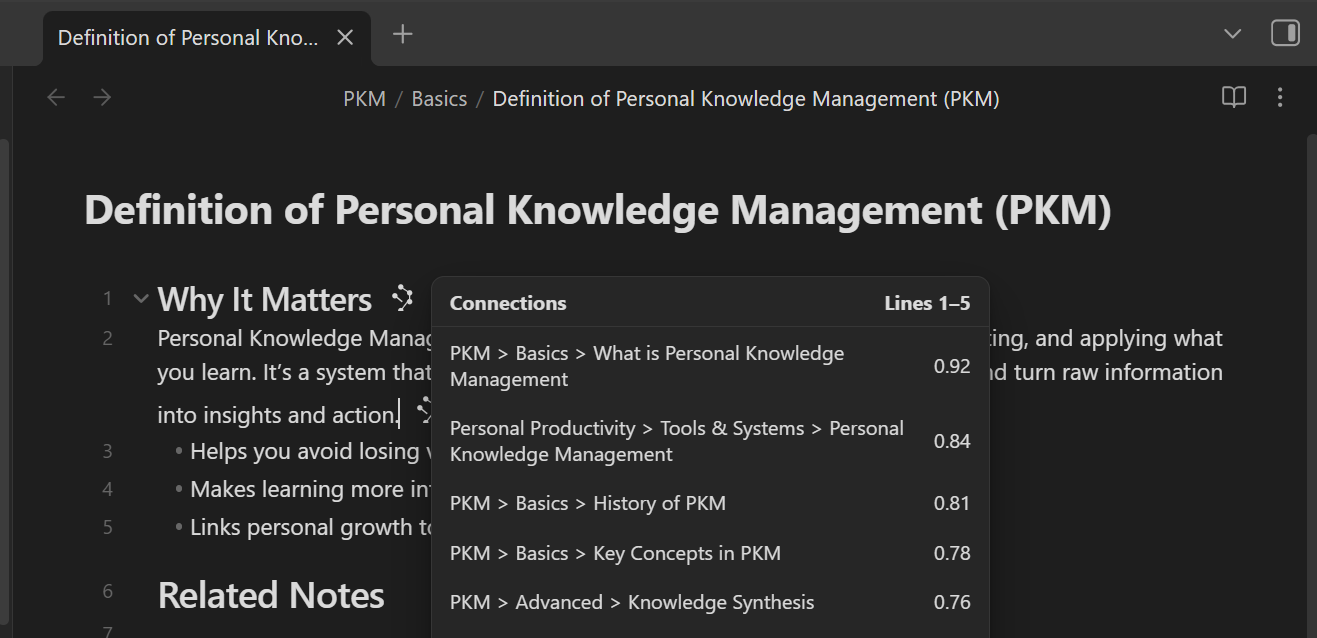
Inline connections answer: "what else is related to this block?" right where you are working.
- Hover the inline Connections icon to see top matches.
- Hold Cmd/Ctrl while hovering a match to open Obsidian Hover Preview.
- Click a match to open its note.
- Click the "Connections + line numbers" header to open the full list for that block in the Connections view.
How it works
Smart Connections scores the current file's blocks against your vault (based on your settings). When a block has at least one match above your threshold, a small inline Connections icon appears at the end of that block.
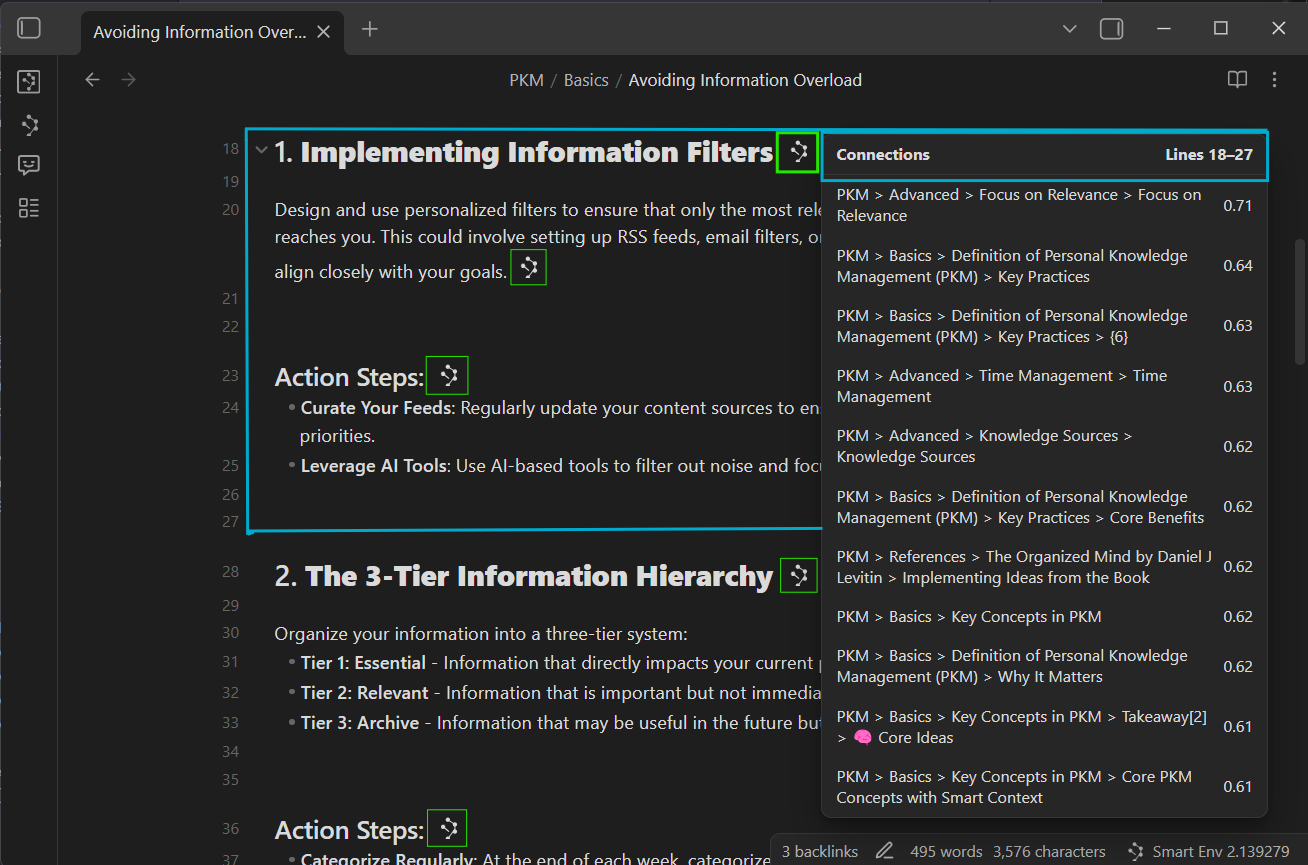
The icon is intentionally minimal: it is a fast signal that "this block has relevant context elsewhere".
Using inline connections
1. Hover to scan matches
Hover the Connections icon to open a popover list of the best matches for that block.
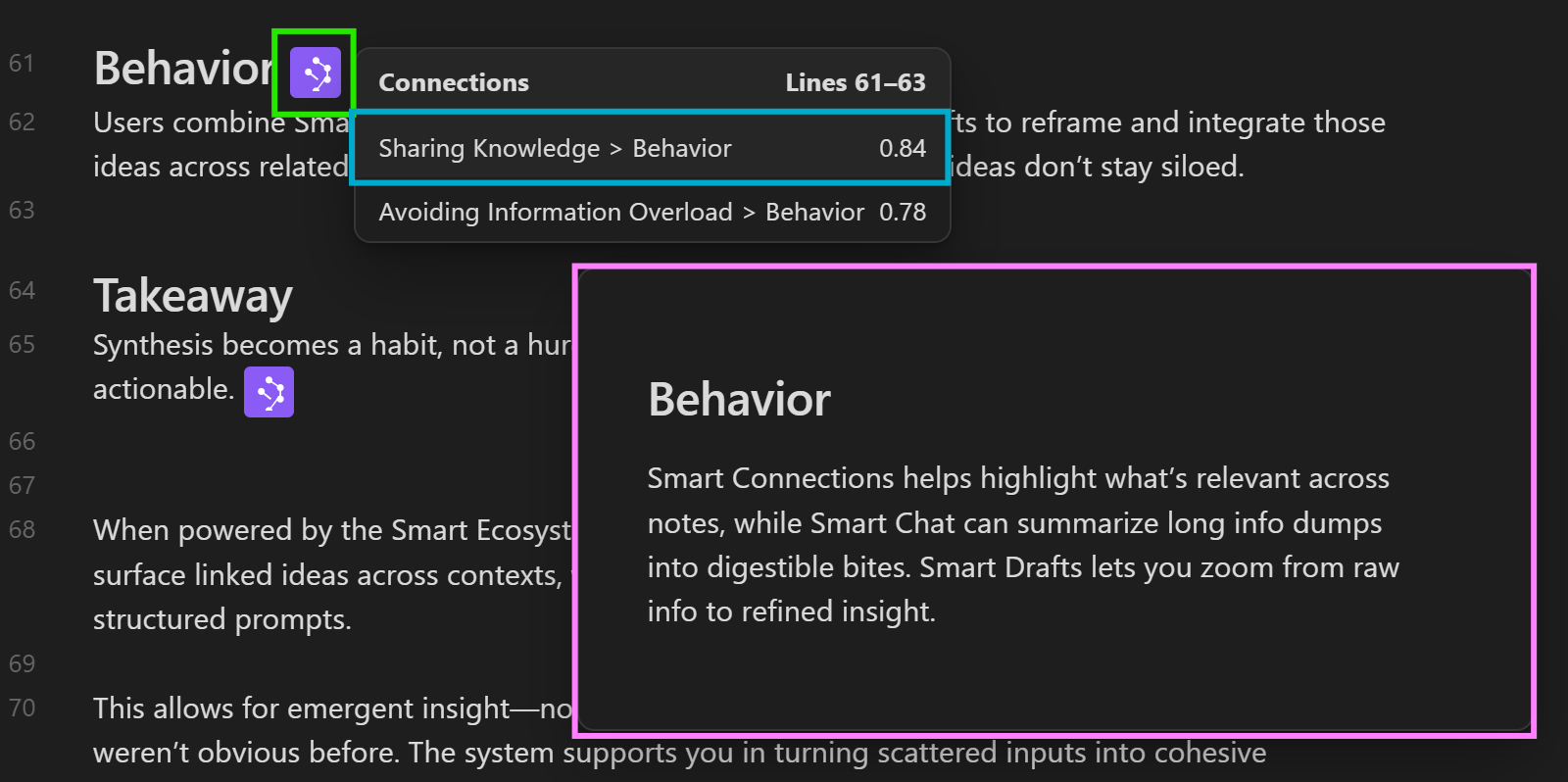
Each result shows:
- The matched note or block
- A score (higher means more related)
- A quick path to act (preview or open)
2. Preview before you commit
Hold Cmd/Ctrl while hovering a connection (above in blue) to trigger Obsidian's native Hover Preview (above in pink). This lets you confirm relevance without leaving your current note.
3. Open the full list for the block
Click the top Connections + line numbers row in the popover to open all matches for that block in the main Connections view.
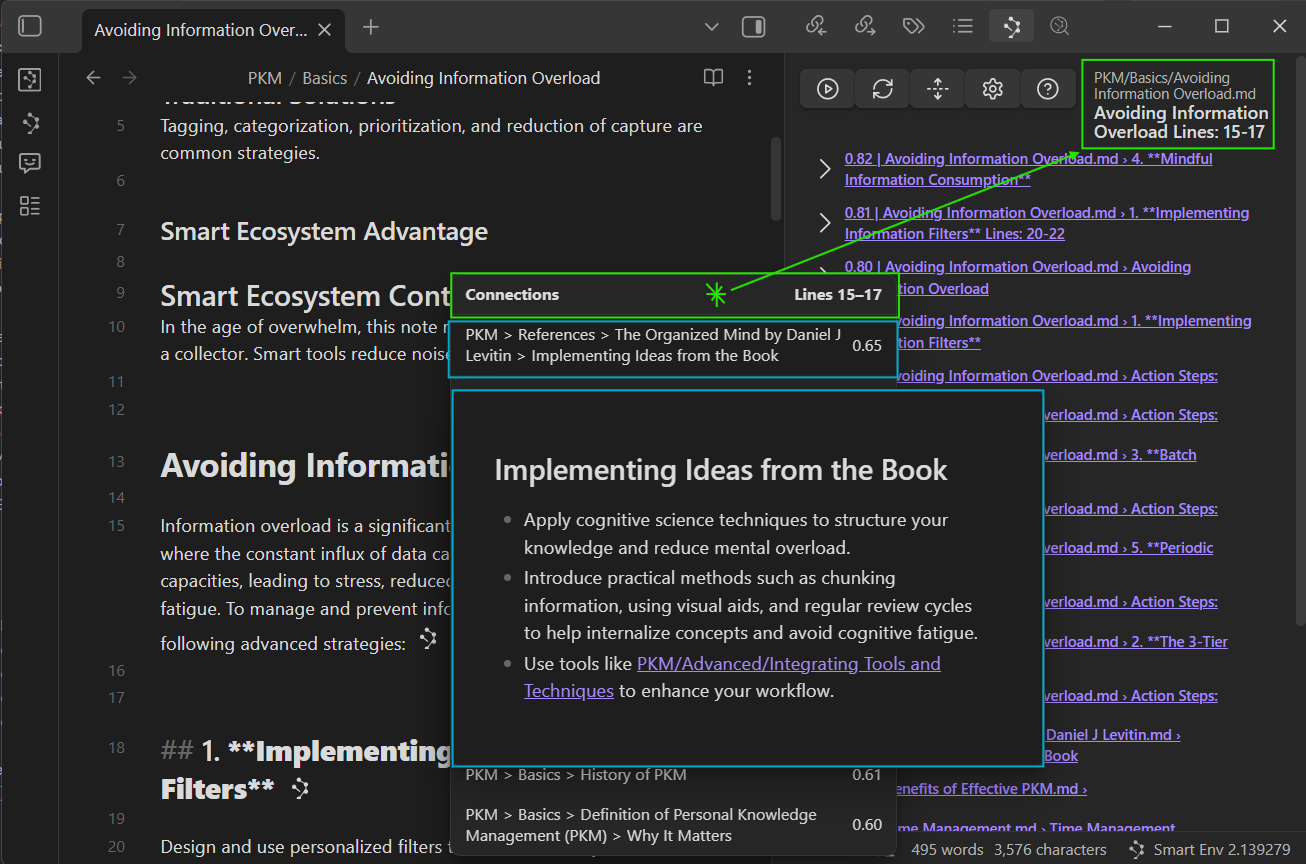
Use this when you want to:
- Expand beyond the top few results
- Switch from scanning to deeper exploration
- Compare multiple candidates side-by-side in the Connections view
4. Show inline connections only when you want them
If you prefer less visual noise while drafting, you can toggle inline connections on demand using the command palette, then assign that command to a hotkey.
A practical flow:
- Draft normally (inline off).
- Toggle inline on when you want to add links or check for duplicates.
- Toggle inline off when you are back in "write mode".
Workflow recipes
Link while you draft
- Write a paragraph.
- Hover the inline icon.
- Preview 1-2 strong matches (Cmd/Ctrl hover).
- Click to open and pull in what you need, or add a link.
Outcome: you build links as part of writing, not as a separate cleanup step.
Refactor long notes
- Find a section that feels dense or disorganized.
- Use inline connections on its blocks to locate related notes you already wrote.
- Open the strongest matches and split, merge, or extract new notes.
Outcome: you reduce duplication and turn one big note into a network of focused notes.
Catch duplicates early
If you often restart research, inline connections can reveal "you already did this" at the moment you start writing. Hover the icon and look for:
- A prior draft
- A similar concept explained elsewhere
- A related decision note or meeting note
Outcome: less rework, more reuse.
Inline connections only appear when a block has matches above your threshold. If you do not see any icons, lower the inline score threshold and confirm embeddings are up to date in Smart Sources.
Tuning inline visibility
Inline connections use the same scoping controls as the Connections list, but optimized for quick scanning while editing:
- Inline score threshold: how confident a match must be before the decorator appears
- Results limit: maximum items shown in the inline popover
- Include/exclude filters: restrict candidates by file path
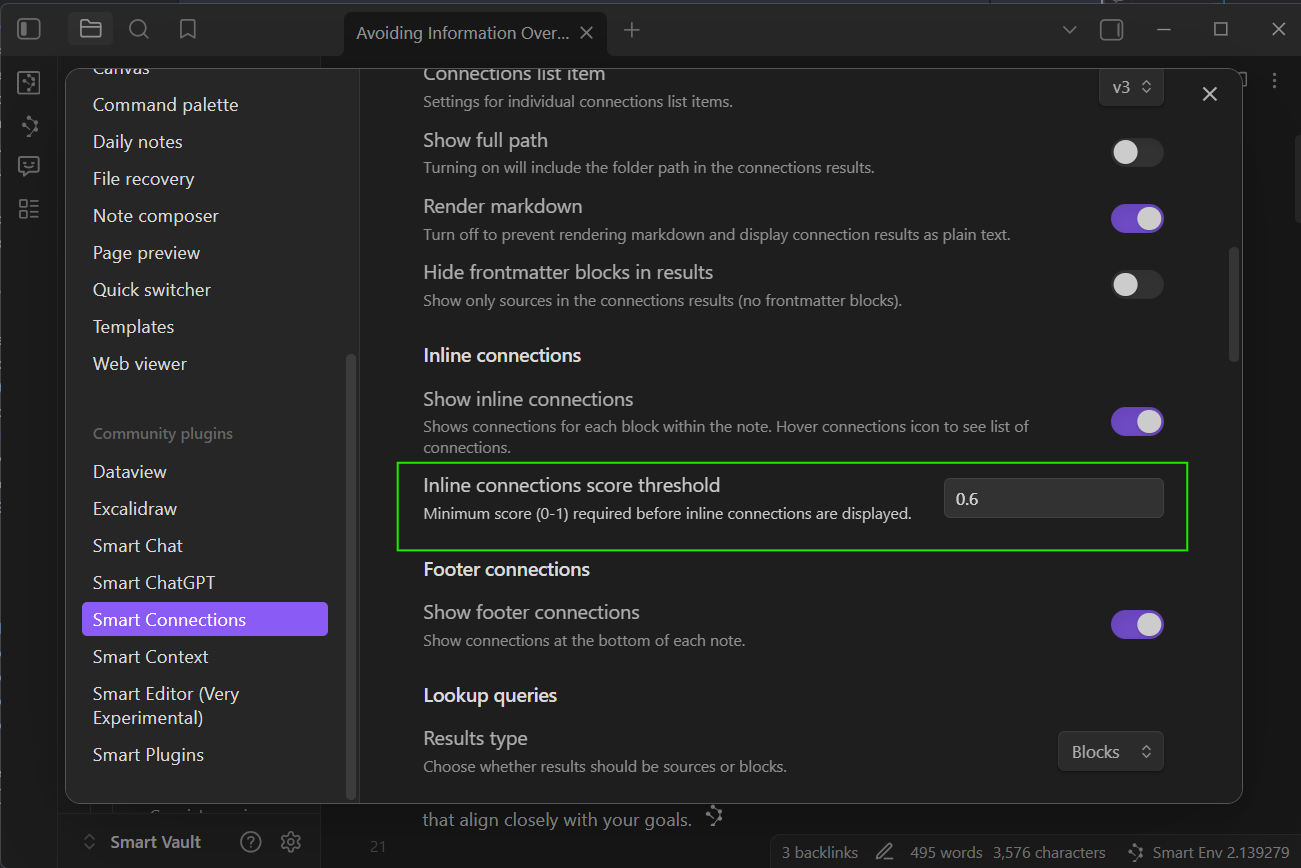
For configuration details, see the inline connections settings.
Related pages
- Start here if you are new: Getting Started with Smart Connections
- Learn the core panel workflow: Exploring the Connections view
- Ask question-first instead of note-first: Smart Lookup
- Tune filters and thresholds: Connections settings
- Export strong matches into AI-ready context: Smart Context Clipboard