
Smart Duplicate Detector
Stop rewriting the same paragraph.
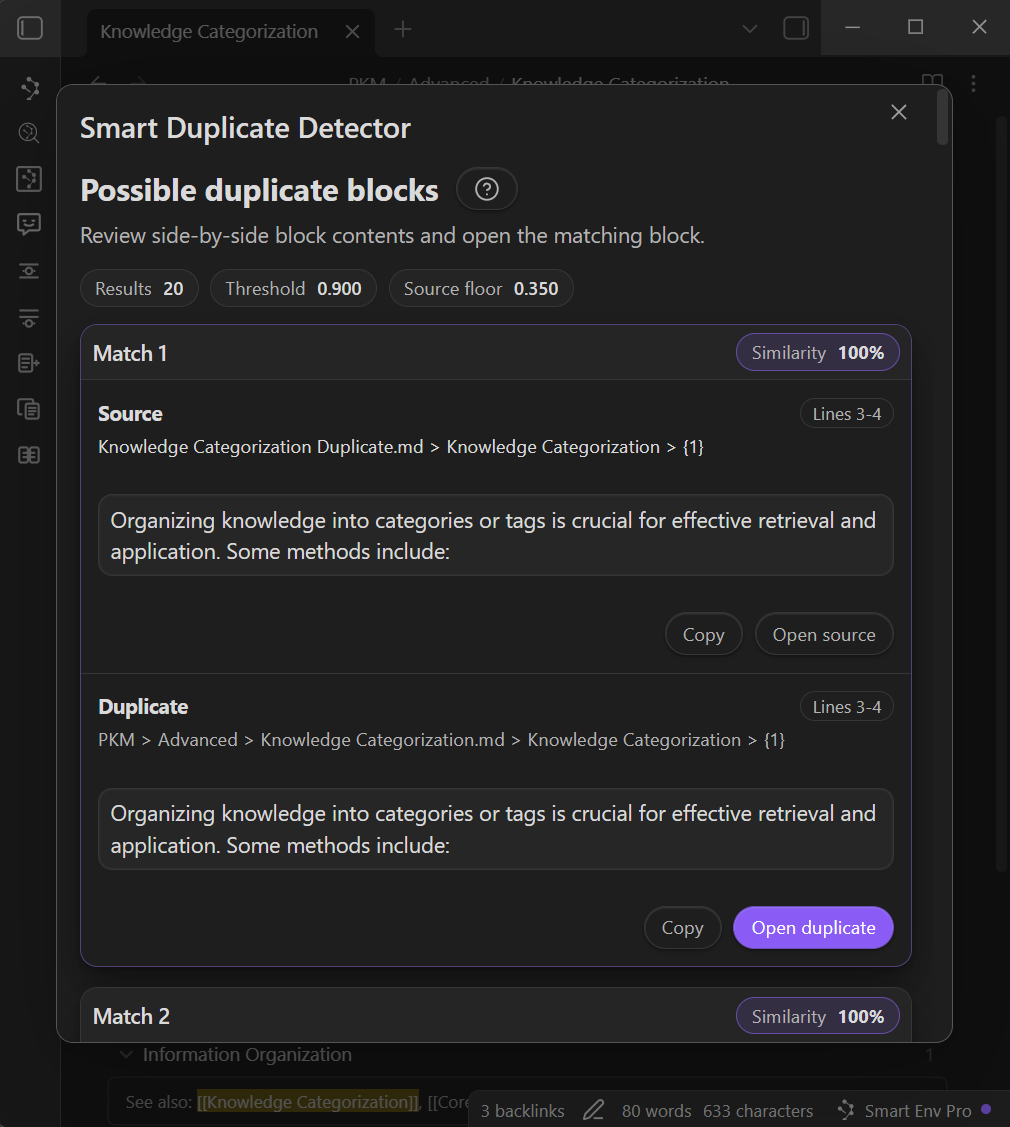
Smart Duplicate Detector finds duplicate (and near-duplicate) blocks across your vault, shows a side-by-side preview, and lets you jump straight to the match.
It is designed for speed and sanity:
- Exact duplicates surface first (fast path).
- Near-duplicates use semantic similarity (embeddings) to catch rewrites and small edits.
- Vault scans can be cancelled at any time and keep partial results.
Smart Duplicate Detector is a Smart Connections Pro feature.
What this solves
Use this when you want to:
- catch repeated paragraphs before they spread
- find the older version of something you just rewrote
- clean up drift across project notes
- identify "same idea, different wording" blocks
Practical outcomes:
- less duplicated writing
- fewer conflicting versions of the same reasoning
- faster consolidation when a vault grows
Quick start
- Open any note (or just start from the ribbon).
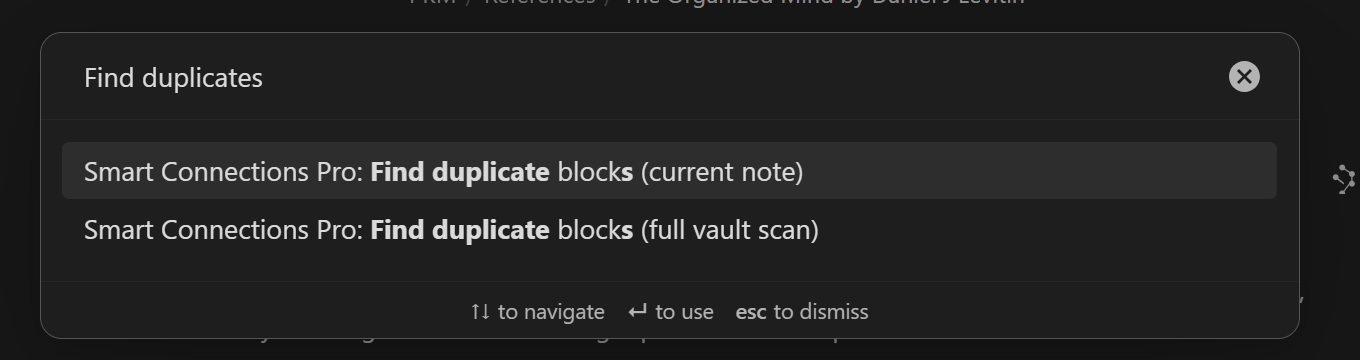
- Run a duplicate command from the command palette.
- Choose scan scope and settings (start with threshold 0.90).
- Review matches and open the best candidates.
One-click vault scan
Use the ribbon icon to launch a full-vault scan (default behavior).
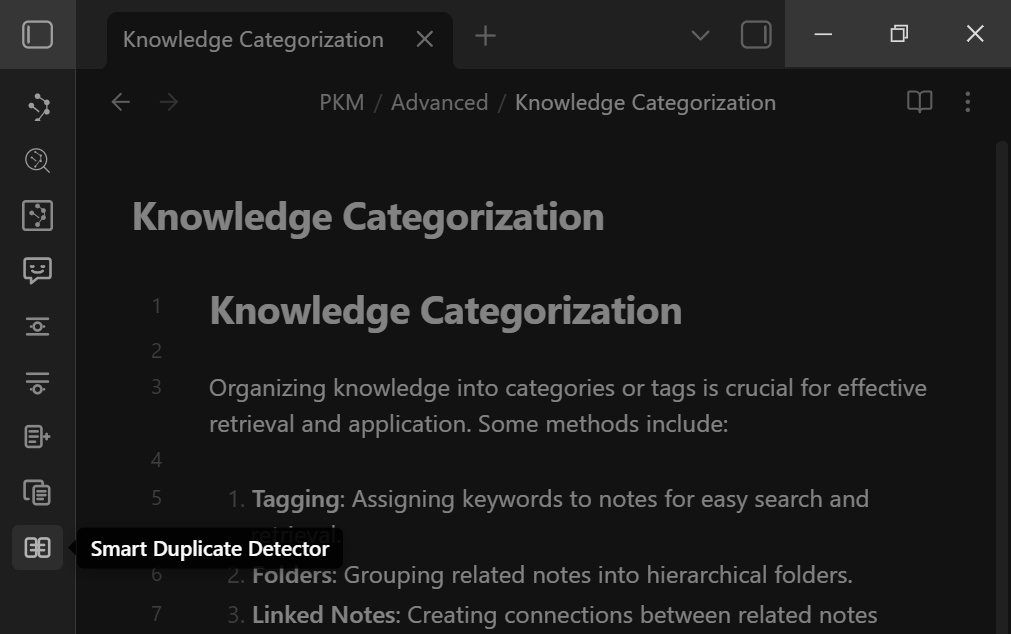
This is the fastest way to get a "top duplicates anywhere" list.
Choose scan scope
Current note
Compares blocks in the active note against blocks in the rest of your vault.
Use this when:
- you just rewrote something and want to find the old version
- you are refactoring a note and want to remove drift
Full vault
Finds the top duplicate block pairs across your entire vault.
Use this when:
- you want the "best duplicates anywhere" list
- you are doing a broader cleanup pass
Same-note pairs are skipped so results focus on duplicates across different notes.
Configure settings (the controls that matter)
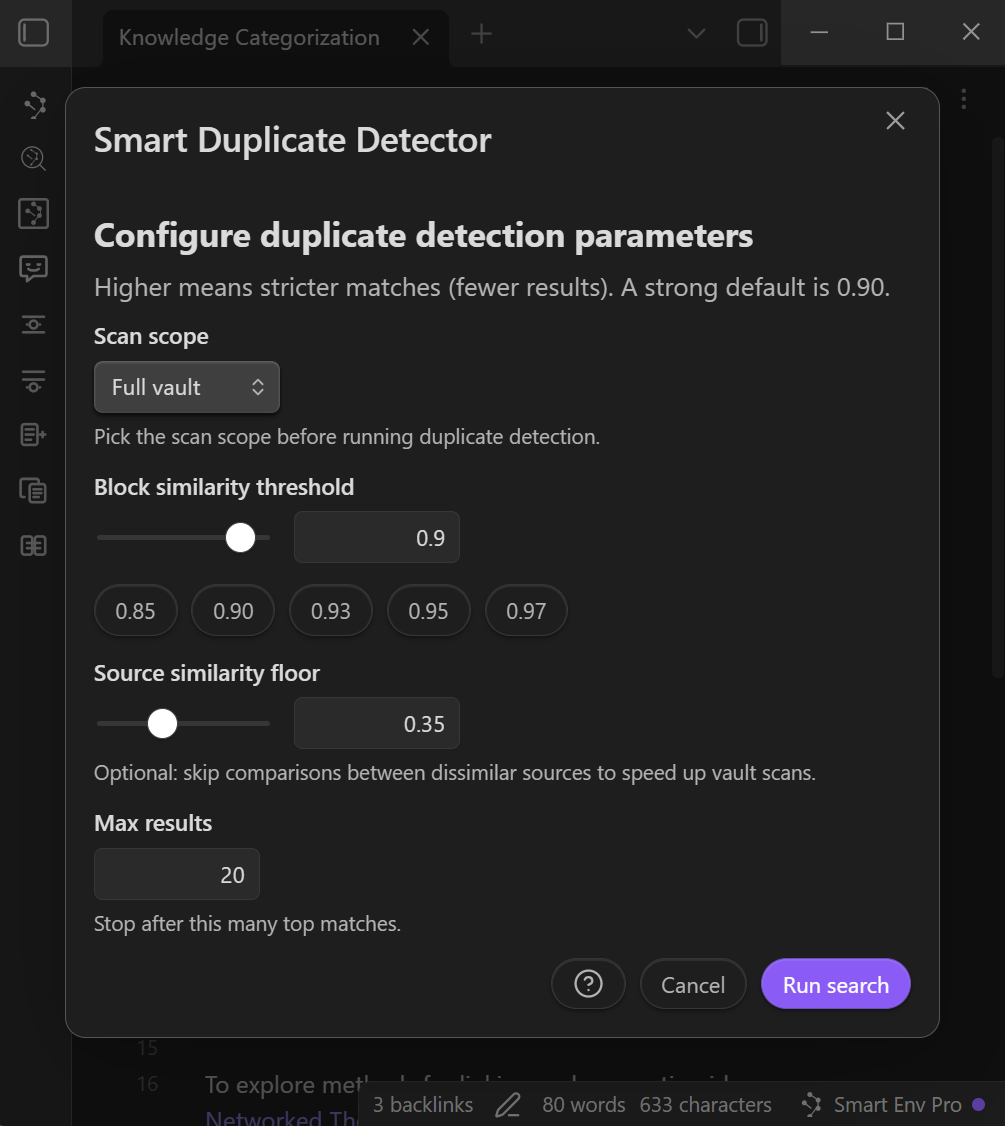
The threshold modal controls strictness, speed, and result volume.
Block similarity threshold
This is the main "how duplicate is duplicate" control.
- Start at 0.90 for strong candidates.
- Raise it (0.95-0.97) for near-identical matches.
- Lower it (0.85-0.90) to catch paraphrases and rewrites (more false positives).
Source similarity floor (optional speed control)
This skips block comparisons between notes that look unrelated.
- Raise it to speed up scanning if your vault is large.
- Lower it if you suspect duplicates live across very different topics.
A practical default is 0.35.
Max results
Stops after the top N matches.
- Keep it small (20) for fast, focused work.
- Increase it when you are doing a deeper cleanup pass.
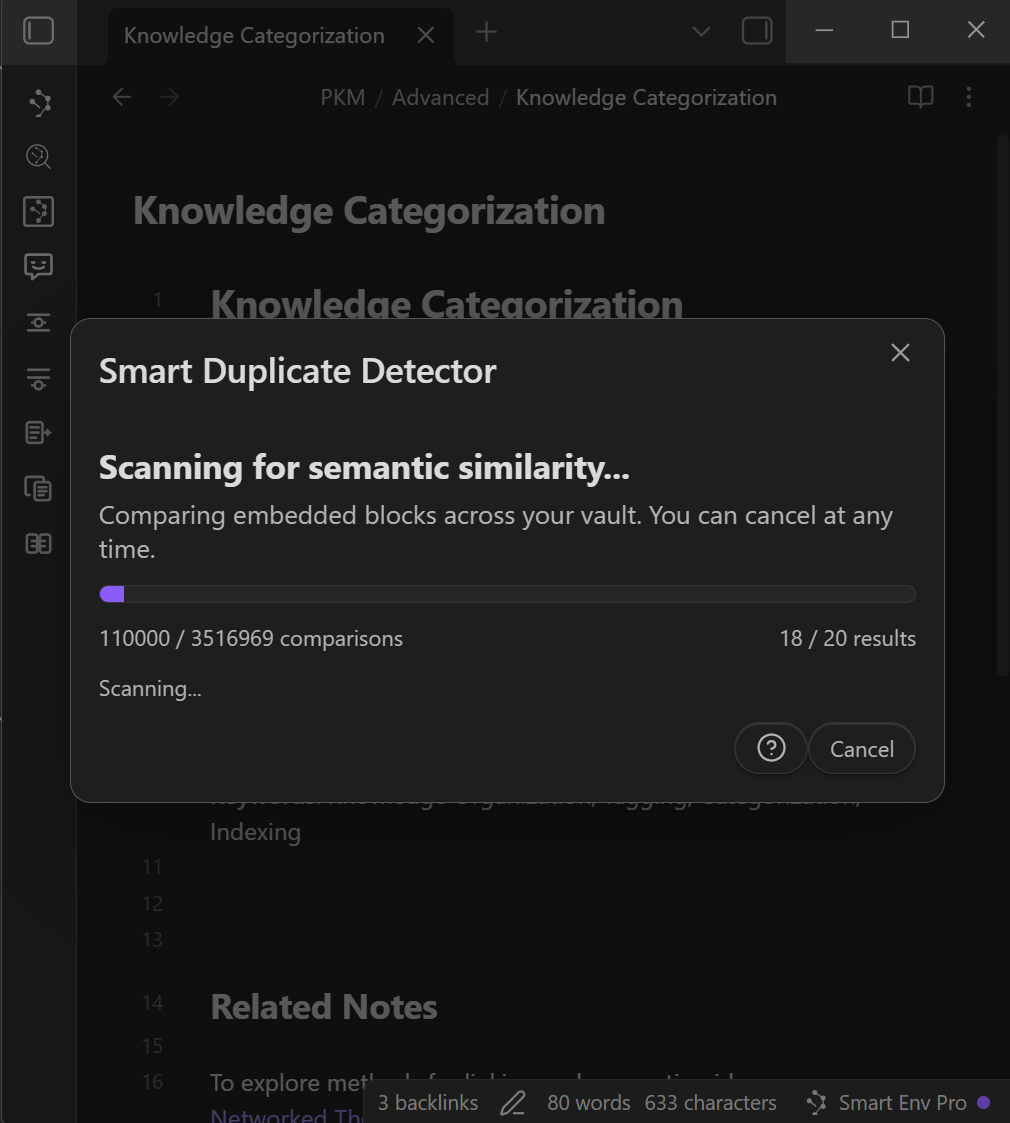
While it scans
Vault scans show a progress modal with:
- comparisons done and total
- results found and max results cap
- cancel button
Closing the modal while scanning minimizes it to a bottom-right indicator you can restore.
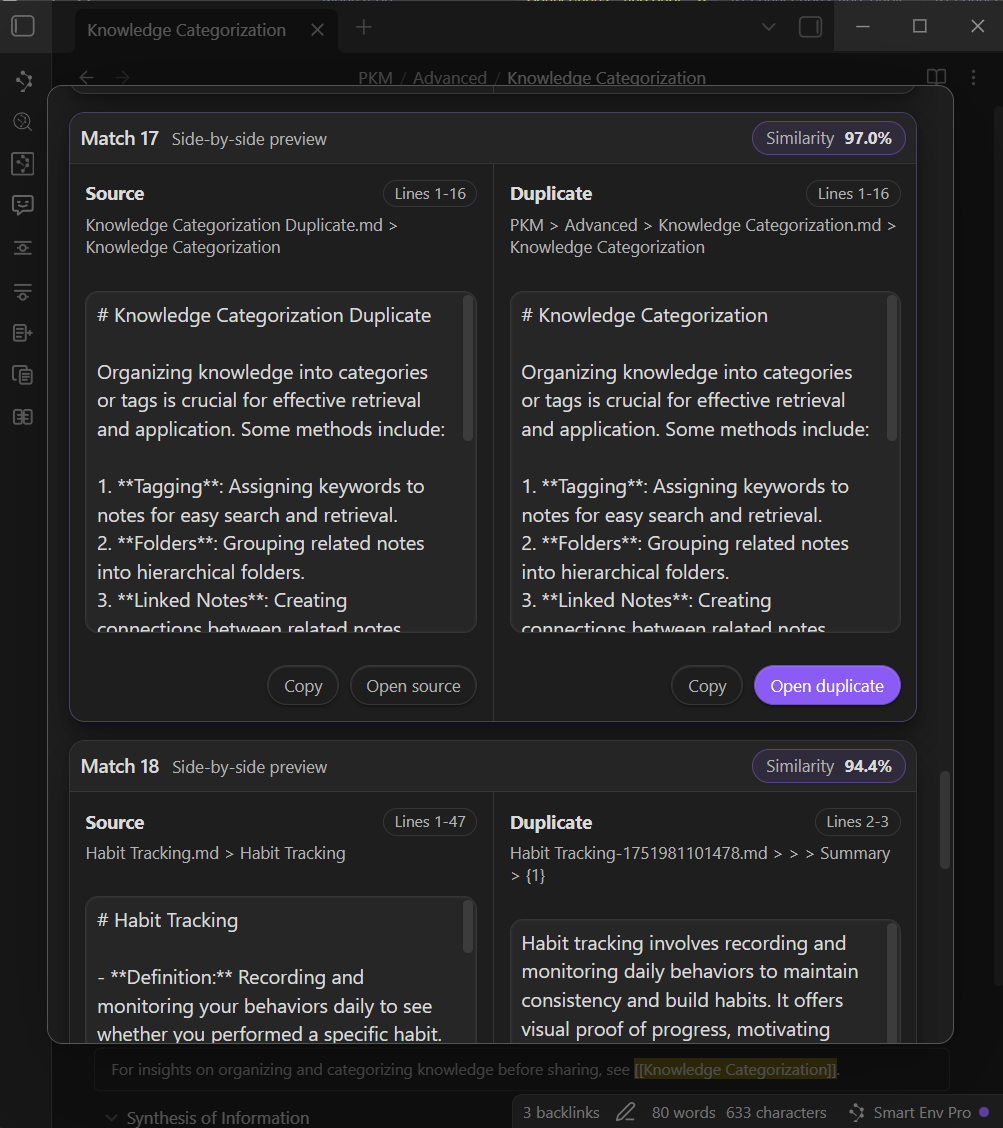
Review matches and act
Results show:
- side-by-side previews
- a similarity score per match
- Copy and Open actions
Opening a match minimizes the results modal so the list stays accessible while you work.
Similarity cheat sheet
Use this as a starting point:
- 0.97-1.00: near-identical, often safe to merge (still verify)
- 0.93-0.97: strong candidates, usually small edits
- 0.90-0.93: good default range, requires judgment
- 0.85-0.90: broad "similar" range, expect false positives
How it works (high-level)
Pipeline:
- Fast pass: exact text matches are detected first using a content hash when available.
- Semantic pass: remaining candidates are scored with cosine similarity over block embeddings.
- Speed controls:
- skips same-note pairs
- optional source similarity floor reduces cross-note comparisons
- stops early once Max results is reached
- Cancel anytime: vault scans can be cancelled and still return partial results (marked "Cancelled").
Troubleshooting
No results
Try:
- lowering the threshold (0.90 -> 0.88)
- increasing Max results
- waiting for indexing/embeddings to finish if your vault is still processing
Vault scan feels slow
Try:
- raising the threshold (0.90 -> 0.95)
- raising the source similarity floor
- lowering Max results
FAQ
Does 1.00 similarity mean an exact duplicate?
Often yes (especially when hash matching triggers), but always confirm before deleting.
Can I cancel a scan?
Yes. Full-vault scans can be cancelled and will still return partial results.
What is a good default threshold?
0.90 is a strong starting point for "likely duplicates".