
Smart Chat FAQs
Core provider-specific codeblocks use provider web interfaces. The universal Smart Chat codeblock can host supported provider web threads and Smart Chat API Extension thread references. Smart Chat API Extension uses a configured local or cloud model inside Obsidian.
What problem does Smart Chat solve?
#Smart Chat lets you use provider conversations from the notes they serve. Smart Chat API Extension lets you ask configured models inside Obsidian with context you review.
Do I need an API key?
#Core provider codeblocks do not need an API model; they use provider web interfaces and can require provider sign-in. The universal Smart Chat codeblock can host either supported provider web threads or Smart Chat API Extension threads. API Extension threads require a compatible working local model or the credentials required by their cloud provider.
What is the difference between Core provider codeblocks, the universal Smart Chat codeblock, and Smart Chat API Extension?
#| Surface | What it does | Model requirement |
|---|---|---|
| Core provider codeblock | Renders one provider web interface such as ChatGPT or Claude in a note. | No API model. |
| Universal Smart Chat codeblock (Pro) | Adds one smart-chat codeblock that can hold supported provider web-thread references and Smart Chat API Extension thread references. |
No API model for provider web threads; API Extension threads require one compatible working model. |
| Smart Chat API Extension | Runs configured local or cloud models in the Smart Chat workspace with optional approved context. | One compatible working model. |
What counts as the first successful result?
#A visible response to a concrete prompt. Installing Chat, opening a view, inserting a block, selecting a model, or saving a URL is preparation. For a note-grounded Smart Chat API Extension request, the answer must also match the approved source.
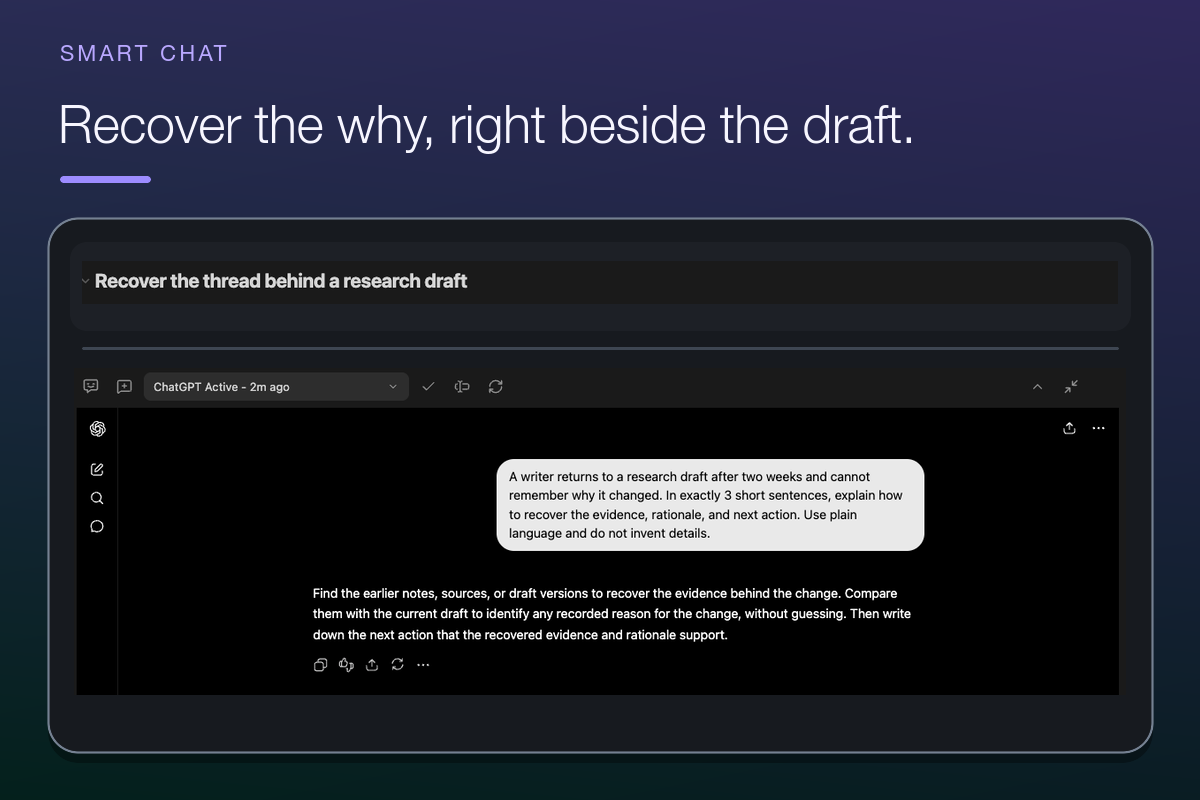
A completed reply is the first visible result. Saving the conversation requires a recognized durable thread URL.
Which providers do codeblocks support?
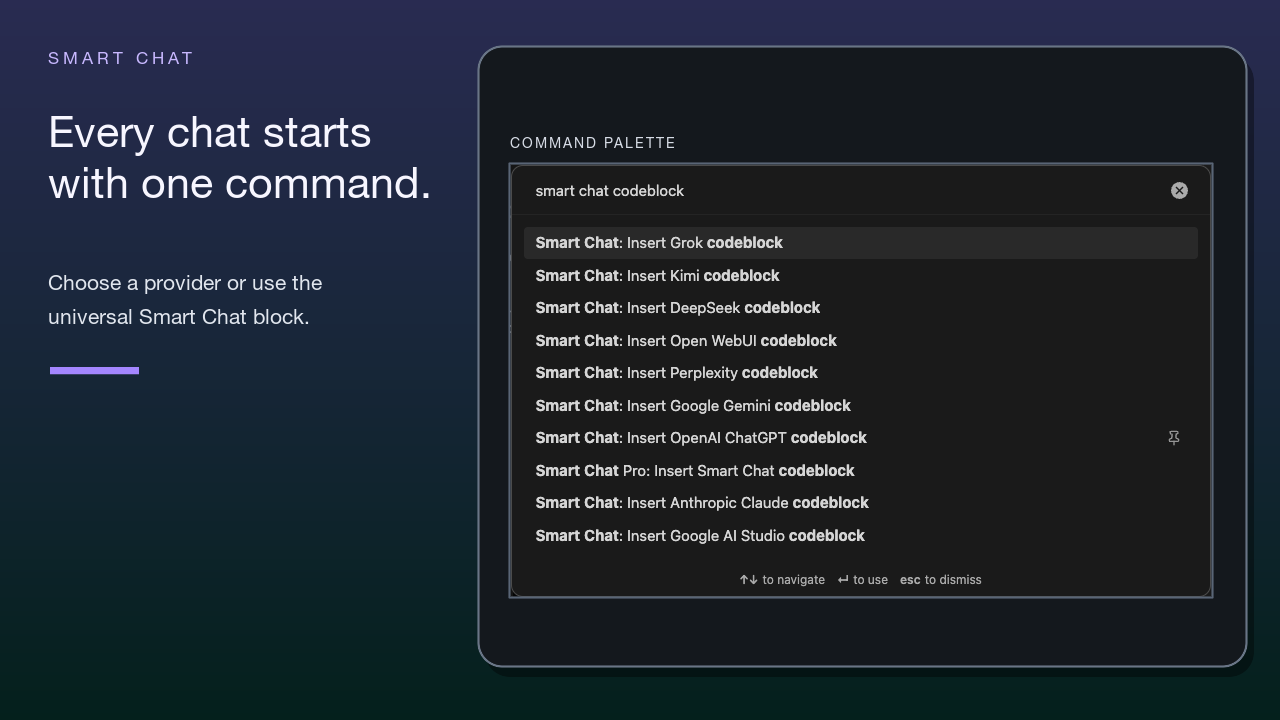
#Provider codeblocks support ChatGPT, Claude, Gemini, DeepSeek, Perplexity, Grok, Google AI Studio, Open WebUI, and Kimi. See Supported providers and exact insert commands.
Does Smart Chat work on mobile?
#Saved web thread URLs can remain useful as external bookmarks on mobile. The embedded provider surface, new-chat capture, automatic URL saving, and state actions require the desktop main Markdown pane.
How do I save or bookmark a thread?
#Add a provider codeblock to the note that owns the conversation. Use the provider until it creates a recognized durable conversation URL. Smart Chat can then write that URL into Markdown. Reopen the saved entry. Make sure that it returns to the same conversation before you rely on it.
Why did the provider answer but the block still says new chat?
#Response success and durable saving are separate. The provider returned an answer, but it has not produced a recognized durable conversation URL. Continue until a supported thread URL exists. Do not treat a temporary URL or a provider home-page URL as a saved conversation.
What do Active and Done mean?
#Active means the saved provider thread still needs attention. Done means you reviewed it and closed the loop for now. These are user-owned Markdown states.
Keep the thread Active until you can reopen it. Review the result. Change the thread to Done only after this review.
Does Done mean the AI finished correctly?
#No. Done is a user-owned tracking state. It does not validate the response.
Is Chat Inbox the same as Chat Manager?
#No. Chat Inbox reads note-attached chat-active:: and chat-done:: provider bookmarks. Chat Manager manages Smart Chat API Extension thread records. Run Open: Chat Manager view from the Command Palette under Smart Chat Pro.
Does the Dataview Chat Inbox work without Pro?
#Yes. Dataview can read note-attached chat-active:: and chat-done:: fields without Chat Pro. When Dataview is enabled, run Insert Smart Chat thread Dataview blocks. Otherwise, add equivalent queries manually.
Should I delete done thread links?
#No. Done thread links remain normal Markdown references until you remove them.
Can I use local or API models?
#Yes. In Chat Pro settings, use this sequence:
- Find Chat models.
- Choose + New.
- Select an enabled provider.
- For a cloud provider, enter its API Key.
- For Ollama, enter the Ollama host.
- For Ollama, start the Ollama app.
- Choose Refresh Models when the model list is not current.
- Select Chat Model.
- If several model rows exist, select the intended row under Default chat model.
- Make sure that the row is Current.
- Run Test or Test model.
Current means that the model is selected. It does not confirm credentials, provider access, or a running local server.
How do I configure an API key?
#Open model setup through Open settings on the Chat Pro Store row or through Smart Environment settings. Then use this sequence:
- Under Chat models, choose + New.
- Select the cloud provider.
- Enter the API Key.
- Choose Refresh Models when the model list is not current.
- Select Chat Model.
- If several model rows exist, select the intended row under Default chat model.
- Run Test or Test model.
Do not send note content when the test returns an authorization error such as 401.
Does Smart Chat automatically use the active note?
#No. Provider codeblocks send only what you enter or upload through the provider interface. Smart Chat API Extension uses the sources selected through Add context, @, Lookup context, drag and drop, or Context Builder. The active note and whole vault are not attached automatically.
Which source path should I use?
#In Smart Chat API Extension, use the simplest way to add the sources you need:
- Use Add context or
@when you know the source. - Use Lookup context when you know the question but not the note.
- Use a saved named context or Context Builder when the required sources are already collected.
- Use Continue without context only when the request intentionally needs no information from your vault.
Does attached context carry forward automatically?
#No. Prior non-excluded user and assistant messages can influence a later response, but attached source context is request-specific. Use Add context or Open context builder to select the required sources again.
Does Smart Chat store the full conversation in Markdown?
#Provider codeblocks store a durable provider URL and optional Active or Done fields, not the provider transcript. Smart Chat API Extension stores its messages and attached context as Smart Plugin application data rather than ordinary Markdown note text.
What does Include or Exclude change?
#Include and Exclude change which prior messages can influence a later response in the current thread. They do not rewrite earlier messages, restore source attachments automatically, or guarantee that the next answer will use every included message.
What leaves my device?
#A provider codeblock sends what you type or upload through that provider's site. Smart Chat API Extension sends the prompt, included prior messages, and context selected for that response to the chosen model provider. A local model can keep the request on the machine when its local runtime is active. Review the selected sources and provider terms before sending sensitive material.
Where are Smart Chat threads stored, and how should I sync them?
#| Thread type | Storage and sync boundary |
|---|---|
| Provider-thread bookmark | Stored in Markdown and can follow the note's normal sync path. |
| Smart Chat API Extension thread | Stored as Smart Plugin application data rather than an ordinary Markdown note. |
.smart-env/ |
Exclude it from generic third-party folder sync by default unless guidance for your specific setup says otherwise. |
Do not edit synchronized Smart Plugin application data from several devices at the same time. See the Smart Environment FAQ for the authoritative third-party sync boundary.
How do I keep a thread from drifting?
#Review the context attached to the current response. Keep stable constraints in custom instructions. Exclude irrelevant prior exchanges from future conversation history. Reattach required sources for later requests. Do not assume that attached context carries forward.
What is the difference between a failed generation and a bad response?
#A failed generation ends in an Error state and produces no completed answer. Correct the model, provider, credential, server, or request problem. Retry the same bounded prompt.
A bad response completes but is generic, unsupported, or contradictory. Correct the prompt or source set, then send a new request.
How do I reopen a recent Smart Chat API Extension thread?
#Choose Chat History from the thread toolbar. It searches thread names and displayed recent user-prompt previews. Press Enter to open the selected thread. It does not search every word in every message.
Does seeing Open, Rename, or Delete mean the action finished?
#No. The control exposes the action. The resulting thread record or list state shows whether it completed.
Can Smart Chat change my vault?
#Smart Chat does not apply arbitrary AI-generated edits to your notes. It does write its own thread/bookmark state into Markdown and Smart Plugin application data. Use Connect Pro when you want an explicit general-purpose vault change.
What if provider sign-in is difficult?
#Complete sign-in through Obsidian Web Viewer. Return to the provider codeblock. Choose Refresh. Clear Web Viewer browser data only after you confirm that you can recreate the credentials and session. Otherwise, use the provider's account-recovery guidance or open a saved thread externally.