
Pro Plugins FAQs
What are Pro plugins?
#Pro plugins are optional advanced Smart Plugins for workflows that need more context, faster retrieval, model routing, generation, cleanup, graph views, or approved vault actions. Core plugins remain the fastest first-win path.
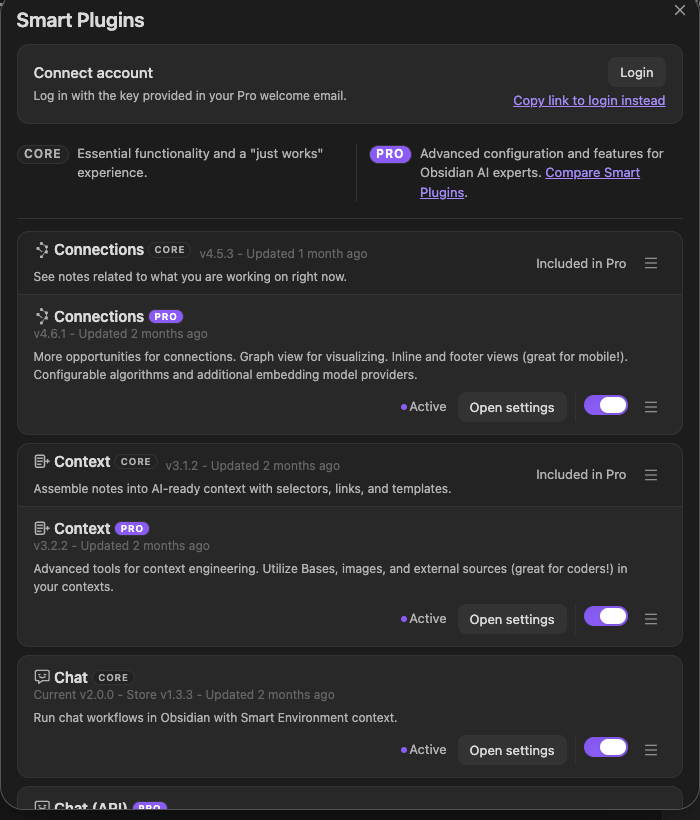
The plugin catalog shows Pro availability alongside Core workflows and current account state.
What if I am already a supporter?
#Everyone who supported the project prior to 2026 is automatically grandfathered into All-access. Use your existing supporter key to log in and access Pro plugins.
Are free Core plugins going away?
#No. Core plugins remain free and source-available. Pro funds advanced workflows while keeping Core stable under the Smart Plugins License.
Does Pro upload my notes?
#No. Pro access does not automatically upload your notes. Smart Plugins are local-first by default, and provider-backed workflows use the context you explicitly choose to send. Review the Privacy Policy.
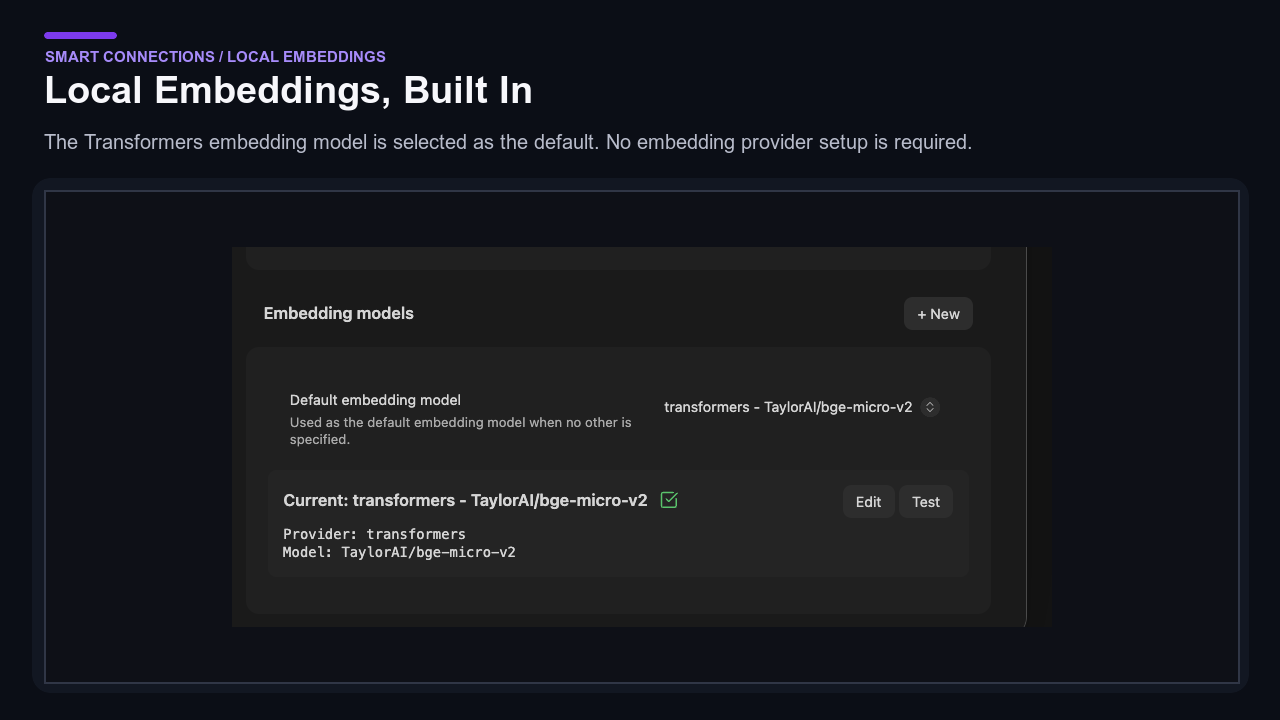
The local-embeddings settings show a built-in Transformers model selected without an external embedding provider.
Is Pro complicated to set up?
#No. Core plugins are designed for zero-setup wins. Pro adds optional depth after you are already getting value. Start with one workflow from Pro plugins.
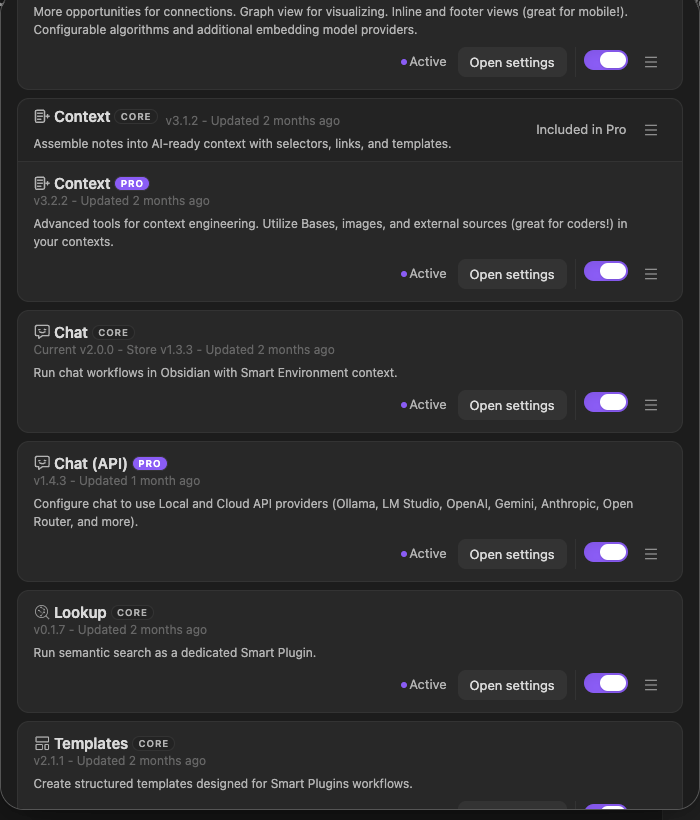
Install and enable states keep the setup sequence explicit inside the catalog.
What if I am not sure Pro is for me yet?
#Use the 14-day trial to decide with real usage. Start with one workflow, such as Connections Pro, Context Pro, Chat Pro, or Connect Pro, and cancel before renewal through Manage subscription.
Do you offer a student discount?
#Yes. Student discounts are currently reviewed manually. Start a free trial, reply to your welcome email requesting the discount, and include proof of enrollment. Start from Pro plugins.
What's the process to cancel a subscription?
#Use the Manage subscription link. Cancel before the end of the 14-day trial to prevent charges. Your welcome email also includes this link.
What if I have not received my key after starting a trial?
#Your Pro plugins license key and manage-subscription link are in your welcome email. If it did not arrive, email brian@smartconnections.app and support can resend access details.
What if I encounter an issue with the Pro plugin?
#Pro subscribers get priority email support. Reply to your welcome email with screenshots and steps to reproduce when possible. Start from Pro plugins if you need to confirm your plan.
Do I need all Pro plugins to get value?
#No. You can get value from one focused workflow. All-access includes current Pro plugins, but you can enable only what you need. Join the pricing waitlist for future single and bundle options.
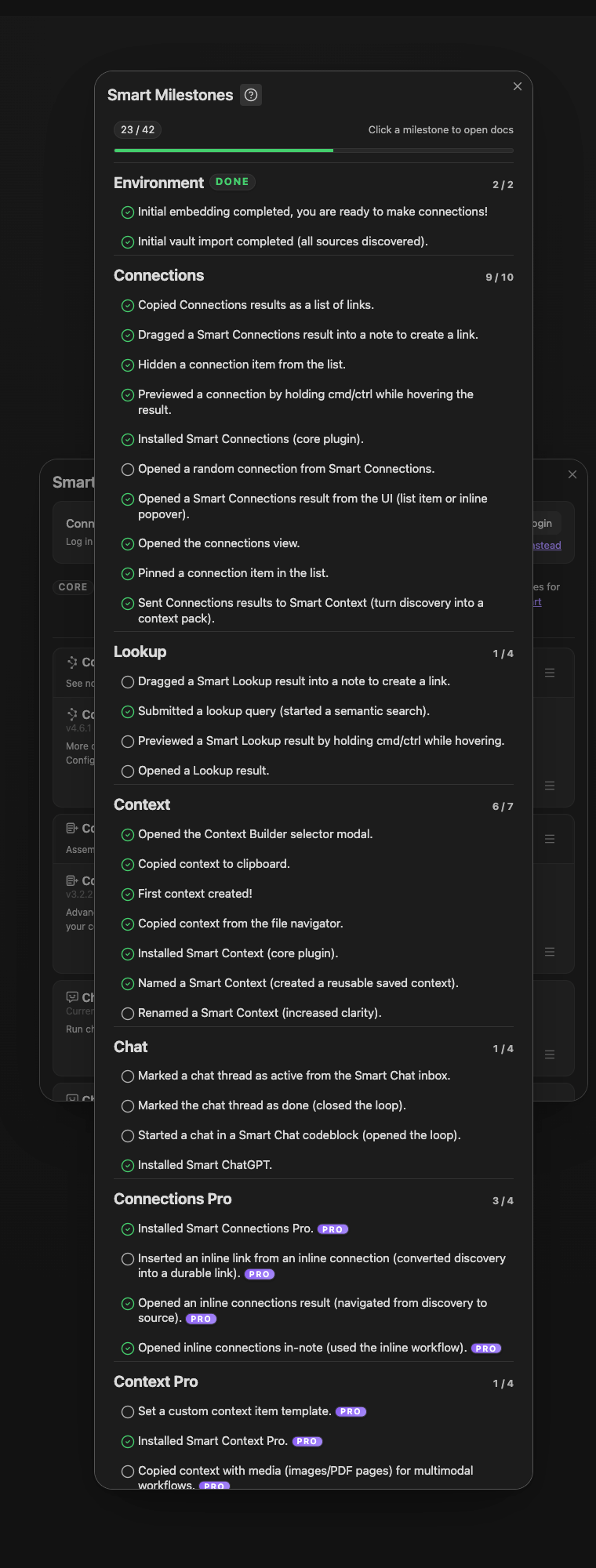
The milestone overview groups optional progress by workflow; it is a learning map, not a requirement to complete every item.
Can I switch which Pro plugins I use during the trial?
#Yes. All-access lets you move between Smart Connections, Smart Context, Smart Chat, and Connect Pro as priorities change.
What is included in the 14-day free trial?
#You can try current Pro plans for 14 days and cancel before renewal to avoid charges. Checkout and billing are handled by Stripe. Start from Pro plugins.
Will Pro help if my large vault feels slow?
#Yes, especially in 1000+ note vaults. Pro adds a faster local performance index for Connections, Lookup, inline connections, Smart Graph, and Dedupe without requiring a third-party vector database. See Pro plugins.
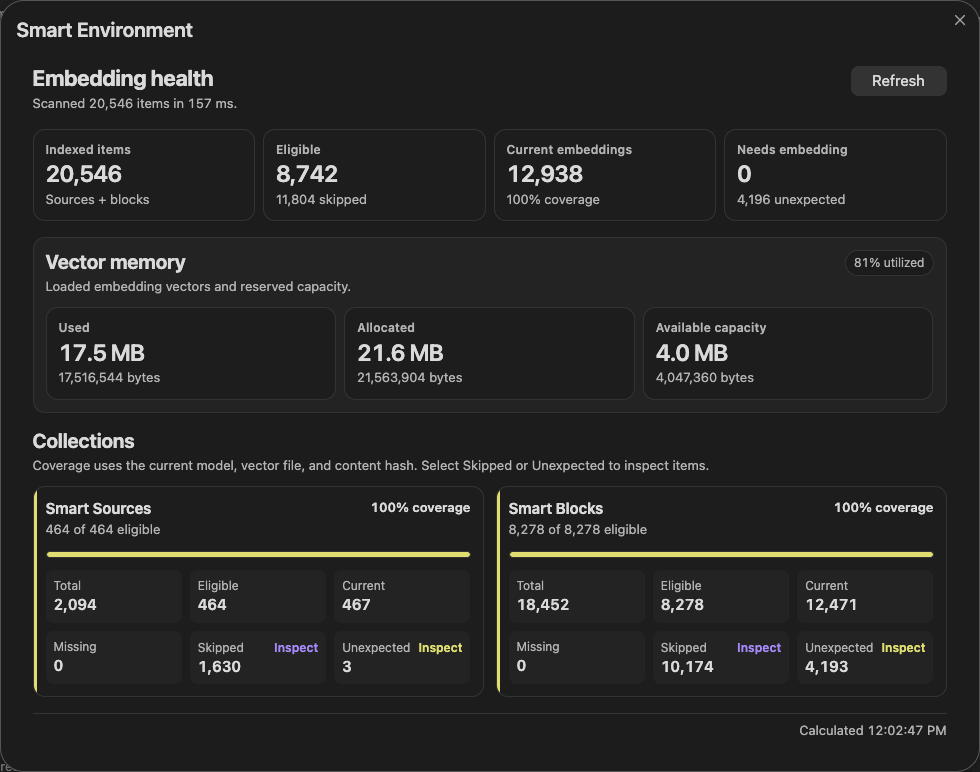
Embedding health exposes eligible sources, current vectors, pending work, coverage, and vector-memory use for a large-vault readiness check.
What is Connect Pro?
#Connect Pro lets ChatGPT take supported actions in your Obsidian vault through a secure tunnel from Obsidian Desktop to the Official GPT.
Does Connect Pro require anything extra?
#Yes. Connect Pro currently requires Obsidian CLI, Obsidian 1.12+, and the current early-access or Catalyst setup. See Connect Pro.
How do you decide what goes into Core vs Pro?
#Core focuses on zero-setup, broadly useful workflows. Pro focuses on deeper configuration, niche integrations, and higher-maintenance surfaces that would make Core harder to learn or maintain. See Core vs Pro.