
Smart Context codeblock
The smart-context codeblock turns a note into a visible context manifest.
Use it when the note body holds the instructions and the codeblock holds the exact notes, named contexts, folders, or files that should travel with those instructions.
Supported aliases
All three aliases render the same UI:
```ctx
Project/Spec.md
ctx:: Backend notes
```
ctxcontextsmart-context
The original alias is preserved when the block is rewritten.
Named-context lines rewritten into the block also reuse that same alias.
What renders in the note
The rendered header stays compact:
- menu button
- builder button
- copy button
- help button
- live size estimate

When the block is empty:
- the builder button uses the
Add contextlabel - the meta area shows
No context items selected
Once the block has active items, the copy button appears:
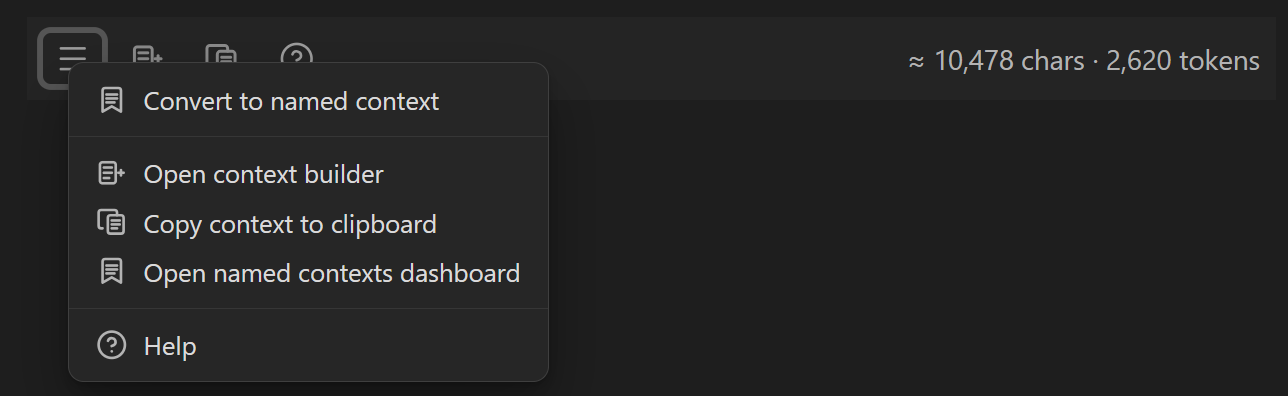
Secondary actions live under the menu:
Insert and edit the codeblock
Use the command that matches the installed plugin.
Core:
Insert codeblock (add notes & named contexts)
Pro:
Insert codeblock (add external files & named contexts)
Both commands:
- insert the block if it is missing
- currently insert
ctxas the default fence alias - create the note-scoped
#codeblockSmart Context - open the builder scoped to that note's codeblock context
The builder uses the current plugin's available context_suggest_* actions, so Pro automatically adds external suggestions while Core stays note and named-context focused.
What goes inside the block
A codeblock can contain:
- note or source keys
- named-context lines
- vault folders (Core and Pro)
- external files or folders (Pro)
- exclusions starting with
!
Internal vault folder example:
```smart-context
Projects/Alpha
!Projects/Alpha/generated
!*.test.js
```
Selecting Projects/Alpha in the builder writes one folder line.
The parser expands that folder line into concrete context items when hydrating the note-scoped #codeblock context.
Excluding a subtree writes one excluded folder line instead of one line per excluded child item.
External folder example (Pro):
```smart-context
../my-repo
!../my-repo/dist
!*.test.js
```
Selecting ../my-repo writes one folder line.
The parser expands that line back into concrete external file items during hydration while respecting .gitignore, .scignore, plugin ignore settings, and in-block exclusions.
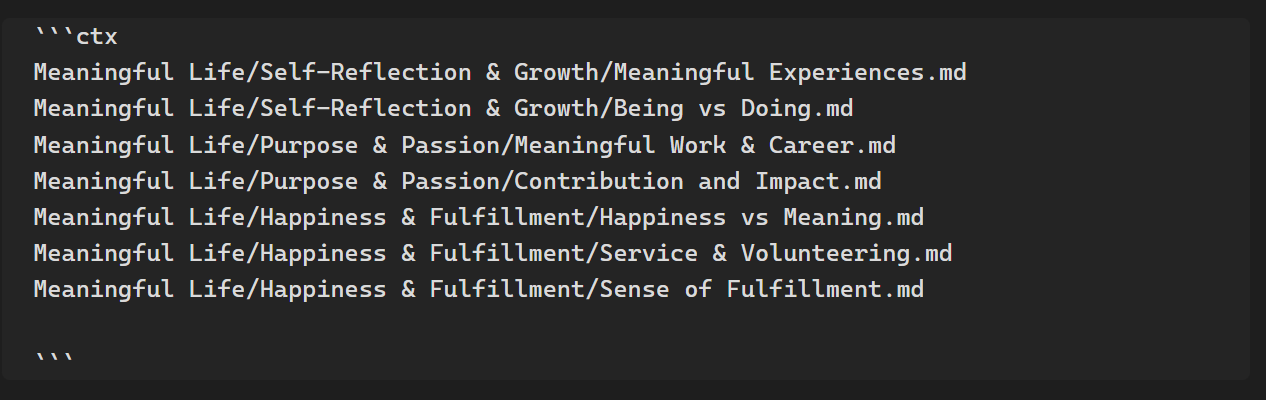
Rendered raw source example:
Named-context example:
```ctx
ctx:: Meaningful name 2026-03-20
```
Rendered raw named-context example:

## Page content replacement for `## Excluding noise`

```md
## Excluding noise

Prefix a line with `!` to exclude a file, folder, or simple glob pattern.

Internal vault folder example:

````md
```smart-context
Projects/Alpha
!Projects/Alpha/generated
!*.test.js
External folder example:

````md
```smart-context
../my-repo
!../my-repo/dist
!../my-repo/obsidian/obsidian.min.js
!*.md
```
This is especially useful when you want:
- most of a folder
- without build output
- without generated artifacts
- without one oversized file
When you exclude a folder from a selected folder tree, the codeblock keeps the compact folder exclusion line instead of expanding every excluded child path.
Nested excluded folders collapse to the broadest excluded path during rewrites.
Copy behavior
Copy only the codeblock context
Use the codeblock copy button or the menu action.
This copies the concrete items already stored on the note's #codeblock context.
It does not trigger extra link-following for:
- named contexts referenced by the block
- sources already declared by the block
- external files and folders already declared by the block
Copy the current note plus the codeblock context
Core:
Copy current to clipboard (choose link depth)
Pro:
Copy current with media to clipboard (choose link depth)Copy current text only to clipboard (choose link depth)
These commands:
- build the normal current-note context
- merge in the hydrated codeblock items
- treat codeblock items as depth zero
That keeps the note instructions and the codeblock manifest together without re-expanding the block again during copy.
Named contexts inside codeblocks
Named contexts stay short in the block and expand only in the hydrated note-scoped context.
```smart-context
smart-context:: Backend notes
```
You can also convert a multi-entry codeblock into a named context from the menu.
The builder name input is codeblock-aware:
- when the codeblock is not yet linked to a named context, entering a name converts it into one
- after conversion, changing that same name renames the linked named context
- the codeblock itself does not become a dashboard item
External files and folders (Pro)
The external selector is optimized for keyboard flow.
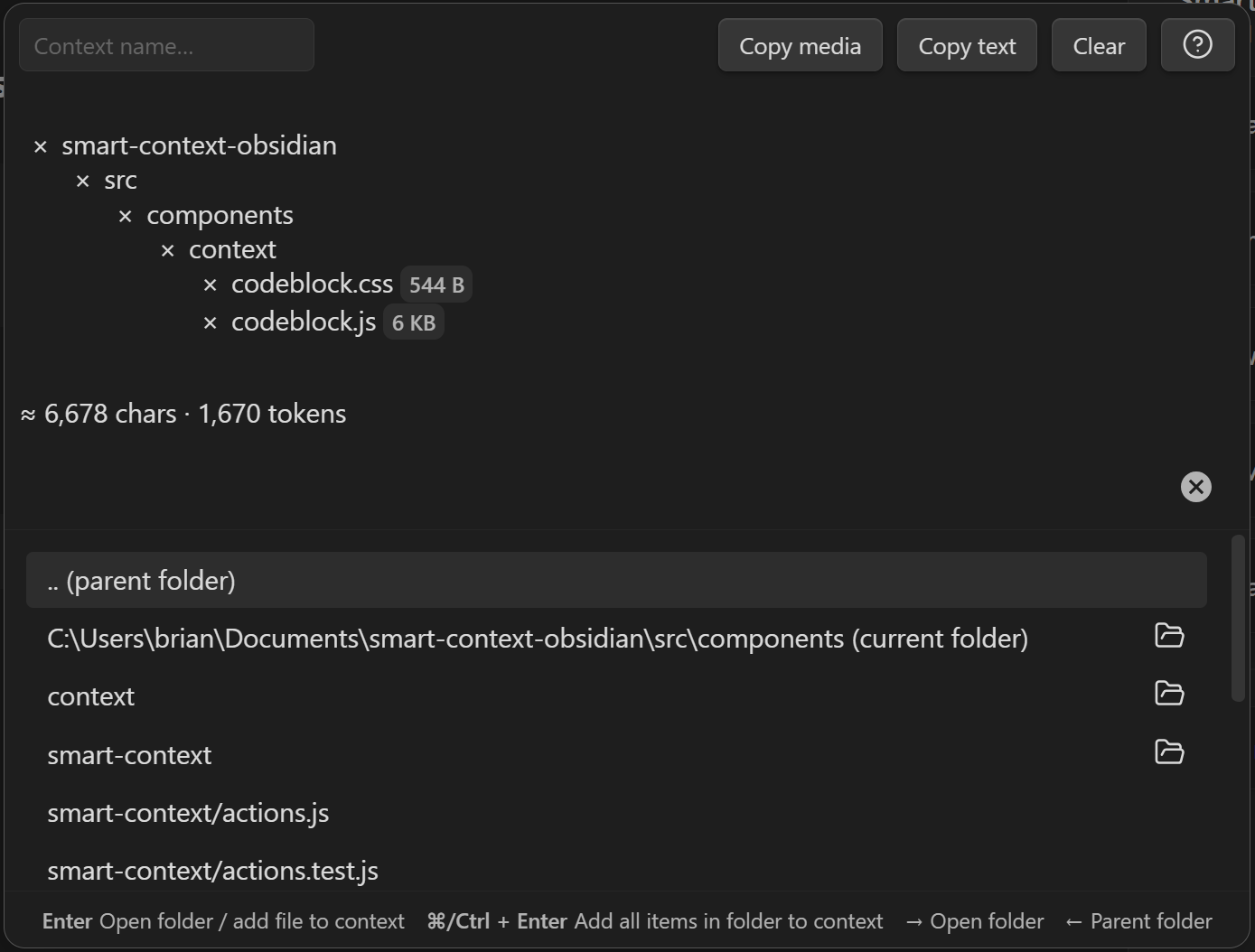
Key actions:
Enter: add file or open folderRight Arrow: open folderCmd/Ctrl + Enter: add the whole folderLeft Arrow: move to parent folder.. (parent folder): navigate up one level
External folder includes respect:
.gitignore.scignore- plugin ignore settings
- in-block exclusion lines
Excluding noise
Prefix a line with ! to exclude a file, folder, or simple glob pattern.
```smart-context
../my-repo
!*.test.js
!../my-repo/dist
!../my-repo/obsidian/obsidian.min.js
```
This is especially useful when you want:
- most of a folder
- without build output
- without generated artifacts
- without one oversized file
When to use a codeblock vs a named context
Use a codeblock when:
- the context should stay attached to one note
- the note is the project hub or agent brief
- you want the manifest visible in the note
- you want external repos or files tied to the note
Use a named context when:
- the bundle should be reused across many notes
- the bundle is not tied to one project hub
- you want one saved set that can also be embedded in codeblocks
Related pages
- Build context sets from search results: Smart Context Builder
- Export linked notes for AI handoffs: Smart Context Clipboard
- Use semantic relevance before exporting: Exploring the Connections view
- Pull query-first results into context packs: Smart Lookup