
Named contexts
Named contexts are saved Smart Context bundles you can reopen, copy, and refine without rebuilding the same selection every time.
Build it once. Name it once. Reuse it anywhere the same job comes back.
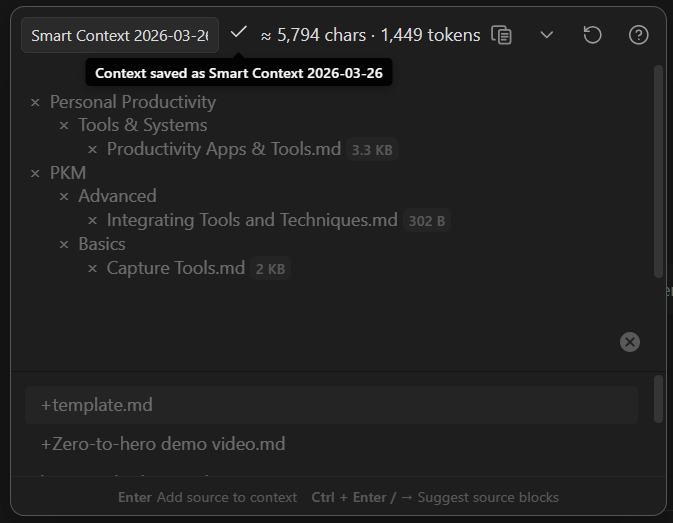
Save a named context
Build a working set in Smart Context Builder, then type a name in the header.
As soon as the context has a name, it becomes a saved Smart Context that you can reopen later.
Name the context bundles however you like.
Slash names also group cleanly in the dashboard list, like "nested tags" in Obsidian.
Open the named contexts dashboard
Use the named contexts dashboard to browse saved contexts and reopen them in the Builder.
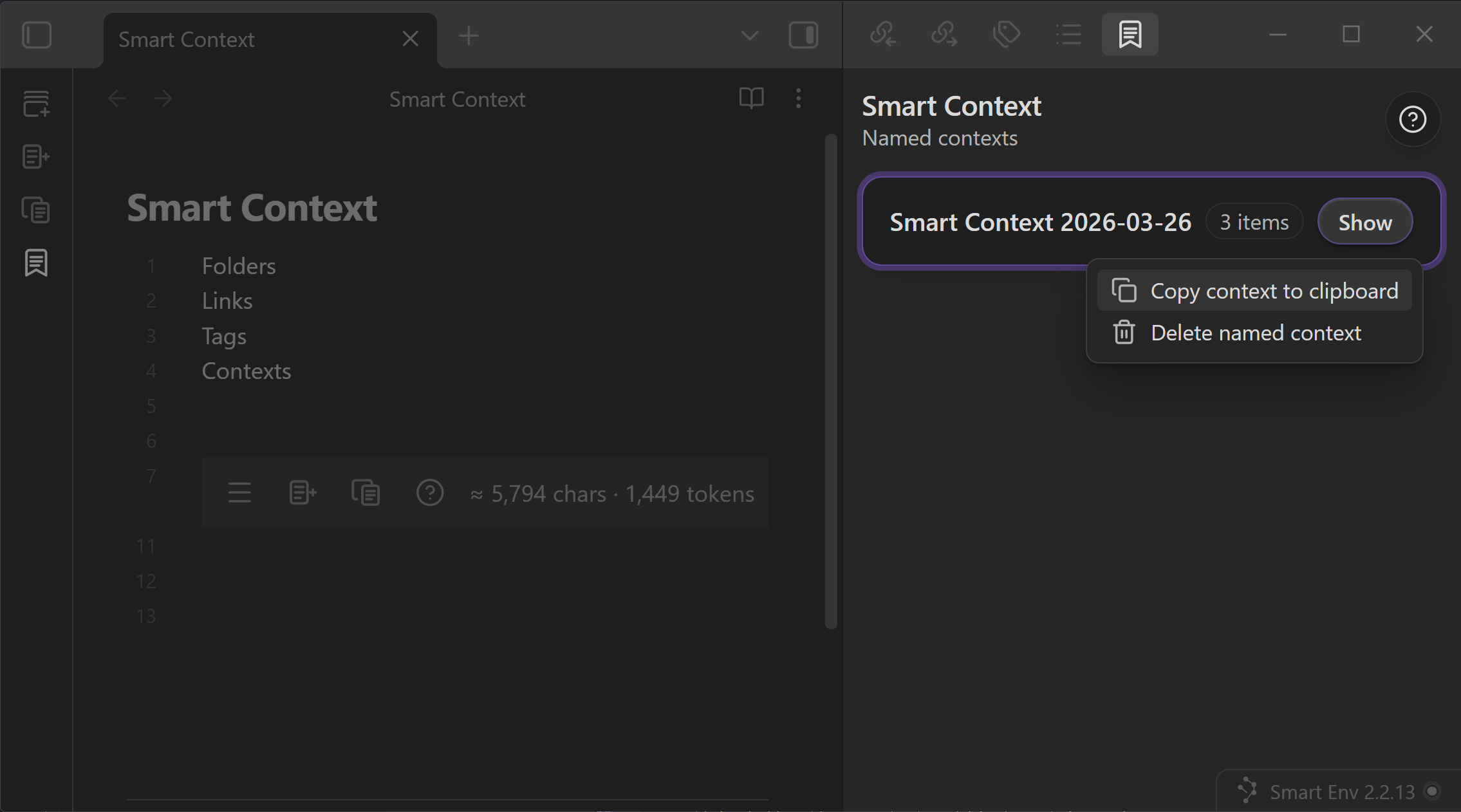
From the dashboard, you can:
- open a saved context back in the Builder
- copy it directly to the clipboard
- delete it when it is no longer useful
That makes the dashboard the home base for reusable context packs.
Common workflow
- Build a working set in the Builder.
- Give it a name.
- Reopen it from the dashboard the next time the same problem returns.
- Copy it directly, or edit it in the Builder before copying.
Named contexts work especially well for:
- recurring project briefs
- meeting prep packs
- writing voice packs
- bug triage bundles
- client handoff sets
Named context vs codeblock
Use a named context when:
- the bundle should be reused across many notes
- the selection is a repeatable working set
- you want one saved item in the dashboard
Use a codeblock when:
- the context should stay attached to one specific note
- the note itself is the brief, prompt, or control surface
- the manifest should stay visible in the note body