
Getting Started with Smart Chat
Smart Chat keeps conversations where your work lives. Start with free chat codeblocks inside notes, then upgrade to the Pro workspace when you need full-height chat, vault-aware context, and saved threads.
Smart Chat Pro is currently desktop-only. Mobile users can still use Core chat codeblocks inside notes.
Core vs Pro in 30 seconds
| Core (free) | Pro workspace |
|---|---|
| Chat codeblocks inside notes | Dedicated Smart Chat view |
| Uses provider web UIs (ChatGPT, Claude, Gemini, etc.) | Routes to local + API models via Smart Environment |
| Threads saved back to the note | Persistent thread history + search |
| Perfect for note-anchored Q&A | Best for longer sessions + context review |
Quickstart (Core)
- Install Smart Chat from Obsidian → Community plugins.
- Add a chat codeblock to the note where the thread belongs.
- Open the thread in your provider UI and chat as usual.
- Smart Chat saves the thread URL into the note so you can return later.
- Mark threads Done when you are finished.
Example codeblock:
```smart-chatgpt
chat-active:: 1770051917 chat:: https://chatgpt.com/
```
Retrieval walkthrough (Pro)
Smart Chat Pro keeps responses grounded by attaching the right context before you send.
Step 1: Self-referential prompts
Use phrases like “summarize what I wrote about it last week” to trigger retrieval.
Step 2: Retrieve more
When you need deeper coverage, click Retrieve more to append additional matches.
Smart Chat Pro workflow
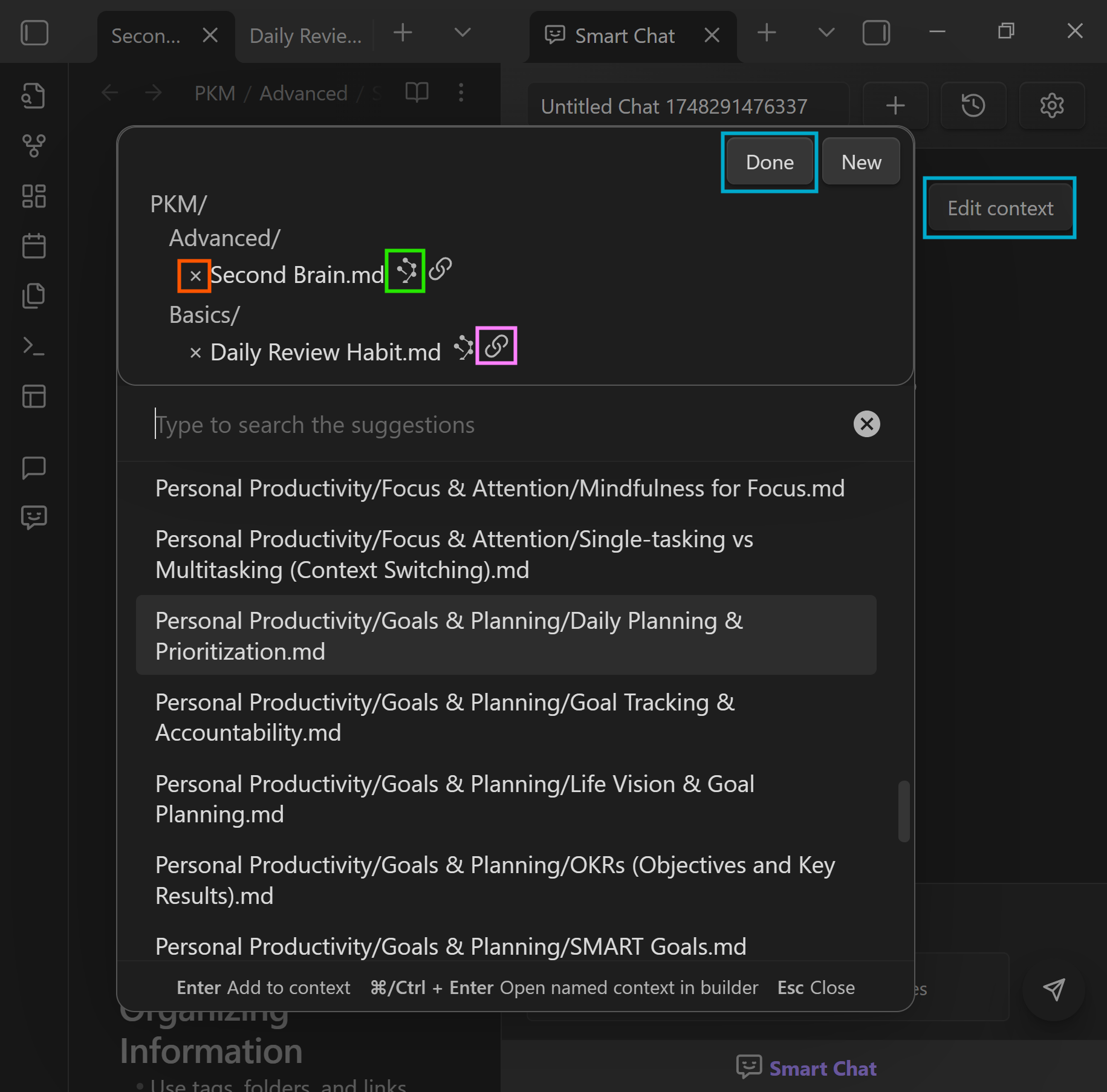
Review and adjust context
Before sending, preview the notes and blocks being forwarded. Toggle sources to keep every response grounded in the right material.
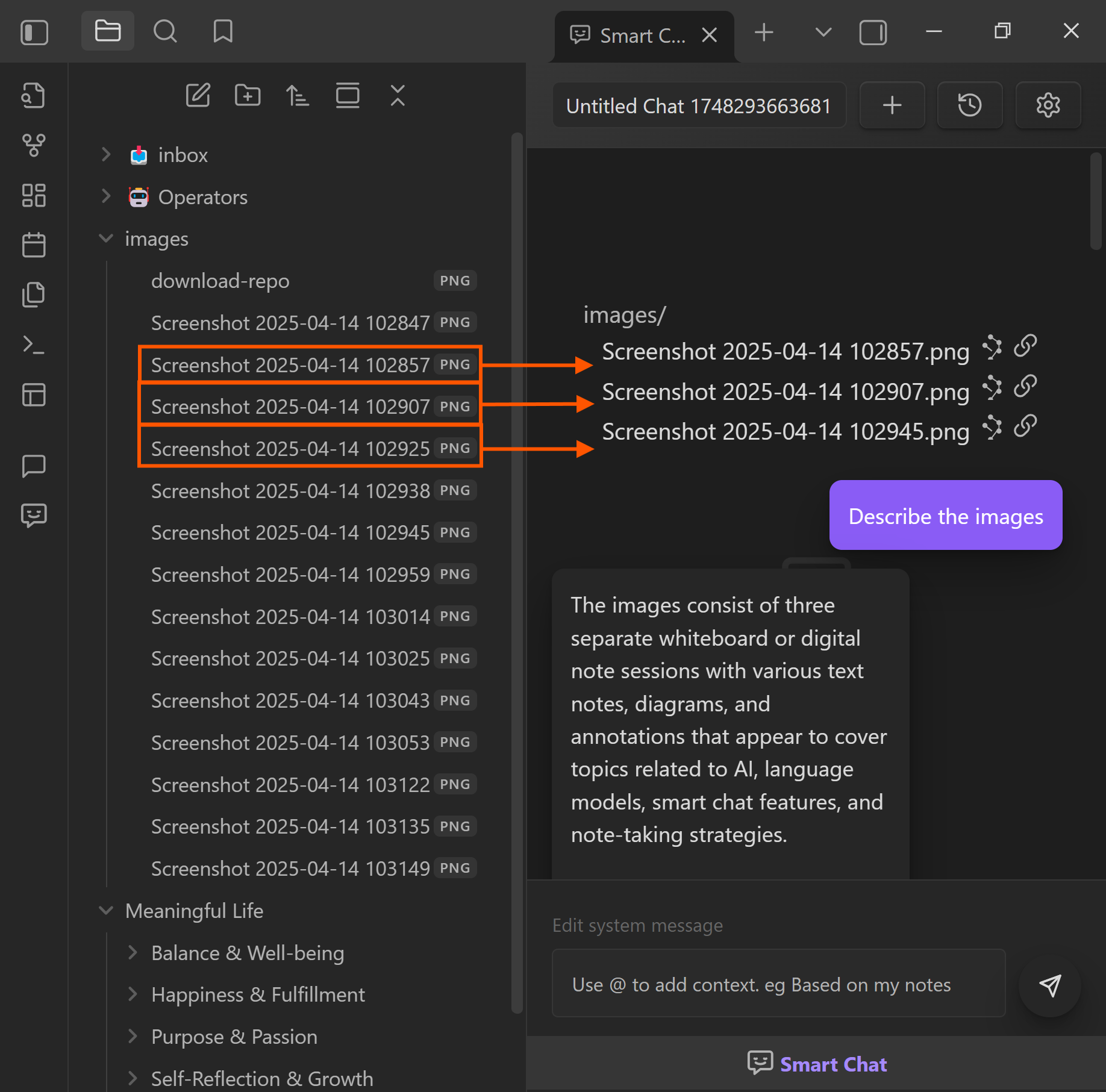
Drop files and notes into chat
Drag notes, folders, or PDFs into the chat to expand context on the fly.
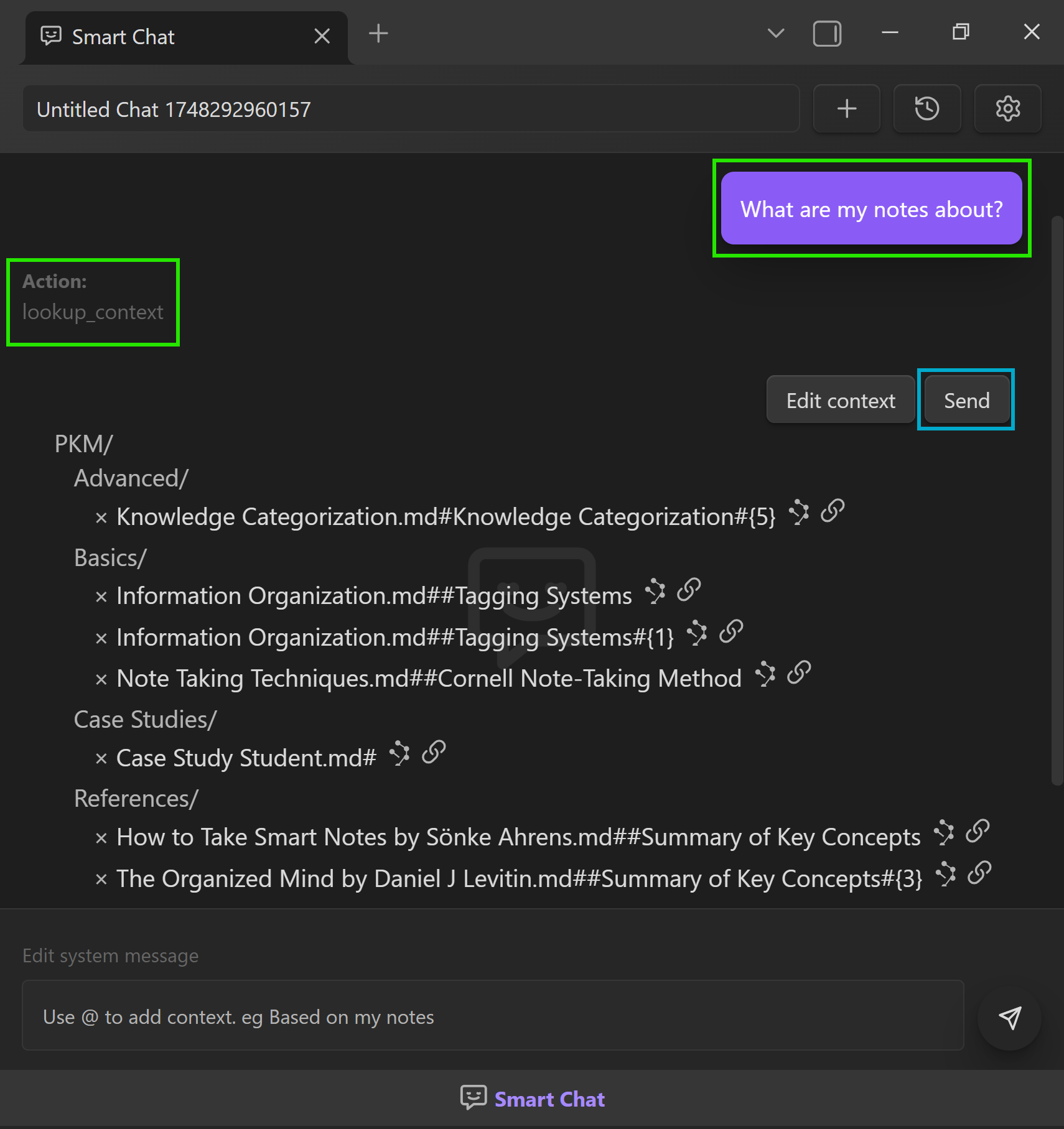
Lookup context automatically
Use Lookup context when you are unsure which notes contain the answer.
Next steps
- Smart Chat overview for the full Core vs Pro walkthrough.
- Smart Chat settings to configure defaults.
- Smart Chat API integration for local + API models.
- Smart Chat getting started story for a narrated walkthrough.
- Join the community to unlock Smart Chat Pro and Smart Actions.