
Smart Templates modal
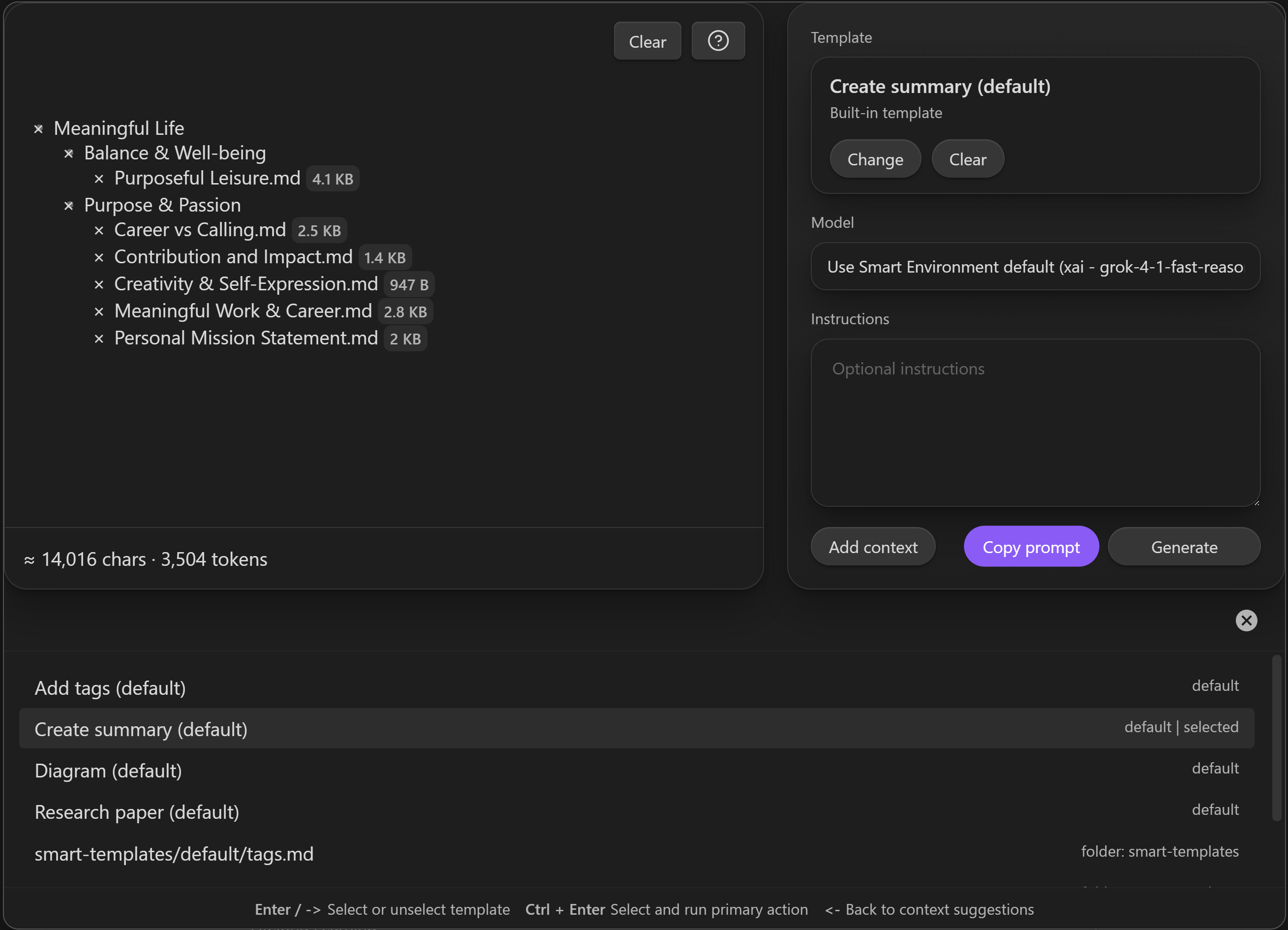
The shared Template Context modal is the heart of Smart Templates v2.
It replaces the old multi-modal chain with one context-first workspace.
How it opens
You can open it from:
- the command palette
- the ribbon icon
- the file menu for a note
What it does
The modal combines three jobs in one place:
- build or refine context
- select one or more templates
- add optional instructions and run the output action
Why context-first matters
Most template tools start by asking you to choose a template.
Smart Templates starts from the work you are already doing.
That keeps the workflow grounded:
- the current note is the anchor
- a text selection can become the anchor instead
- template choice happens after you see the context
Core vs Pro
Core uses the modal to build and copy prompts.
Pro uses the same modal, then adds:
- Generate
- model override
- output review modal