
Smart Chat Getting Started Docs Coming Soon!
Getting Started with Smart Chat
Smart Chat Pro
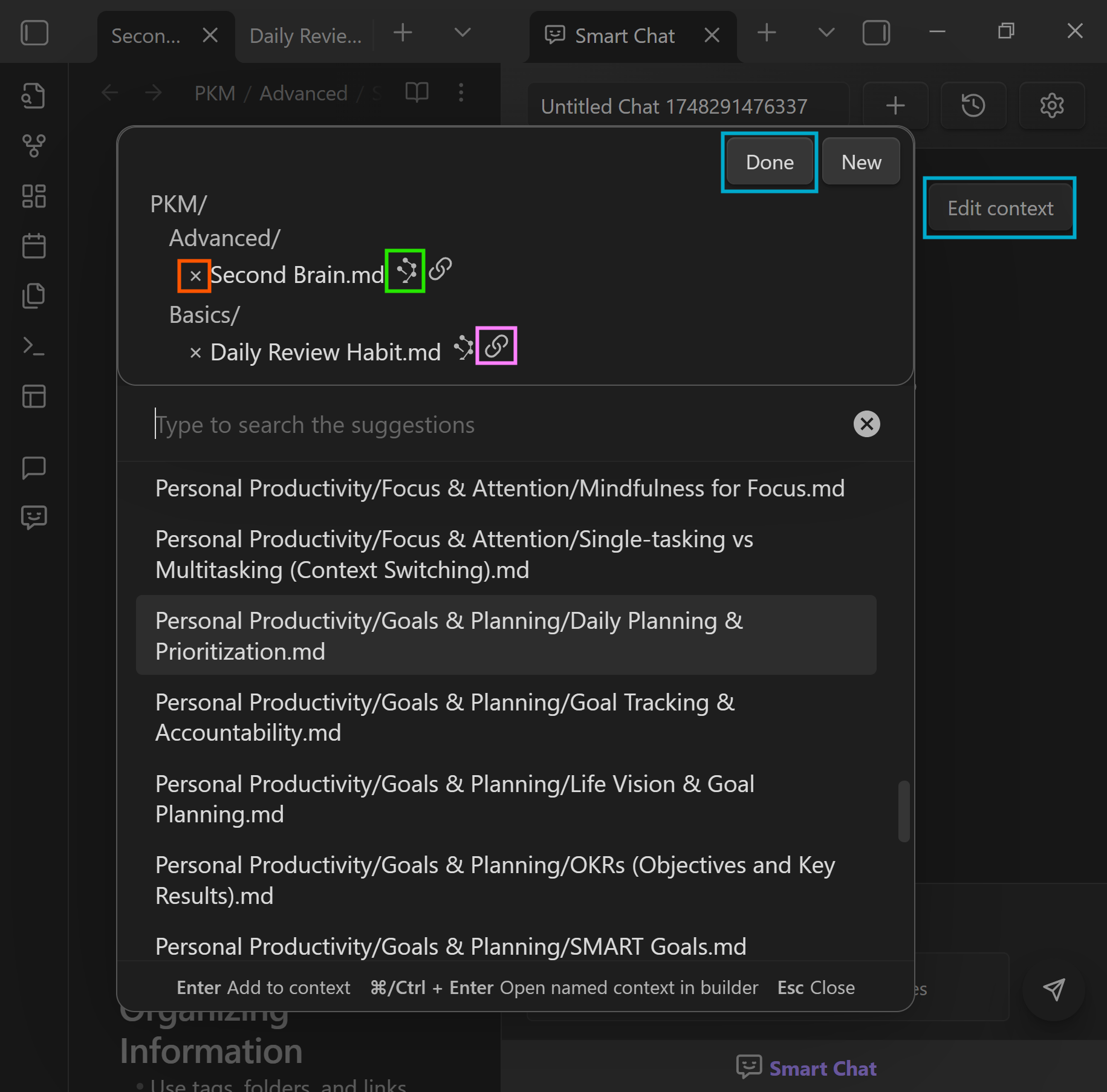
Review and adjust context
Before sending, preview the notes and blocks being forwarded. Toggle sources to keep every response grounded in the right material.
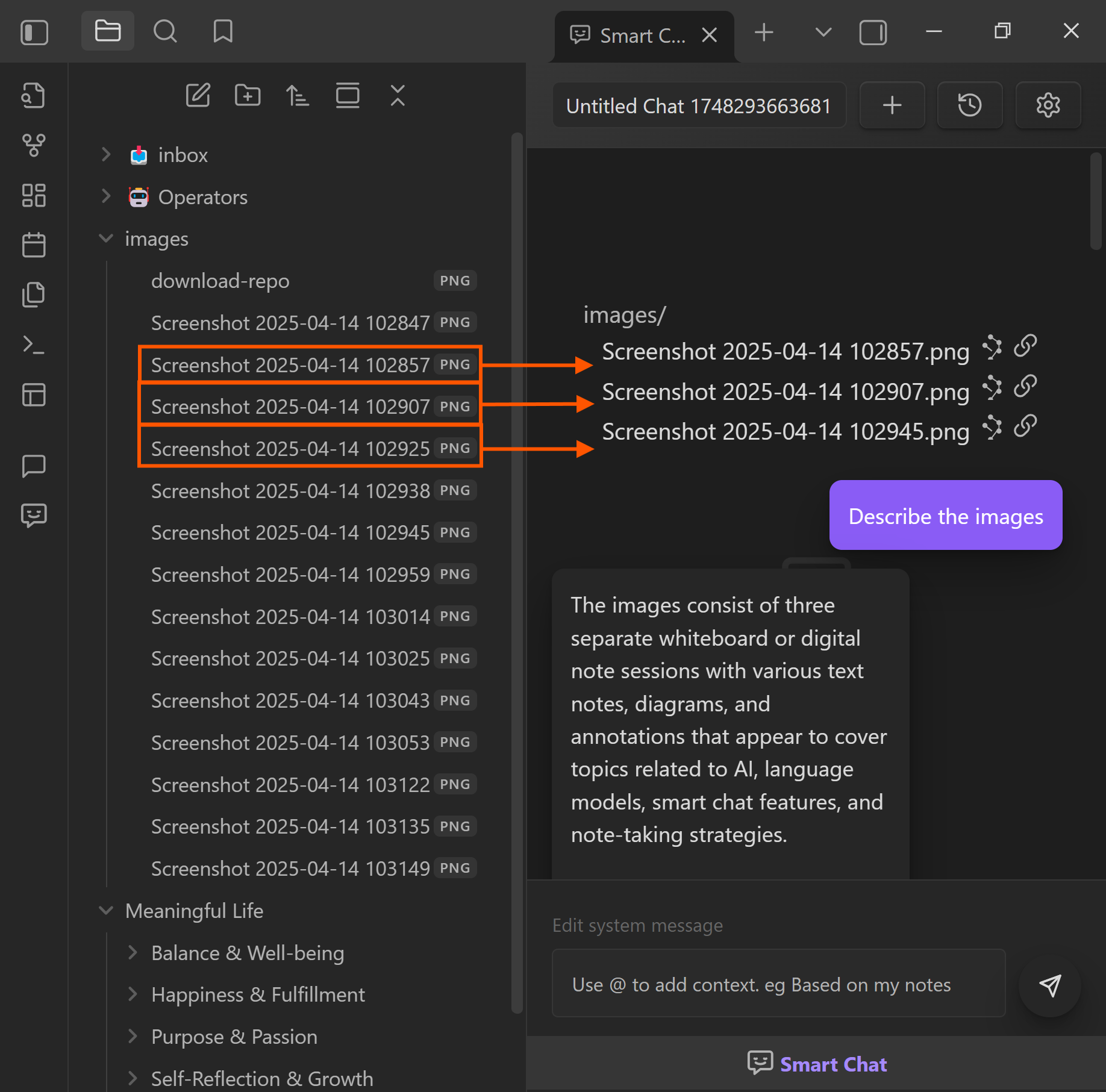
Drop files and notes into chat
Drag notes, folders, or PDFs into the chat to expand context on the fly. Use this when you want the model to reference multiple documents without leaving the thread.
Next steps
- See the Smart Chat overview to compare codeblocks and the full workspace.
- Watch the Smart Chat getting started story for a narrated walkthrough.
- Join the community to unlock Smart Chat Pro and Smart Actions.