
Build context
Send selected notes to Smart Context Builder. Review the source list, then copy or save the context.
Requires Smart Context installed and enabled.
See the source handoffOfficial Smart Plugins site Independent plugins for Obsidian.Smart Plugins are independent third-party plugins for Obsidian. Smart Connections is the flagship plugin.
Smart Graph for Obsidian
Explore your notes by meaning. Turn a useful selection into an editable Canvas, a source-linked note, or context for your next conversation.
Included in Pro All-access. Requires Obsidian Desktop and indexed notes.
From discovery to your next task
Select sources in the graph, check their names in the Notes panel, and open the ones you want to read. Then use the same selection to continue your work.
Send selected notes to Smart Context Builder. Review the source list, then copy or save the context.
Requires Smart Context installed and enabled.
See the source handoffCarry selected notes into editable file cards. Continue arranging and connecting them on an Obsidian Canvas.
See a Canvas exampleCreate an editable scaffold with source links and prompts from two or more selected notes. Develop the synthesis in your own note.
See how note creation worksOne selection, carried forward
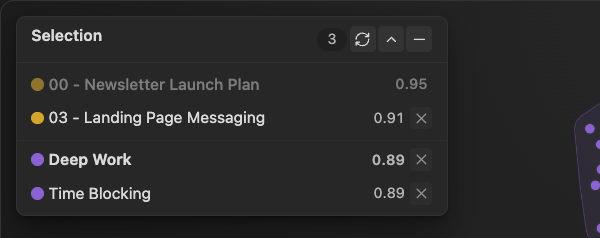
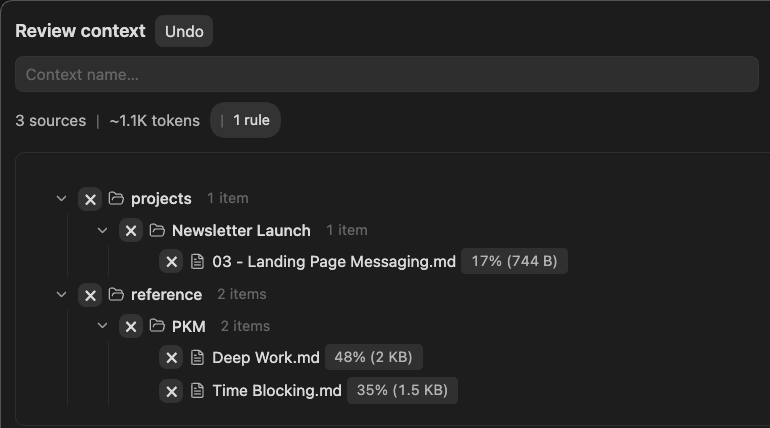
In this example, Landing Page Messaging, Deep Work, and Time Blocking stay together from Graph selection to the context source list.
Selection 3 lists the three chosen notes. The muted Newsletter Launch Plan is their parent, not another selected source.
 Open selection screenshot full size
Choose the action in Graph's Create menu. Review context in Builder shows the matching three sources before you copy or save.
 Open Builder screenshot full size
Recorded example: Smart Graph 1.2.1 and Smart Context 3.4.1. Follow the selection-to-context guide.
Continue on Canvas
Create a Canvas from your selection, then work with the note cards in Obsidian. Graph can carry over positions and colors and may add representative notes for selected clusters.
How Canvas creation works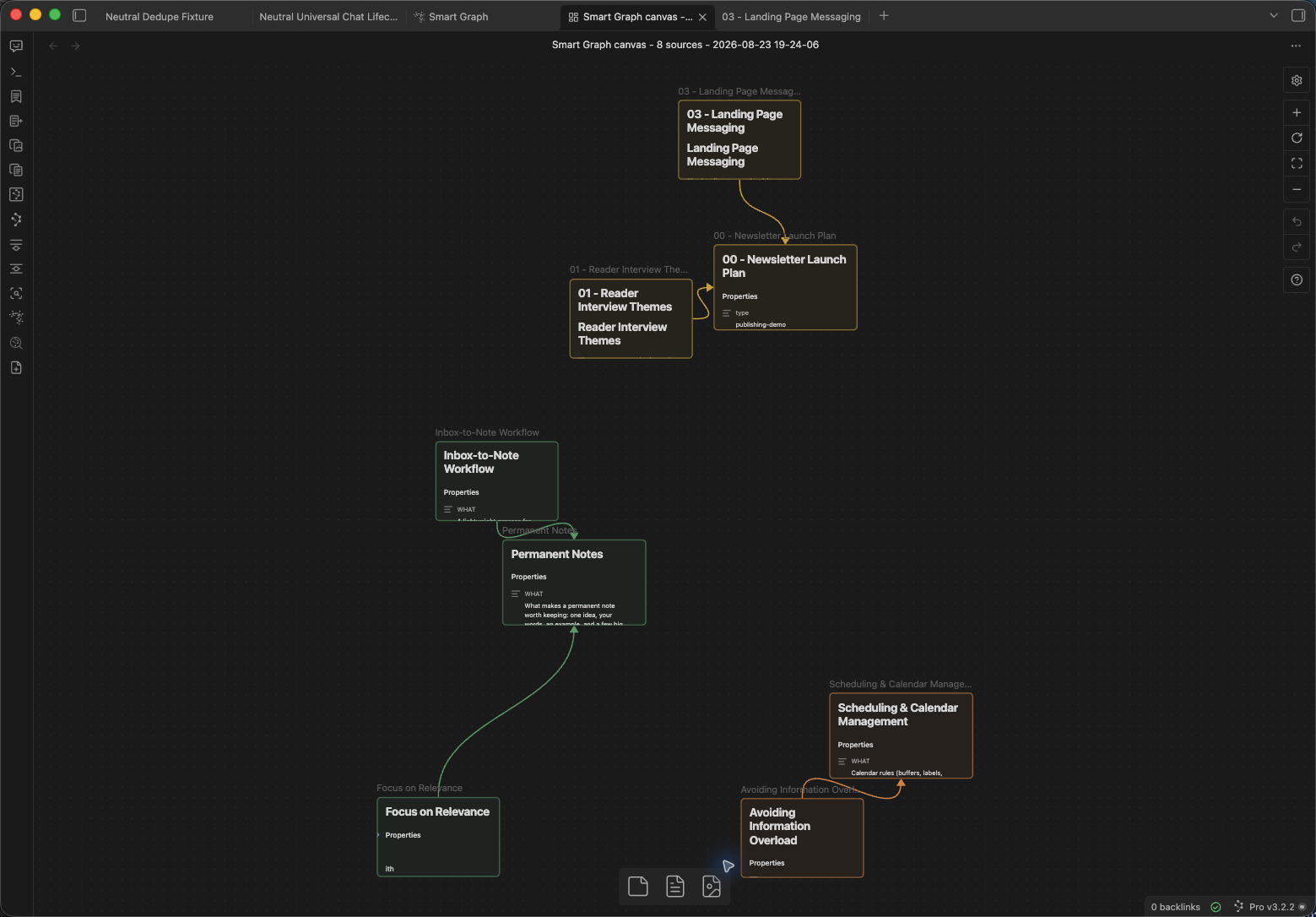 Open Canvas screenshot full size
Start with a useful question
Start from a note you know, or explore a larger map. Search emphasizes matching notes; selection keeps their identities in the Notes panel; scope changes which sources are in the map.
Open your first related noteChoose More actions > Explore in Smart Graph to open the current note and its related sources in Smart Graph. Keep exploring the same result set as a map.
Follow Connections into GraphWhy another graph
Obsidian native graph
Smart Graph
Use both when you want to compare semantic proximity with the links you created. See the native Graph comparison and how Graph lines work.
How it works
Smart Graph uses embeddings to place indexed notes closer together when their content is semantically similar. The selected scope determines which notes enter the map.
What can change
What appears can change with the indexed sources, embedding model, scope, and layout settings.
Learn how to interpret GraphQuestions before you add it
Smart Graph arranges indexed notes by semantic similarity into regions you can explore, with source nodes you can select and open.
Obsidian's native graph centers authored links. Smart Graph starts from semantic similarity and can also overlay authored links when Show links is active.
Semantic bridges are generated lines between cluster representatives. Show links adds authored links with arrowheads that show direction; Hide links removes that overlay.
Yes. Nodes resolve to indexed source notes. Select a node to inspect or open its source in Obsidian.
Learn about Graph nodesYes. Because Smart Graph uses semantic similarity, it can form Neighborhoods even when authored links are sparse.
Open selected notes, copy their links, create an editable synthesis note or Canvas, or send the selection to Smart Context Builder. The Context handoff requires Smart Context to be installed and enabled. You can also save a graph image or change scope.
Smart Graph is a Pro desktop plugin. It needs eligible indexed Smart Sources and current embeddings. A current-note Neighborhood also requires the active note to be indexed.
The current Store lists Smart Graph in the main Pro catalog rather than under Experimental. Check the live Store for the latest grouping.
Available with Pro
Start from a note you care about. Explore its neighborhood, inspect the sources, and bring the useful ones into your next task.
Smart Graph is included in Pro All-access on Obsidian Desktop.
Smart Project lessons
Begin with a four-part introduction, followed by selected lessons from the systems, tools, and workflows behind Smart Plugins.
Subscribe to the Smart Project lessons and selected updates. Unsubscribe anytime. Privacy policy.